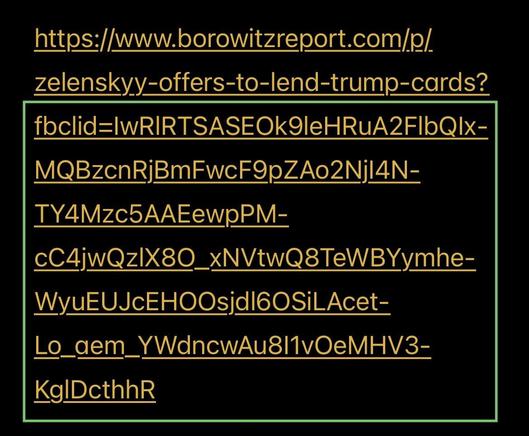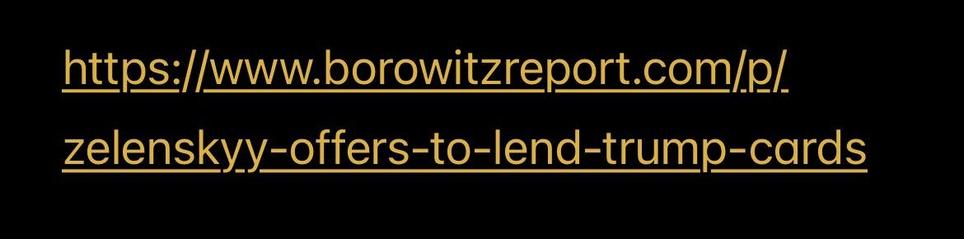
You can remove anything starting with the question mark up to the end of a #URL in most cases. (Not all. Examples follow.)

Long URLs are truncated in #Mastodon posts, so it can be hard to see what's at the end.

You can right click (desktop) or long press (mobile) for a context menu & select "Copy URL." Then paste it into an editor & remove the tracking params from the end.

๐Ÿงต (1/4)

#Fediverse #PSA

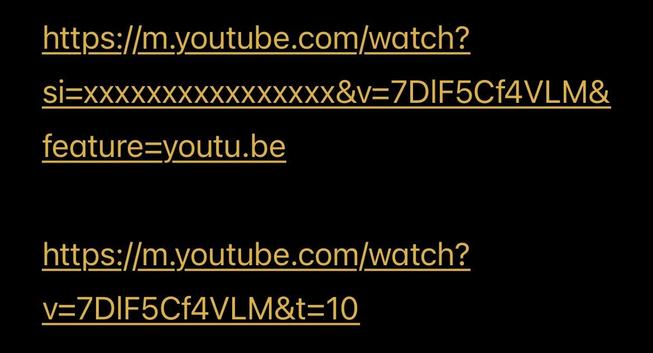
In some cases, eg YT vids, you need certain parameters. In particular, when the link starts with youtube dot com /watch, the v parameter says which video. It has to remain after the question mark (?). But you can remove other params and the ampersands (&) that separate them.

YT also allows a t param in seconds to indicate a starting offset. I often add this manually to jump to whatever's interesting.

You can generally play around with removing params to see what's actually needed.

(2/4)

Tracking params often include "id" (sid, smid, fbclid, etc). You'll also see params starting with utm_ (often from medium, eg). These should all be removed.

(3/4)

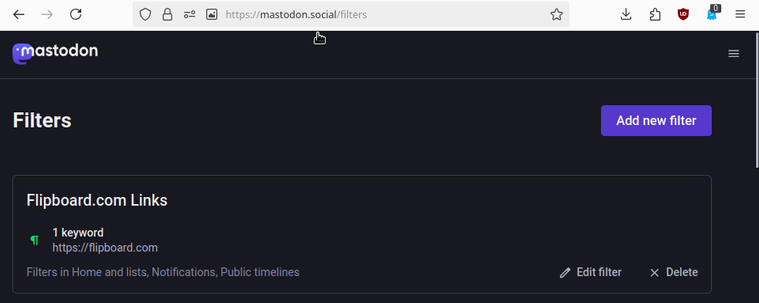
I blocked the flipboard.com domain. Every bot seems to include tracking info on its links. They often show up under the news tag.

(4/4)

@darth_hideout

I've had some frustration with flipboard too.
As I recall, many/all of the links to their domain in their posts were a 'road to nowhere'. No article to read. No subsequent link to the article in the post, etc.

It didn't make any sense. IIRC, I replied to one of those posts and asked them WTF?

I actually got a reply. Something along the lines of "It's not supposed to be this way." But my experience never changed.

@darth_hideout

I blocked their server for a while. But I lost out on some content I wanted. So I went with a filter instead.