 Justine Smithies
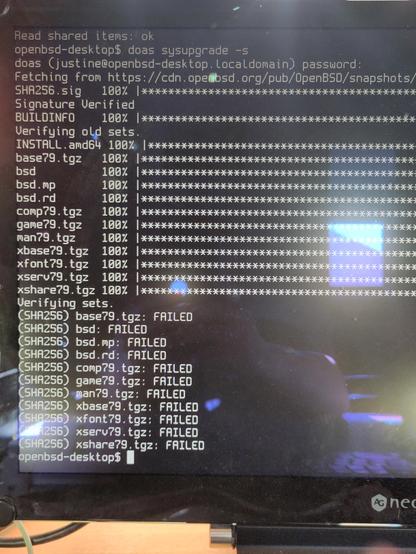
Just thought I'd reinstall #OpenBSD 7.9 again and then switch to the latest snapshot to see if my not being able too boot /bsd past the 14th May snapshot and it now fails to verify the downloaded stuff 😂
Good thing I've still my trusty #FreeBSD laptop.
Even more random redoing the sysupgrade -s and it passes straight away and upgrades. Does it boot the /bsd ? No it does not only boot.rd and boot.sp boot.
Good thing I've still my trusty #FreeBSD laptop.
Even more random redoing the sysupgrade -s and it passes straight away and upgrades. Does it boot the /bsd ? No it does not only boot.rd and boot.sp boot.
 Justin Derrick
 junkman
 Can Acar
 Teapot Ben
 Matthias Schmidt
 Tom
Tom