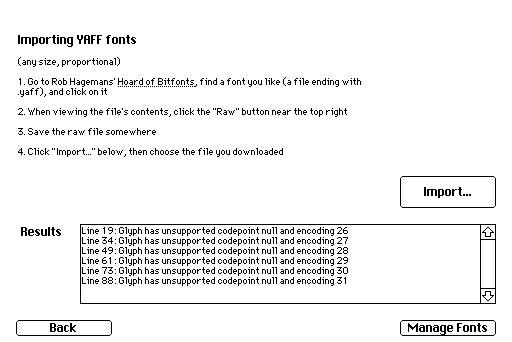
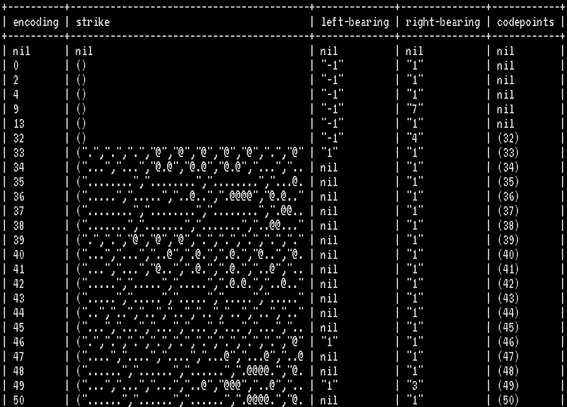
I have begun writing a Decker deck that can import fonts from Rob Hagemans' Hoard of Bitfonts. It's been kind of painful because Decker's scripting language is a bit awkward at text manipulation, and the YAFF file format is geared for human consumption rather than machine-readability. Nevertheless, I can now read a sequence of glyphs, with the Unicode codepoint they represent, the strike bitmap, and whatever other properties the font provides.

Still need to actually translate all that into a form Decker can use, of course.
#Decker

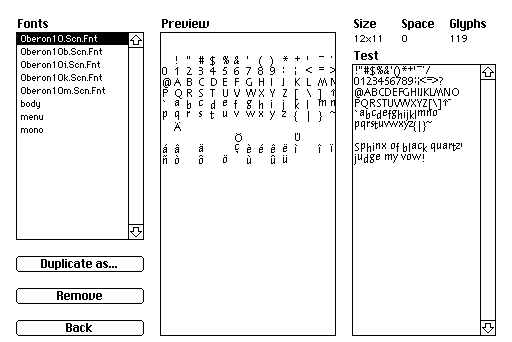
I can now import YAFF fonts, including the font name, the character images, and the left- and right-bearing values so they're horizontally spaced properly.

I still need to support vertical alignment, as well as recoding fonts to DeckRoman where possible, so they're useful for non-ASCII text.

Featured in this screenshot is "Oberon", the system font used by the Oberon operating system.

#decker

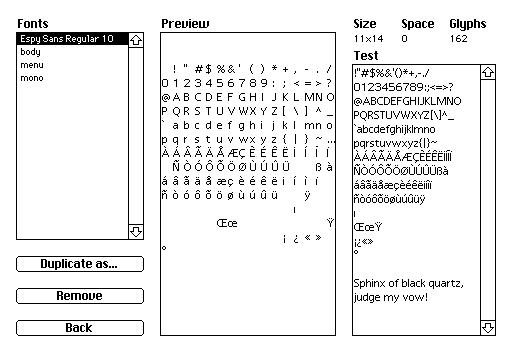
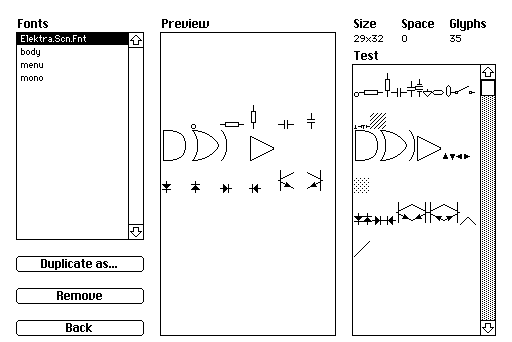
Today I worked on font encodings: if a YAFF file describes the Unicode codepoint a glyph is supposed to represent, the importer will put it in the right spot for Decker's "DeckRoman" encoding. If the font *doesn't* describe codepoints, it's probably a symbol font and the pictures aren't supposed to line up with characters anyway.

I also worked on the vertical-alignment issue I mentioned yesterday... but after getting it working, I seem to have broken it again. Ah well, something for tomorrow.

Featured in these screenshots are Espy Sans, the UI font from Apple's Newton, and Elektra, a symbol font for electronic schematics from the Oberon project.

#Decker #pixelfont

It occurred to me today that the FontStruct website has a lot of pixel fonts on it, and people might want to import those into Decker. When you download a font, there's TTF and OTF and WOFF versions, none of which are any use to me, but there's also a `.glyphs` file which is plain text with some kind of JSON-like data. Decker can read JSON data, maybe I could just slurp it in..?

Turns out, it's *not* JSON, it's "OpenStep Property List" syntax - the data format that MacOS X used in the 1990s before the XML-based format that they used before the binary format they use today.

I'm not going to write a parser combinator library for Decker. I'm not, I'm *not*, I'm NOT. *grits teeth, clenches fists*

It turns out I misunderstood. Fontstruct doesn't give you Glyphs file by default, but if you edit a font you can ask it to export a Glyphs file, and a lot of creators on Fontstruct specifically grant permission for other people to clone and edit their fonts. Some creators who distribute their fonts outside the Fontstruct website will even include the Glyphs file for completeness (which is what confused me initially).

Also by an astonishing coincidence, after I posted my complaint above, Decker's creator posted an OpenStep Property List parser as example code. So I figured I'd at least poke around and see how far I got.

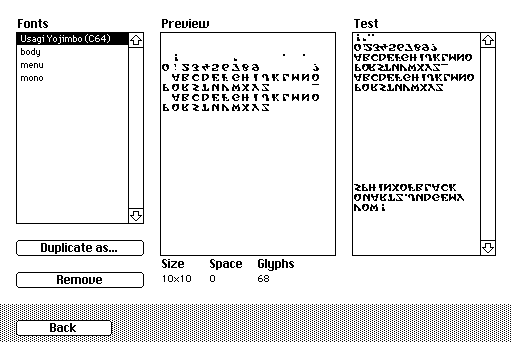
So here's the font from Usagi Yojimbo for the C64, as rendered in Fontstruct by @patrick_h_lauke and exported as a Glyphs file, and imported Into Decker. It, uh, needs some work.

https://www.splintered.co.uk/experiments/1723/

#decker #pixelfont

@Screwtapello as an aside, note that the glyphs file from fontstruct is specifically (i think) for the glyphs app https://glyphsapp.com/news/blogfontstruct-users-welcome (rather than being some standard format used elsewhere, but i might be wrong)
FontStruct users, welcome! | Glyphs

We are very happy to announce the Glyphs integration of Fontfont’s online modular font editor [FontStruct](http://fontstruct.com/)!

Glyphs