DanctNIX
 Kate
Kateguuuuys 👀
ping @danct12 😎
wow, this post really blew up!
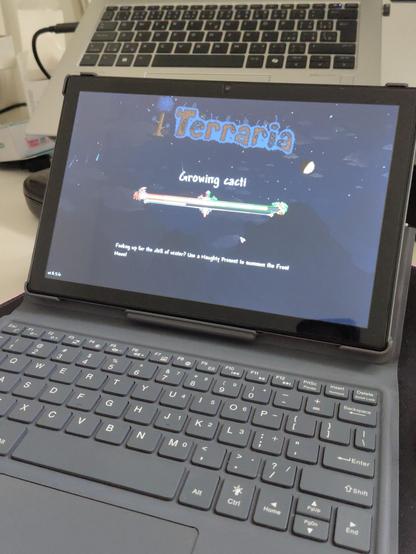
let me write up how I did this...
I used https://github.com/tranarchy/arm64-linux-games/tree/main/terraria as a basic guide
the supplied libraries from this repo are out of date and don't work with the current version of Terraria
I bought the game on GOG to avoid having to mess with Steam on ARM.
When you download the game, it will contain a lib64 folder with a few libraries (faudio, fna3d and SDL)
Delete those and replace them with ones you compile yourself. The linked repo shows how to do that, although you'll want to checkout a different tag (you can launch Terraria on an x86 box and it handily prints out the needed library versions).
I didn't build my own SDL3, instead I linked Arch's SDL3 library into the game's lib64 directory using ln.
You can now run the game using LD_LIBRARY_PATH=lib64 mono Terraria.exe
This little native library hack is only possible thanks to the game using very few native libraries and being written in C#. This also means the game is running natively on ARM. No fex, no qemu, no box64, not even Wine or Proton.
The process for the Steam version should be the same except you'll also want to build https://github.com/tranarchy/arm64-goldberg-emulator and run Steam using fex, box64 or the new native ARM Steam client (https://interfacinglinux.com/community/sbcsoftware/native-steam-client-for-arm-linux/). I personally didn't have much luck with running Steam on ARM yet which is the main reason I went with the DRM-free GOG version.
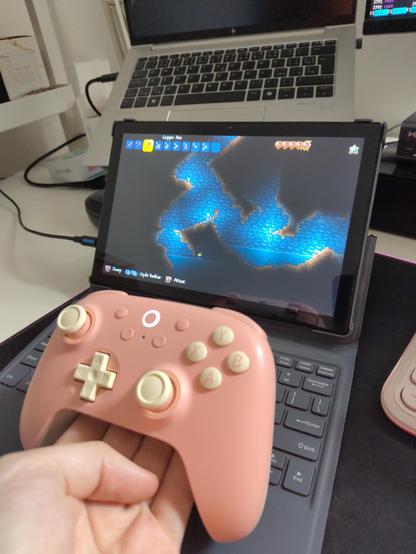
The game is "playable". You'll have to turn off a lot of the effects, use "white" lighting and disable the minimap (tab key). I wasn't able to use an FPS counter but it seems to run at anywhere from 20-40-ish FPS? It really depends on what's happening. The game seems to be bottlenecked by the CPU's single-core performance (one core is stuck at 100% all the time). I don't have any GPU usage numbers because I don't know how to get them.

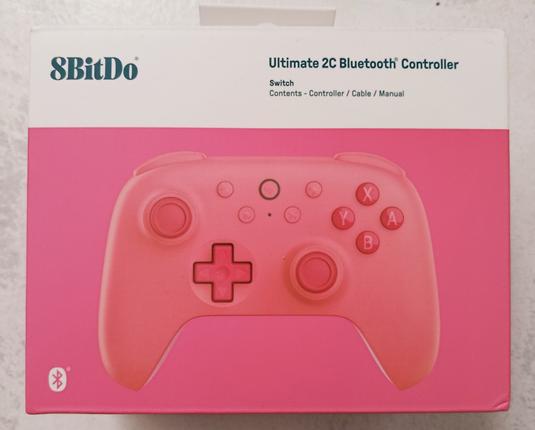
@comcloudway oh yea, local shops only had the Black Myth Wukong edition so I had to order it from their official shop to get one of the nicely pastel-colored ones
it's a really nice controller, I'm super happy with it
it's a bit on the small side unlike say the Xbox 360/One/Series controllers, it's closer to the DualSense in that regard
totally would buy more in different colors if I had use for them
8bitdo Ultimate 2C for anyone reading this later



@comcloudway if these things supported connecting multiple controllers to a single dongle, I'd buy at least three to replace my aging fleet of Xbox One controllers
but since they don't, I decided to wait for the Steam Controller and buy those instead (when I save up, those things are expensive 😓)

@comcloudway from what I heard, adding multiple controllers to a single BT dongle can make things pretty flakey
missed inputs, varying delays, devices disconnecting, etc.
plus a quirk of the 2C is that it only works in dinput mode when connected using BT and I haven't found a way to make rumble work in dinput mode (and I love rumble in games)
I see BT as a kind of last resort but a very nice feature, especially on the go
normally I wouldn't mind using several dongles but with devices having fewer and fewer USB ports, it would be really annoying having to lug around a hub full of dongles when on the go 😭
@comcloudway oh yea, I forgot about that
yea, I also have the Wireless version
I would hope the BT version supports rumble over BT
AFAIK, the BT version is targeted mainly at the Nintendo Switch? It might even have the A/B buttons switched around
I didn't know it comes with gyro, that's interesting
they also sell this little guy: https://www.8bitdo.com/usb-wireless-adapter-2/
my understanding is that it basically acts as a Bluetooth -> native xinput adapter so you don't have to worry about pairing and such. abstracts away BT so you don't have to think about it
I don't have this but it might work with the Wireless version's BT mode? Although I doubt it would bring back rumble, I think the controller just doesn't expose it over BT at all 😔
No, unfortunately from my experience the OG Pinephone is way too weak run most games
Although I'd like to try to make something in MonoGame that would target the extreme low-end (Pinephone, SBCs, old Intel GPUs, etc.)
But given I have absolutely no gamedev experience, it might never actually happen 😭
@carbonatedcaffeine Buuuut I daily-drive the Fairphone 5 with LineageOS and I was able to get Firewatch and Life is Strange working using Fex and https://gamenative.app/
It works surprisingly well.
 Autumn
 PINE64 Community
 Camden
 r3vilo