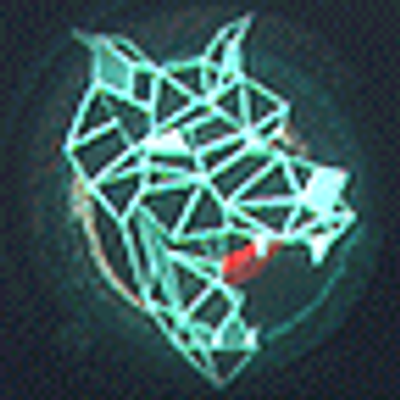
@Shadedlady It can do more than cubes. The mesh can be as complex as you want to make it.
But when you're going for a 90s Raw 3D look, that's really all you need.
The texture painter can only do pixel art, I believe. But once you have your UV map, you can simply paint on the .png texture files in Krita or GIMP with whatever tools you like.
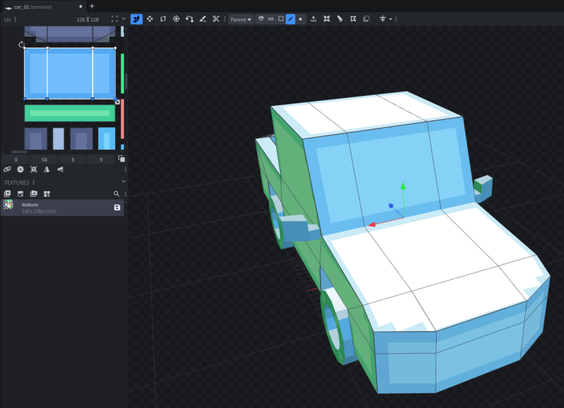
Now this is an awesome feature in Blockbench:

If you have a mesh named "left something" or "right something" and then duplicate and flip it along an axis, it will switch the left/right in the name.
Also works with front/back.

I usually don't want software to rename things automatically, but here I like it.👍

Another feature with Blockbench that I really like for low-resolution unfiltered textures is that when you create a new texture for an object, it will make a nice darker border around the edge of each UV island. Which makes it easy to see that the UV island on the hood here cuts the pixels on the outer edges in half. It's really easy to get the UV pixel perfect that way.

I also have to say, working with Blockbench feels more like Trenchbroom than Blender. Great for my low-poly needs.

Being originally (and perhaps primarily) an editor for Minecraft assets, Blockbench appears to be very committed to its "16 units per meter" scale. You can change the snap to grid scale, but that gives you weird fractions in other places.

A bit annoying as I liked being able to scale things in meters and centimeters. But I think it should be easy enough to get used to "standard ceiling height is 40 units" and scale everything else based on that.

Someone tell me how jank this is:

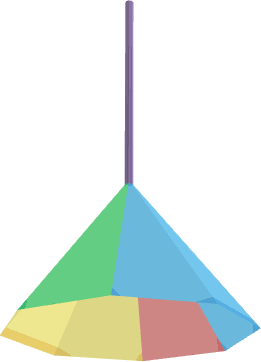
I want to make a low-poly lampshade, and at this level of detail, it can just be some triangular planes with no thickness.
If I want to have a texture on the inside and the outside, do I just duplicate the cone and flip the faces of one of them?

Probably should work. But is this the way to do it? 😅

#hobbydev #3dmodeling

@yora I vote you duplicate and flip the bottom faces.