 Pachli
There's a number of changes coming to how Pachli shows you your draft posts and lets you manage them. These are rolling out in #Pachli Current now.
1/8
There's a number of changes coming to how Pachli shows you your draft posts and lets you manage them. These are rolling out in #Pachli Current now.
1/8
## Select to delete
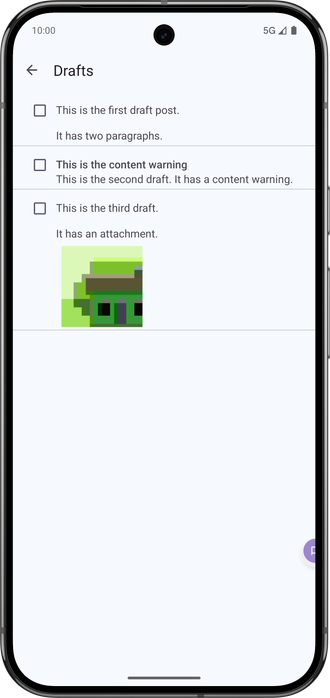
Previously, each draft had an "X" icon at the end to delete the draft.
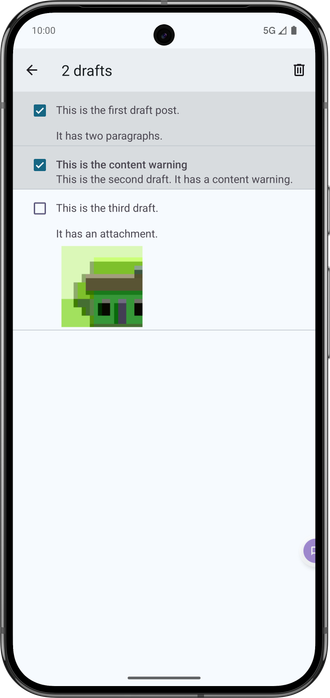
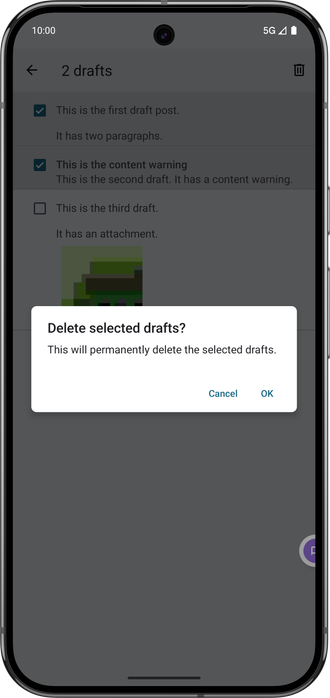
Now, you can select multiple drafts with a checkbox at the left. When you do this a "delete" (trashcan) icon appears at the top of the screen. Tap that to delete the selected drafts (with a confirmation dialog).
These steps make it more difficult to delete a draft by accident.
You can't delete drafts that are (a) being actively edited (see later), or (b) being sent (see later).
2/8
## Switch to drafts you're already editing
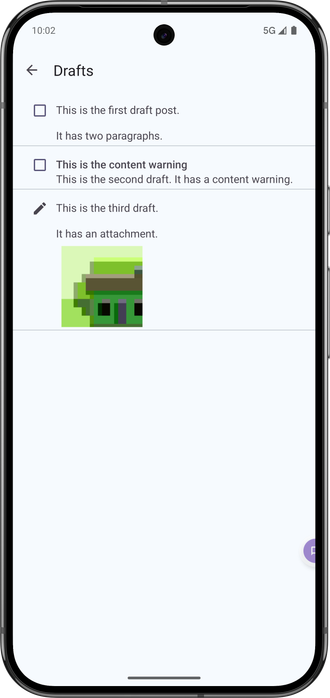
Pachli allows you to write multiple posts at once. If you are doing this they will be shown in the "Drafts" screen with a pencil icon, to indicate you are actively editing them in another window. Tapping the draft, or the pencil icon, will switch to the window where you are editing that post.
3/8
If you have pressed "Send" on a draft post and the sending process hasn't finished a circular progress indicator is shown.
4/8
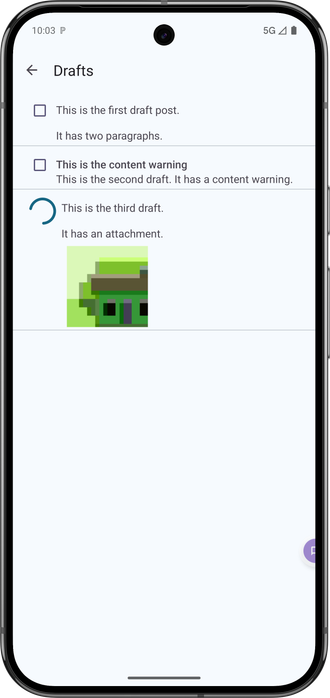
## Show errors if the draft failed to send
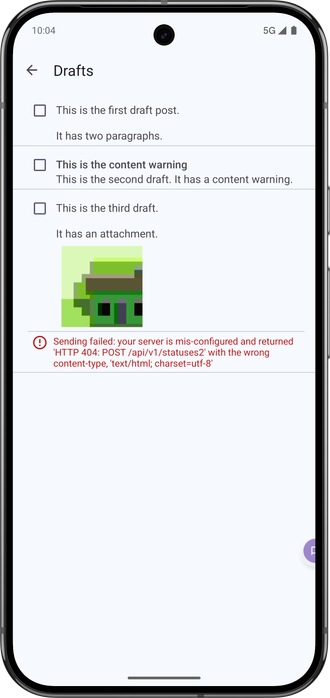
Previously, if a post couldn't be sent (e.g., because your server temporarily rejected it), Pachli would save the post as a draft and show you a generic error message.
Now the error message contains specific details about what went wrong. If you regularly see errors posting messages you can send these errors to your server administrators and it will help them debug the problem. You can also select the text of the error message to copy it.
5/8
## Notifications
If a draft couldn't be sent Pachli would show an error message in the middle of (some screens). Now a regular Android notification is used.
When you open the "Drafts" screen any notifications about a failed draft are cleared.
6/8
## Quick replies
Sending a post using a "Quick reply" notification creates a draft first, so if the "Quick reply" fails your draft is saved.
7/8
## Accessibility
I haven't (yet) provided any custom accessibility actions for these changes, as the stock functionality by Android may be sufficient. If you use #android #accessibility features like #TalkBack please do let me know if there's anything that would make this easier.
8/8
 jandi
jandi aaron
aaron Kalle Kniivilä