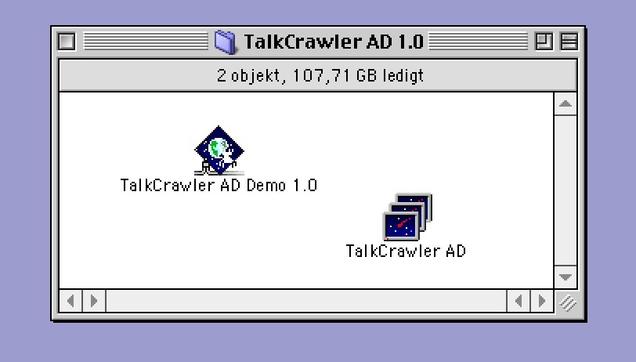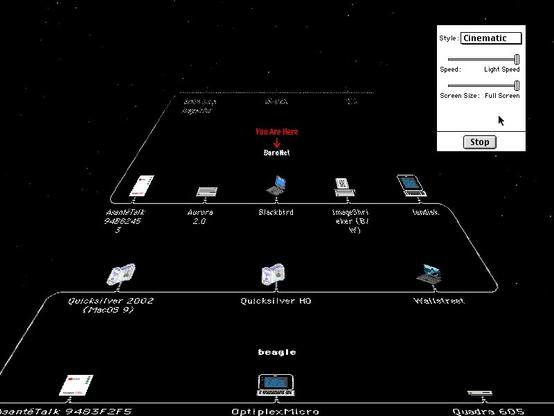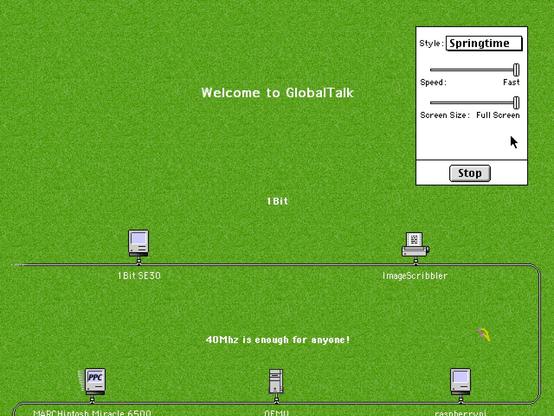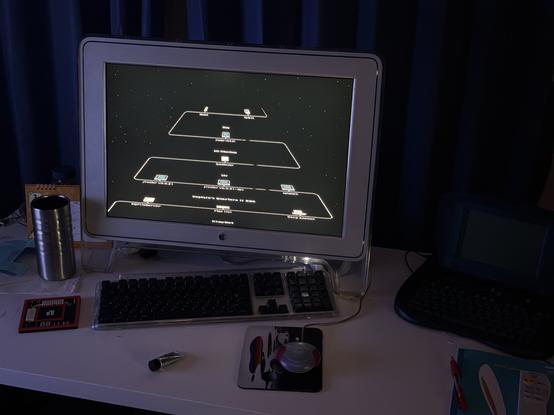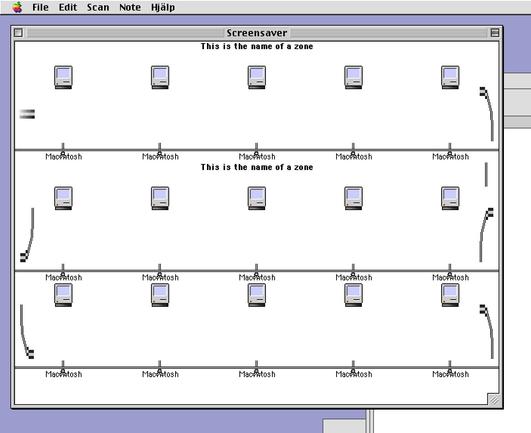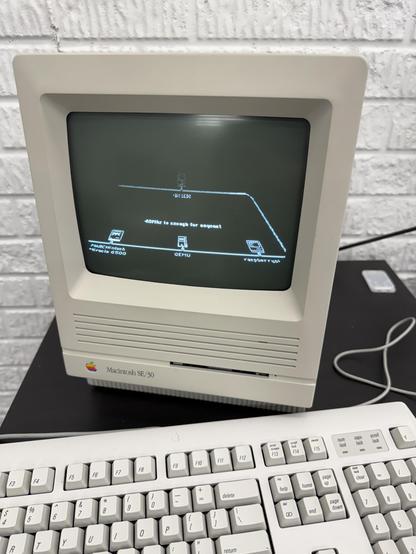
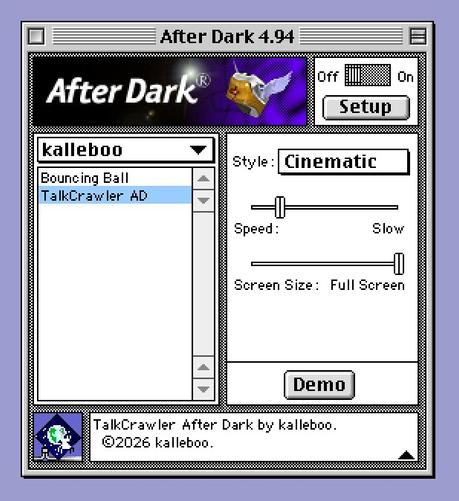
And it’s time for my fourth and final #MARCHintosh project for 2026, TalkCrawler AD. It’s an After Dark Module for TalkCrawler that will let you watch #GlobalTalk leisurely scroll past in one of two different styles

There is a standalone version as well if you don't want to install After Dark

Note you will need to run a re-scan in TalkCrawler Lite 1.4 (just released) before it can show anything

Available on landisk/Blackbird on BaroNet. Video in first reply.
#VintageApple #RetroComputing #mb

Here's a short video demo!

Tidbits that didn't fit in the first post:

The module also runs in "DarkSide of the Mac" if you want a less crashy screensaver host.

I did not have time to optimize my graphics code at all, so it will be very sluggish on 68k Macs - the reduced screen size options are for them. It also helps reducing your screen to 256 colors.

TalkCrawler 1.4 was released as a companion to generate the data for the screensaver to work.

This version adds device type detection - Macs are no longer shown as just generic Classic Mac icons but if data is available will show as the right Mac model.

The first time you load up an old scan a re-detection process is run and make take longer than usual, but if you save and re-open it doesn't happen again.

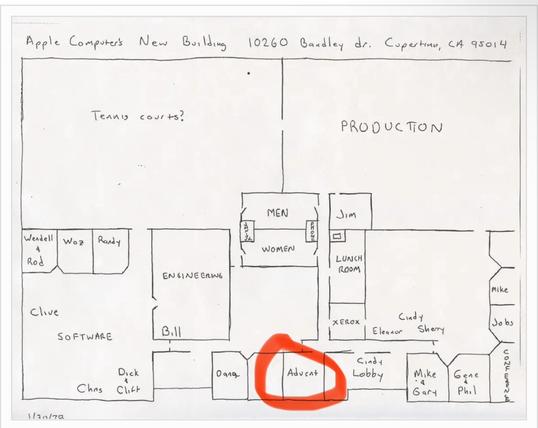
@kalleboo omg I can already see this running on an 80" TV in the #globaltalk HQ office lobby
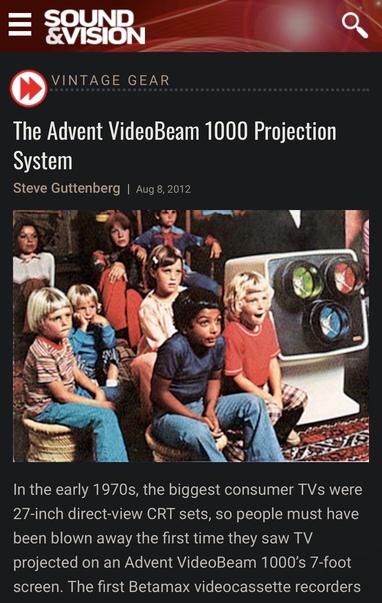
@likesoldmacs And by 80” TV you mean a 7-foot Advent CRT projector right? #VintageApple
@kalleboo YESSSSSS it would also save on heating bills!
@kalleboo “reducing” 🤣
@europlus Hey some of us have fancy Interwave NuBus cards ;)

Creating an After Dark module of my own is a childhood dream come true. Me and my friends spent hours upon hours going through After Dark screensavers watching them and waiting for the rare events. My favorite was probably Bad Dog.

Unfortunately time is at a premium and I had a hard limit of 3 days to make this from start to finish, including adding device detection to TCL, collecting icons, mappings etc.

Really wish I could have had time to add rare Easter eggs! So many ideas, so little time…

Today was the final day and it was all spent battling various things

First, converting the After Dark SDK project from a <1996 version of CodeWarrior to 1997. Then figuring out the limitations of CODE resources by trial and error; those “far” compiler checkboxes matter?

The last error I still don’t understand. If I call GetResource on the same resource more than once, my memory gets corrupted. No idea why. It shouldn’t, I think? I’m Detaching it, and not even releasing it… solution was globals

Just remembered, one more thing I struggled with was just hiding the menu bar. The Apple Dev CDs Snippets folder had a sample of how to hide the menu bar which works fine on MacOS 9 but I could never get it working with on System 7. Which is more contemporary of when the snippet was written. No idea what is going on there. For the longest time I was debugging my own code because surely it wasn’t the Apple Sample Code Snippet that was at fault?? Literally wasted hours.

@kalleboo Take a look at @1Bit 's "NoMenuBar" code here: https://mu0n.github.io/ForayInto68k/code/NoMenuBar.c.txt

I used that for my greeting this year, it works on everything from like System 2 up through Mac OS 9.

@smallsco @1Bit Looks promising, I'll try it out!!

As soon as I posted this I went for a long walk to clear my head. But before I left I had one last crash on my G4 so I hit the reset switch before walking out.

After rebooting like 3 hours ago it seems the screensaver activated and has been looping since without crashing. The most successful test so far haha

@kalleboo Seeing so many cool things here. The screensaver, the monitor and peripherals, and the eMate!! Love it all! 😄
@Zire31archivist The eMate has been chilling there since I used it to print to my ImageWriter directly! https://bitbang.social/@kalleboo/116244178141666814
Karl Baron (@[email protected])

Attached: 1 video Oh, neat! #Newton #eMate #ImageWriter #VintageApple #MARCHintosh

Mastodon

I'm gonna drop a little behind-the-scenes screenshot here. This was literally the very first build.

Drawing is hard, ok!

#MARCHintosh

@kalleboo Ahh wow! You spoil us all, haha that’s so cool!  
@pierrenick The secret is I’ve actually been spoiling myself by letting myself actually do fun things instead of the boring things I ought to doing.

@kalleboo OMFD, you’ve really jumped the shark now, man!

But in a good way, not a “trying to help flagging ratings way”.

Your work is amazing! 🤩

@kalleboo Dang, nice work dude! Where do you even find the time ahahaha. Runs beautifully on my 6500 at 1152x870 true color, though I have to crank the speed to max at that resolution/depth 😉
@smallsco Thanks! It was so much fun to make!
@kalleboo nice!
@jonschwenn Beautiful! I hadn't tested on a black-and-white Mac since I’m using Color QuickDraw, i like the invert effect it ends up using!
@kalleboo I really wish you'd contribute more to #MARCHintosh... 😀