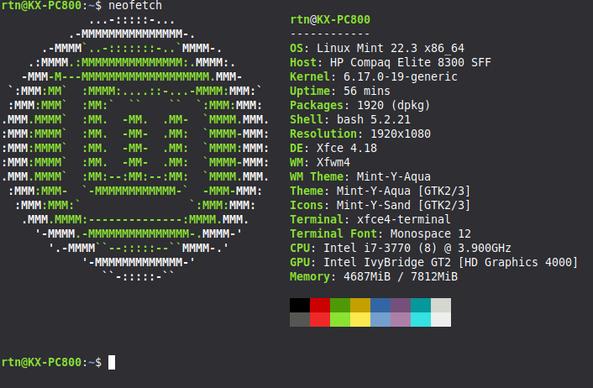
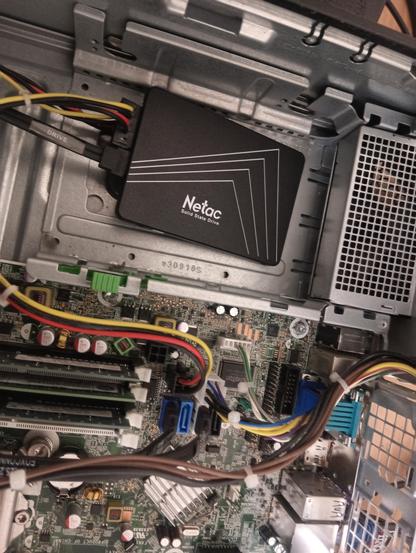
Got smol SSD drive (250GB) and restarted #LinuxMint experiment (old #desktop was laggy using spinning rust) - this is actually now a usable PC!

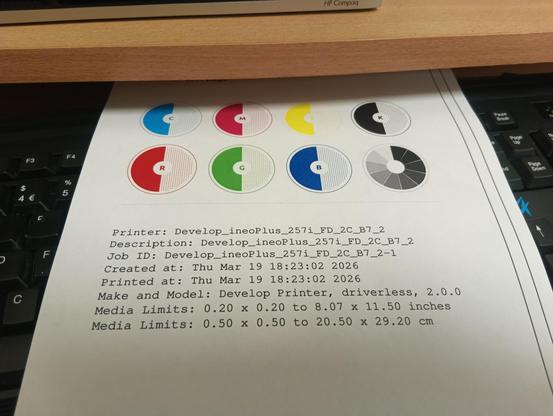
Office #printer once again detected by #CUPS with driverless install, built in software handled printing a large graphics-intensive PDF well.

Both #Firefox and #Edge running without problems (only reason I have Edge on here is to test how well it works with if #MS365)

Only minor drawback is #Dropbox #Linux client wants to download entire Dropbox to the hard drive (which will fill it up very quickly), it doesn't have the "save hard drive space" functionality on #Windows

This would now be good enough to use as backup PC for general (non technical) office staff (many use web MS365 apps a lot more than desktop these days!)
Went to the village shop to get some food and returned to find the PC fully locked up ( needed a power cycle to restart!)

I suspect this is more fault of #browsers with multiple tabs left open (there's an open issue for this on #Firefox) than any flaw with #LinuxMint itself, on top of websites being more bloated and #adtech scripts and #adblockers fighting one another.

Successfully installed #Anydesk on #Linux PC, so can access #XFCE desktop remotely from my Windows laptop (we use Anydesk a lot for remote support)

Left #LinuxMint PC switched on overnight again with both browsers open (but fewer tabs, just #MS365 on #Edge , a terminal window and two large PDFs (a scanned copy of 1981 Handbuch für Fernmeldehandwerker (training books from DBP-Telekom) and a draft of what appears to be a University textbook (in German) about VOIP (which seems to have a better explanation about how SIP works than many English texts!).

Everything remained stable, including the Dropbox client and even the Mastodon tab left open on Firefox didn't go OOM - I suspect yesterdays crash may have been an outlier due to multiple things hammering the system (or possibly a commercial news site and the adblockers eating memory)

some slight strangeness on #LinuxMint 22.3, #XFCE desktop - today #Anydesk let me log in but password entry field unresponsive - checking PC directly showed the num lock was working but keyboard wouldn't type any numbers. PC was also still on network (but no SSH as its not there out of the box and I hadn't installed it yet!)

Had to press power button, PC came back up with lockscreen (not full Linux startup) and password so likely something to do with a power saving / resume setting - clearly the PC hadn't fully crashed as all the photos I had uploaded to Dropbox (from another machine on the network) had been picked up by the client..

I(how do you change this on #XFCE ? )

@vfrmedia Application -> Settings -> Power manager

Select tab named "System", there should be "System sleep mode" and "When inactive for" - this one can be set to "Never"

@hjakovel thanks! I had already found this setting and had it set to "Never", but so far the PC is behaving today (it seems to be some weird edge case causing this)
@vfrmedia Lol I like that xD Handbook for Fermeldehandwerker the pre telco technicians in the golden age of copper telephony xD