Struggling to understand #HDR and how this is supposed to look without having references is really hard. Especially on Linux PC where support for anything HDR is rather new.

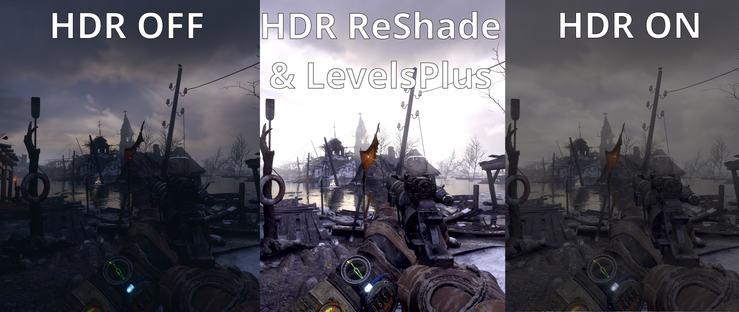
This is e.g. screenshots from #Metro Exodus played via #Proton Experimental on #Wayland and #GNOME 49 (all on lowest(!) gamma).

HDR OFF is okayish but looses a lot of details in the dark
HDR ON is washed out (known bug for game?)
HDR ON + ReShade with LevelsPlus. Looses some highlights but is IMHO best "readable"

#Gaming

@bekopharm I was very confused when Half Life demo with HDR first game out as the screenshots looked arguably worse.

I think I came to realize that HDR really only stood out for me in game, or at least with moving footage, as I think it was more about how the lighting would change depending on where I was looking.

I do really like some of the ReShade FX on some games like Elite Dangerous though - just a bit of a shame settings get lost when either Reshade or the game itself gets an update.

@iaincollins huh? Why does it loose it's settings? That shouldn't be 🤔

@bekopharm I'm not sure, I gather you can lock files and mark them as read-only to prevent it from happening.

I think maybe the ED patcher removes files it is not sure about from the gamedir after a large update (but I think not for small patches; not certain).

@bekopharm I'm still really curious about HDR monitor support and how much that adds. I have a couple of Acer Predator monitors, and one has okayish SRGB support (but not quite 100%).

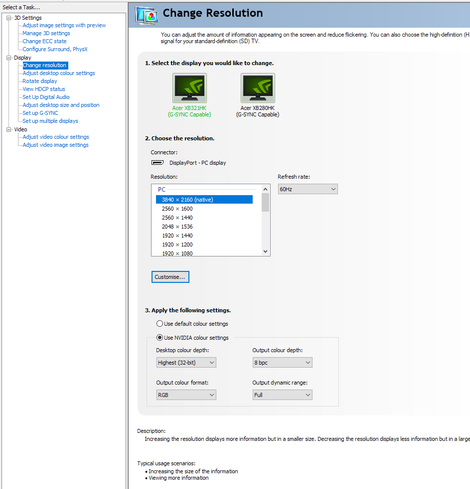
After I'd had it for a year or two I stumbled on a setting - I think in the Nvidia control panel and/or in the monitor itself - that really improved how games looked (especially stars and the galaxy in ED) - with deeper blacks and brighter lights but it wasn't just whacking the contrast up across the board.

@bekopharm This has made be really curious about monitors with HDR support and how good that would be. Would also really like to try a gaming OLED monitor.

@bekopharm Ah yes, I think this was the setting that improved things, especially stars / the galaxy... the Dynamic Range option IIRC. I think I got the tips from forums / Reddit.

I can't believe I had the monitor for about 2 years before I found it.

@iaincollins I've really no idea about such settings myself 🤔 Heck last time I configured something about colour depths was with the X-Server a decade ago.
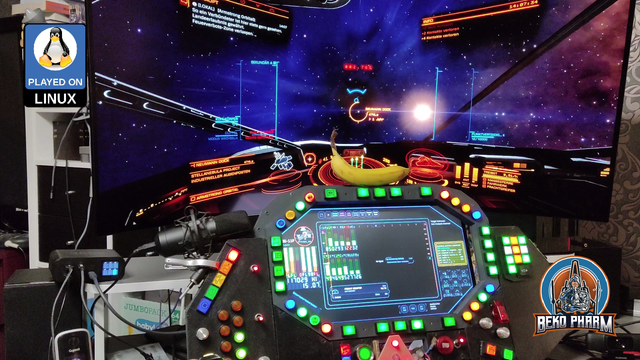
@iaincollins banana for scale 🤓
@bekopharm I'd seen screenshots of the rig before I but I hadn't noticed it was a monitor and thought it was a back projector 😆
@iaincollins TIL: back projectors exist.

@bekopharm Oh man this guy in the mid 90s in my town had one in his living room as his main TV.

I think it was 60" and basically only worked with the blinds drawn, but it was 35 years ago and I still remember how impressed I was by it at the time.

@bekopharm Unrelated story: Once in 1998 or 1999, I was configuring X on MkLinux (on my PowerPC 7100) and of course being a niche distro on niche hardware it was hard to figure out the config.

I REALLY wanted to play "Abuse" on it, and there was a port for Linux/PPC.

I got the X config for the monitor wrong, and blew the Apple monitor (actually a rebranded Sony Trinitron). It went POOF and there was smoke and a smell of burning. After that it only ever did 640x480 at ~30 Hz.

@iaincollins 😱

That's possible?

@bekopharm I later read Neal Stephenson's Cryptonomicon which has a character who gets is face covered in glass doing in the same thing, which I am sure is artistic license, but yeah apparently you can do that, I guess!

I was surprised it still worked at all, but it wasn't really viable to use anymore at 640x480 :-( It was still a good 17" at the time so was pretty sad about breaking it.

@bekopharm I can only assume as it was made for Apple hardware (with IIRC a proprietary connector?) they didn't think they needed to bother with the monitor checking what signals would be sent as MacOS would only even send valid configuration parameters to the monitor and not try and force an invalid refresh rate / resolution combo?