 Christina Warren
I am about to start my fourth attempt at transferring my old iPad to my new iPad. It has failed twice in the data transfer stage and once before we even got there. This is the stuff we used to be able to rely on with Apple. I don’t particularly want to set this thing up from scratch but I also don’t want to waste another hour. Sigh.
 Stephen Robles
@film_girl iCloud Restore?
@stephenrobles I was trying to go device to device so I wouldn’t have to enter stuff in as much but I guess I will have to go iCloud restore. I’ve never had a brand new out of the box setup experience this bad with Apple tbh. I’ve had to reset it 3 times now. Sigh.
@film_girl That's pretty wild, I've done device to device for the last several years, maybe once or twice an issue but a device restart fixed it
@stephenrobles yeah, I’ve never had this happen before. I’m doing it once more but it this transfer fails, I’m just accepting defeat and starting over from scratch. Which is annoying.
 Michael Solis
@film_girl @stephenrobles I have so many problems with d2d. I just always iCloud now.
 Rui Carmo
@film_girl I have been postponing upgrading my phone _exactly_ because I know it will take forever. And I already got the new one to sync, etc. - but the pain of finishing the process daunts me.
@rcarmo yeah I even did the connect a thunderbolt cable between the two iPhones thing last time and it still was a terror where I was afraid I was going to lose battery on one of the devices because it took so many hours. This one just keeps erroring out. I’ll give it one more shot and then I’m just going to have to do it as a new setup. Which is annoying.
@film_girl Yeah, Apple QA is... middle-aged at best. I spent 3 weeks without working TouchID on my Mac until I got one of my bots to systematically crawl the web for off-beat solutions and it came back with the suggestion to create a new user and then log back into my account - which fixed it. Amazing, huh? Not to mention my travails with Time Machine…
 Rob Nee
@film_girl I think I remember @caseyliss complaining about device to device somewhat recently
 TheEJJ 🇨🇦
@film_girl I feel we greatly underestimate how much switching to yearly release cycles for software put the engineers at Apple in a losing battle with complexity vs fixes.
 Michael Cook
@film_girl Family member recently had their iPad corrupted. The backups? Also corrupt. So if you restored it it’d go into a boot loop.
No solution but to start from scratch. They had been carying the install since iPad 1. All their icons in their favorite spots, preferences, etc.
Devastated.
I didn’t even know it was possible beforehand.
@foobarsoft Oh no! I didn’t know this was possible either but I’ve always been freaked out by whole back box nature of iOS backups. Thr fact that I can’t make an easy backup of my iCloud backup and I can’t test it is deeply, deeply frustrating.
 Thomas Brand
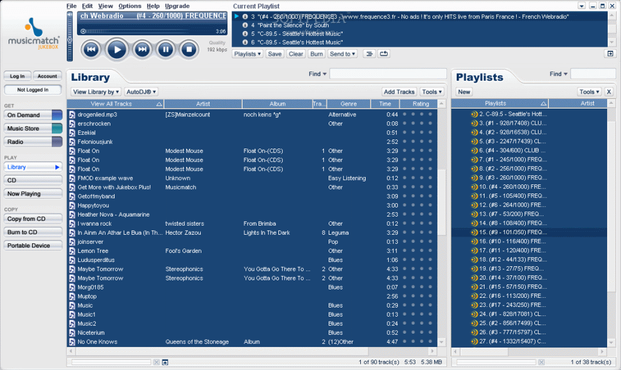
@film_girl this never would have happened with Music Match Jukebox. (But in all seriousness I have given up on direct transfer and only recommend iCloud/iTunes restore.)
@Eggfreckles I just don’t have the stomach to do backup and restores via macOS, I just don’t. Maybe I should, but I was under the impression that I still had to login to everything again that way. This way (which worked 4th time, although the other iPad still thinks it’s doing a transfer), my tabs and cookies and app logins largely remained the same. Which is what I wanted. Would any of that persist on a backup to a Mac?
 Owen 🇦🇺
@film_girl @Eggfreckles It’s been a while since I had to do it but I think the backup to Mac and restore from there does retain more settings (logins etc) than iCloud backup when you use an encrypted backup on Mac.
I’ve always found the Mac to be the most reliable way to setup a new device from backup. There’s also the option of using the iMazing app for the backup/restore, it’s saved me from bad situations more than once.
@vanitalo @Eggfreckles imazing switched to a subscription model IIRC and I just couldn’t justify it for using something maybe once a year (twice if I happen to replace an iPad and phone the same year), but I remember it being a great app. If I did a lot of backups and restores, I’d probably look into it.
@film_girl @Eggfreckles Yeah I used it prior to the subscription model switch.
I didn’t subscribe to the new version because I feel the same about it as you do, but I guess it’s there as an option in a break glass in case of emergency kind of way. 🤣
 Pierre-Luc Gagné
@film_girl @Eggfreckles I go in my library folder and see the amazing amount of cruft and old stuff from the 10.5 era that’s still in there and sometimes I wonder:
How does my Library folder on my iOS account dating all the way from OS 2? I paid for the update to get mail on my iPod Touch, is that flag still on there?
@pl @Eggfreckles omg I also paid for the iPod touch update. I think the $5 for wireless N support too! Ahh, Sarbanes-Oxley justification when the only people that violated that were Steve Jobs and Fred Anderson.
 Alan Nightingale
@film_girl I bought an M5 MacBook Pro a few months ago. Transferring from my M1 MacBook Pro took 5+ attempts. I only got it to work by taking a bootable Carbon Copy Cloner backup and transferring from that. It was infuriating. I feel your pain.
@Alan wow! I always do a clean setup on laptops but how frustrating! Again, I expect this garbage from the Windows ecosystem but not Apple.
 Chancerubbage
Does anyone following along know- can the personal data from your iPhone automatically be transferred to Mac or iPad?
I’ve been doing direct transfer for my last 2 iPhones at least, but it seems to have worked fine mostly.
I’m not sure i could access ANY of my accounts without doing so. It’s been a LONG time since I’ve started with a clean slate with an Apple device.
 Daniel Gomes
@film_girl Just use icloud backup.
@dfgomes right. The whole point was to avoid having to re-login to most of my apps, to keep my open tabs (and cookies in safari) and other data. I chose the option I chose for a reason.