 Sim
Sim Miguel de Icaza ᯅ🍉
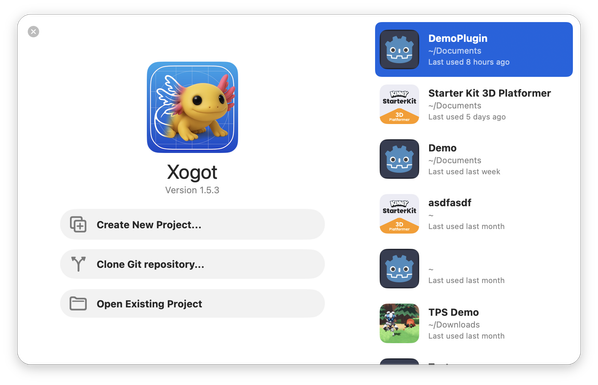
Porting Xogot to Mac, I might have taken an idea of two from Xcode:
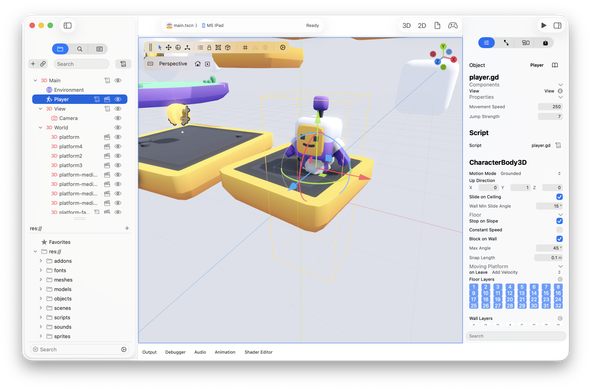
@Migueldeicaza The ”Play” toolbar button on the right of the screen sits grouped with the Sidebar toggle. With Liquid Glass I have sometimes seen precision problems with the ”hitbox” when you click grouped buttons. Are you able to click the Play button without mistakenly toggling the sidebar?
EDIT: I created a test app in Xcode to try my theory in practice. I was wrong, disregard my comment ;)
@Arcticulate it is mostly the same, just a few places where structurally things needs to be different - on the iPad I had to remove a lot of stuff, but on the Mac you have much more space.
Or where things have better homes
@Migueldeicaza Ah, that makes sense. I can find it tedious to use the “if available”, “if os(macOS)” preprocessing statements (or “(at)available” when there are a lot of platform-specific code in the project.
I have seen noticeable improvements in this area, though, over the course of the almost 7 years SwiftUI has existed outside of the Apple HQ. More and more things are rewritten to be “write once, use on every Apple platform”, thankfully.
 Zephyr
 a40YOStudent
 Arcticulate