Every Apple Developer should be able to log into the developer site and order Vision Pro hardware, light seals in any size, and the developer strap. In every country.

It boggles the mind that they haven't taken this step already

FB20871373 — Every developer should be able to order Vision Pro from the developer site, in any country

#radars

I had a lot of complaints about the original version of visionOS, but they have addressed pretty much all of my most-critical feedback in the OS releases since. If they actually had a good-enough relationship with developers to fill this thing with software, it would be an incredible computing device.

With an empty App Store, though, it’s still merely an expensive toy. There are so many ways they could have fixed that in the time since launch, Apple just need to get over themselves…
3D RealityKit content in visionOS is kinda shocking. It feels real, completely believable. Like there’s a physical object floating in front of me. The way it reacts to light is wild, and how it reflects the view out of my (irl) window. I am shook
The more time you spend in visionOS, the more you fool your brain into thinking that these floating windows are physical objects in real space. The visual quality is that good. It's like a superpower, being able to summon 'UI' everywhere you go
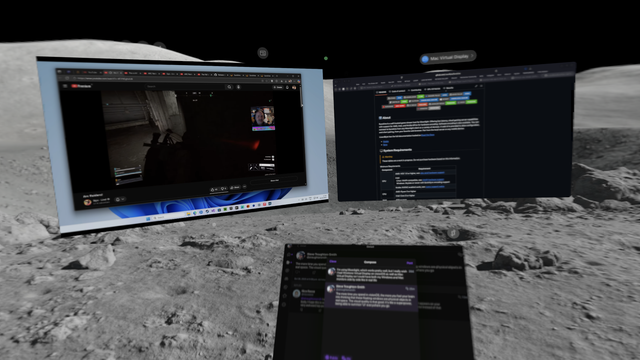
I’m using Moonlight, which works pretty well, but I really wish I had Windows Virtual Display on visionOS as well as Mac Virtual Display so I could have both my Windows and Mac monitors side by side like in real life
I really love visionOS 26's ability to snap and align windows to flat surfaces, like walls, or monitors. Makes it really easy to replace my real displays with virtual displays
Seeing your own apps floating in augmented reality is a deeply emotional experience. I made this? Holy shit.
I made this? I made this
I’m really falling in love with visionOS, you guys

The Disney environments make me wonder what Pixar could do if they made a 'movie' (short, stage play, etc) entirely in RealityKit. The Monsters Inc Scare Floor makes me feel like I'm *in* the movie. Not in VR.

There is a level of fidelity here that's impossible to describe without being there yourself. No pixels, no discernible textures or polygons. You're just… there

Testing my apps from the top of a mountain feels kinda profound 😂

Speaking of which, I did bringup on my Broadcasts 4 codebase on visionOS, which was something I wasn't planning anytime soon

Not me wishing the visionOS moon environment actually had a moving, accurate starry skybox shader that syncs with the time of day. You can tell it's a flat texture, which is unsurprising

I've also tried to summon the visionOS Control Center via gesture in real life, or things from across the room 💀

This is the new forgetting your Mac doesn't have a touchscreen

I know plenty of people have complained about it, but it's a little infuriating to do visionOS development with Mac Virtual Display, because every time you build and run the app is spawned where you're looking (i.e. on top of the Mac) instead of where you last carefully positioned it.

I really hope they anchor that between runs in the future
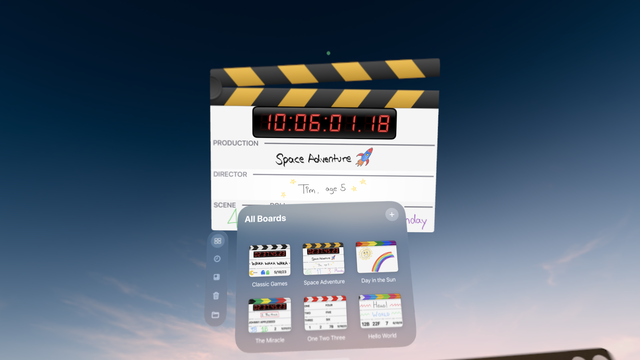
Speaking of development — I'd kinda forgotten, but I have multiple [near-]release-quality apps ready to go for visionOS that I just never shipped, and actually seeing them here in-headset kinda gives me the urge to go for it
One area that visionOS really needs to improve in is occlusion. It's good, but it's not great, and it can be very distracting. Any time a virtual window clips objects in the real world, you're taken right out of the illusion. I envision a future version of the software that uses gaussian splatting perhaps to precisely mesh out your room to make this much better
There's a genuine disappointment at being back in the real world after using and working in visionOS for a few hours 😂 You get really used to being able to summon apps everywhere you go, and grab and fling windows to/from the next room over

Some of Apple's visionOS sample code is more evocative than others

This is Canyon Crosser

https://developer.apple.com/documentation/visionos/canyon-crosser-building-a-volumetric-hike-planning-app

Now this is multiwindowing

Vision Pro battery life is so short that there's no time to have battery anxiety. If you're sitting at a desk, you probably want it plugged in in your pocket. You have enough time to walk around the house a bit, maybe cook a meal (which I've done, of course), but then it's wall time again.

Fortunately it charges pretty quickly, and doesn't discharge if used while plugged in.

Granted, my unit has a 2 year old battery, but somehow I doubt it's been used continuously for 2 years 😂

I had thought visionOS' guest mode might actually have its own user data if not a full-on account, but no it's just a temporary hand/eye config, an app ID filter, and automatic mirroring. All your data are belong to guest

So, so much of the visionOS experience could be vastly improved if Apple just convinced Netflix and YouTube to release their native apps.

Two companies.

Apple, you can figure out a deal with two companies, surely? Don't you have a master negotiator SVP? Why would you spend 7 years and billions of dollars developing a product and not be able to convince two partners to ship apps they already have?
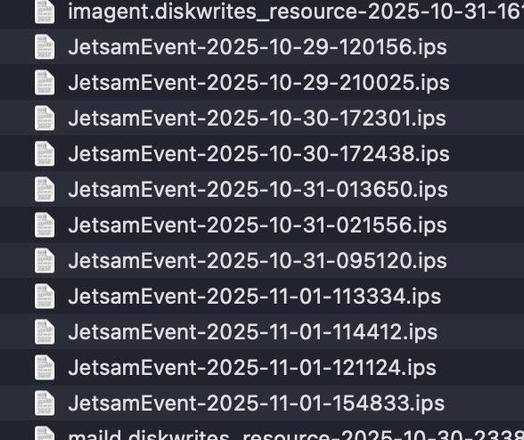
Speaking of visionOS experience, SurfBoard (the visionOS shell) continues to go down multiple times a day on 26.0.1. I'll have to see if 26.1 fixes that next week, but right now it feels like there are fatal memory leaks in the OS that can bring it down way too easily. It happens more often with RealityKit scenes and 3D content, but not always. And not all apps/widgets come back up where they're supposed to, if at all
Granted I have been using visionOS for like six or more hours a day all week, and that tends to highlight things like memory issues…
visionOS feels more real than real life

I happened to be logged in to my US account on visionOS and I came upon a link to the immersive Metallica concert, so I gave that a try…

Probably the best concert experience I will ever have in my life. Absolutely incredible.

It's a mix of stage close-ups, on-rails panning drone shots, crowd close-ups, arena shots, and some vignettes. You could literally count the hairs on James Hetfield's arm, reach out and touch the plectrums on the mic stand, or recognize every phone model in the crowd

I listened to a lot of Metallica in my youth; there's a moment where a member of the crowd gets to sing close up to the band, and then the focus shifts elsewhere, but if you linger on the guy in the audience instead you see him collapse with emotion as everybody around congratulates him. Having something preserved like that in such a high fidelity brings a tear to your eye
I do want to know how many times that poor lady had to cross that highline so that Apple got all the camera angles it needed 😅
As easy as it might be to speculate on the demise of Apple's AR/VR ambitions based on the sales numbers of the Vision Pro, actually using it, seeing what they've done, seeing what they're still doing behind the scenes in both the media production and in the developer space, I think this platform is going to be around for a very long time. Using it feels profound, and that'll only become more obvious as it gets more accessible in future form factors and price points

To use Vision Pro optimally, you need an empty room with a standing desk, with only a keyboard and trackpad on it. And great lighting 😂

I am definitely not so lucky
Apple's AI-spatialized photos in visionOS 26 look so convincing that you no longer need actual Spatial Photos to exist. They're almost like real life
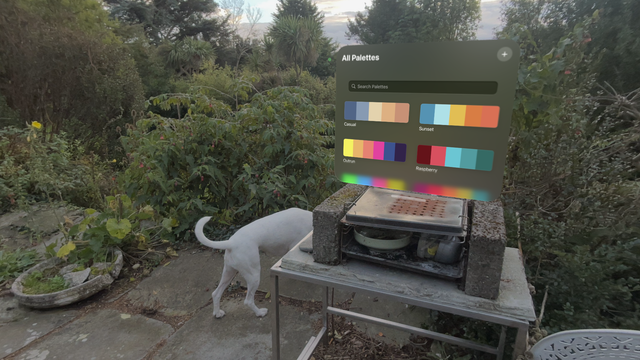
Also something that’s incredibly impressive is the spatially-consistent window anchoring, even in vast outdoor spaces. I can place a window somewhere outside, then walk around the garden with the dog, and when I come back to my original position the window is right where I left it
Not to say it’s perfect, of course. Widgets tend to drift by a couple inches in between sessions, and like to levitate off the walls. But still

Widgets on visionOS can work very well as app launchers that you can keep around the house rather than leaving app windows open. Apps spawn right on top of their widget when invoked.

This kind of widget isn't something apps do by default, though, but now that I've realized the benefit I think it's something I should plan to include for all of mine.

The smallest widget size though is still 3x too big — about 40x40cm — so you can't exactly have a bunch sitting on your desk

The outward-facing display on Vision Pro does serve a purpose — the Persona capture UI is particularly impressive. But it certainly didn't need to be the expensive holographic monstrosity it is now, and it doesn't need to ever show your eyes. I feel like you could replace it with a flexible OLED instead and save a ton of hardware
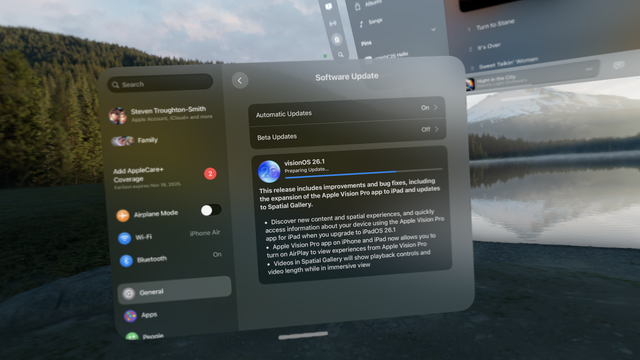
First software update LFG!
It's really hard to describe how special visionOS is to use to somebody who hasn't had time with it with their own apps, their own content. I feel emotions using this device that I haven't felt since the early days of the iPhone and iPad. And I was a comparative visionOS 'expert' even before touching the device. I lose all awareness of the headset itself, the black borders around the FOV. The OS just becomes part of my world
Remarkably, you can use Vision Pro in pitch dark, and lying down in bed, the 3D sensing it has is that good. It even shows your hands and fingers in 'ghost' form, even though you can't actually see them with your eyes (or the cameras). Emits no light to bother anybody else. It makes for a great nightstand computer
I spent some time going through the far reaches of my photo library, 20+ years ago, and hitting the 'spatialize' button in the AVP. On photos taken with a DSLR or film camera, it's like getting a physical window back into your childhood. With the perfect camera angle, and when the quality is high enough, it actually does feel like real life, like stepping right back into your memories
I know I spent a lot of effort building it, and it has no users, but I am struck by how nice Broadcasts for visionOS is on an actual headset. I love that the audio 'emits' from the mini player window in 3D (I wish Apple's Music app did that), and where I used subtle 3D visuals. All the multiwindowing works great. I designed all of it without access to a device, and I can see now, 2 years on, that I made a lot of the right choices. Sadly it never made it to the front (and only) App Store page

Is Mac Virtual Display a killer app?

I mean, kinda. I wish it actually showed my (non-Apple) keyboard more than 10% of the time. And it does have moments where it refuses to connect without a reboot. Also it doesn't save its anchor point or window size, which is kinda infuriating.

But other than that, it's kinda awesome. Latency and quality feels near-perfect — it looks just like my 4K display, sharp as anything at 1080p@2x
So, so many apps on the visionOS App Store were designed without any access to a real device and it really shows 👀
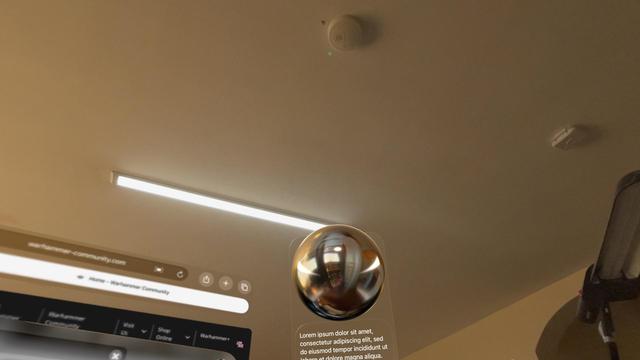
If you've ever looked at a reflective sphere in visionOS (i.e. developer sample code of some kind), you'll notice that the OS is constantly creating realtime reflections based on some internal representation of what it thinks your current room looks like. It very much looks to me like there's some kind of AI image generation going on, because it's clearly hallucinating rooms based on partial geometry and low-res camera input. It regenerates the texture every so often as you move your head around
A lot of the better visionOS apps have succumbed to bit rot since visionOS 1.0 came out, broken in various different ways such that they no longer function correctly. Such is SwiftUI…
So many visionOS apps too were clearly developed for the roomscale experience — large, empty room that you can walk around in — and just have little to no support for wearing this thing at a desk, or somewhere with furniture. Your 3D visualization of a cell might be amazing, but I have to get up and walk to the next room just to see it without clipping through my walls

visionOS is incredible, but it's right on the cusp of being *profound*.

If I were in charge of Apple Vision Pro, I would immediately start work on:

• First-party keyboard/trackpad combo
• First-party stylus
• First-party hand controllers

Then bring native visionOS ports of every iPad app Apple makes. Native iWork, iMovie, Final Cut Pro and Logic, native Swift Playgrounds.

And then do whatever deal it takes to get native Netflix, YouTube, Prime Video.

And then, Microsoft Flight Simulator.

@stroughtonsmith Would that require *courage*?
@stroughtonsmith they kneecap themselves so unnecessarily with their self-imposed puritism, like insisting on the hands-only input on visionOS (at least for their first party experience). Same with so many products, like the tiny remote for Apple TV or magnetic-attachment only for Apple Pencil on iPad. So many of their products could be so much better if they would admit how people actually use the in the real world
@stroughtonsmith flight sim would be pretty incredible on Vision Pro hahah
@stroughtonsmith A keyboard/trackpad combo device would be great for pairing with iPads (especially iPad Mini, which is too small for a Magic Keyboard laptop-style case) and iPhones.
@gruber heck, even Macs. Not everyone needs a full size setup
@stroughtonsmith Yes, it would be a nice dingus for Macs too. I've been meaning to write about such a peripheral. If Apple made one, or a third-party made a decent one, I'd probably buy an iPad Mini as my next iPad.
@gruber @stroughtonsmith Apple should just make one of these bad boys with a trackpad instead of the numpad, and a slot wide enough to hold an 11” iPad. And while they’re at it, they should make it easy to switch between devices (as with AirPods). https://www.logitech.com/en-us/shop/p/k585-slim-multi-device-wireless-keyboard
K585 Slim Multi Device Wireless Keyboard

Shop K580 Keyboard. Features ultra-slim profile, minimalist compact design, number pad, 15 FN keys, easy switch, low profile key switches, 10M range, and more

Logitech
@jwolman @stroughtonsmith The integrated trackpad would go below the space bar, not to the side. Like a laptop or the Magic Keyboard case for iPads.
MacPad: How I Created the Hybrid Mac-iPad Laptop and Tablet That Apple Won’t Make

<p>It all started because I wanted a better keyboard for my Vision Pro. I had no idea that, in looking for one, I’d accidentally create the hybrid Apple computer of my dreams. As I quickly discovered after working on the Vision Pro daily, you can get by without an external trackpad, but a keyboard is...</p>
@stroughtonsmith @gruber Exactly. It would make my Mac mini media box easier to use.
@stroughtonsmith @gruber perhaps a naive question, but is it not possible to pair a regular keyboard via BT?
@tombuildsstuff @stroughtonsmith Oh, it is. But it’s quite clumsy in practice to need both a keyboard and trackpad. It’d be much easier to pair, and subsequently carry around, one thing: a keyboard/trackpad combo device.
@stroughtonsmith add native GarageBand for visionOS to the wishlist! with visual playing assist, audio enhancements (via AirPods) and as cherry on top: Practice Studio and Concert Hall environments
@stroughtonsmith And whatever work is necessary to get SteamVR possible again. I want to use AVP with No Man's Sky.
@stroughtonsmith Makes one wonder… what the heck *are* those in charge doing?
@stroughtonsmith You left out PlutoTV, which is really big. And perhaps Tubi too Or are they already there?
@stroughtonsmith you can always use those in immersive mode :)
@gklka nope! Some apps have opted out
@stroughtonsmith Wut? Is that a thing? I didn’t know
@stroughtonsmith This has been a thing since ARKit in iOS 12, yes it uses AI to hallucinate what the not-yet-seen parts of the room look like.
@stroughtonsmith try Black Ink if you haven’t!
@stroughtonsmith no wonder. Did anybody even get a reply for the development unit application? I didn‘t 💁‍♂️
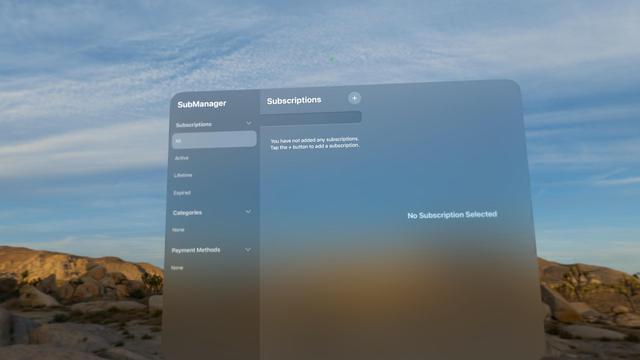
@stroughtonsmith would love to know if @submanager has any usability issues
@ahnafm @submanager right from the off, I suspect that search bar isn't supposed to be there like that?
@stroughtonsmith @submanager yeah I noticed that too when testing in the visionOS 26 simulator but no clue how to fix it, it didn't happen on visionOS 2 I believe. But IIRC if you tap the search bar and close it, it should be back to normal
@stroughtonsmith @submanager I'll take a look at it again and submit a bug report to Apple if needed
@stroughtonsmith @submanager just noticed even the Passwords app has the same problem
@stroughtonsmith I have next to no use for or interest in a VP as it stands, but a stripped down version intended to be used as a display would be much more tempting.
@stroughtonsmith This is the hardest thing about demoing it for friends. The novelty wears off, but ... how do you demo a productivity tool that's tailored to JUST you?
@stroughtonsmith I find it breaks down if you start opening Videos (YT for example). But I agree, the ultra wide setup is a great replacement for an external monitor! (I have my gripes with not having the option of 3/2 independent windows, because it does not work with fullscreen mac apps. Which is exclusively what I use normally, but it's very apple to make it incompatible with that ¯\_(ツ)_/¯)
@stroughtonsmith I was just talking with my wife yesterday that MVD is 100% the killer app for ME. Can’t speak to the market as a whole, but when I’m using my Vision Pro consistently, it’s because I’m using it as a giant ultra wide display for my 14” MacBook Pro. It’s my main use case 98.9% of the time.
@stroughtonsmith I had to use MVD for 8 hours a day for a week while my Studio Display was in for repair on a cracked screen. It worked great.
@stroughtonsmith It also rarely shows Apple’s own Magic Keyboard and Magic Trackpad in immersive. It’s super annoying.