 matt sephton
Spindle update: tidied up the UI (grids are great!) and submitted for TestFlight.
#macos #swiftui #buildinpublic #cdrom #preservation #macapp #macdev #redump #dumping
Spindle update: tidied up the UI (grids are great!) and submitted for TestFlight.
#macos #swiftui #buildinpublic #cdrom #preservation #macapp #macdev #redump #dumping
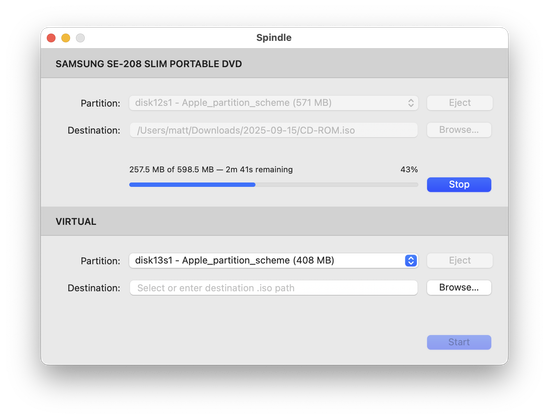
Hurrah! The ISO output from Spindle now matches my reference file.
I was missing the last sector; classic off-by-one error 😅
Aside: I have a ContextMenu Action to add the MD5 hash of a file as its Finder comment.

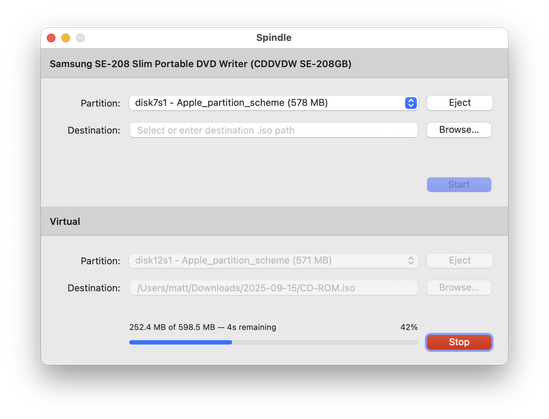
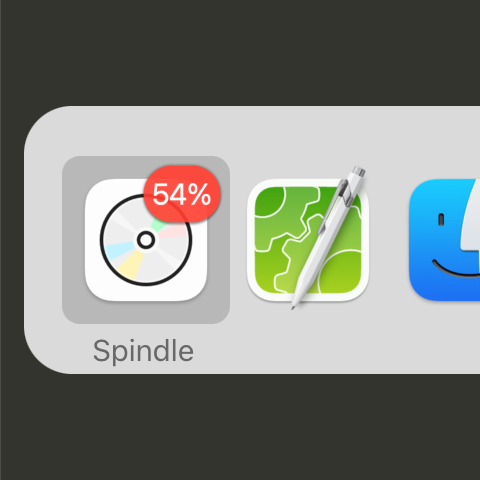
More polishing of the Spindle UI:
- device descriptions come from the internet
- two the same shows exact model number
- stop button is now red
- progress of most complete rip displayed as badge
- dumping requires less permissions than other tools! 😎
Spent a *very* annoying evening adding HFS volume label probing to Spindle for ripping vintage Mac discs.
Since Catalina macOS no longer supports reading HFS volumes, so I had to roll my own Swift code to do this, building on many useful lessons learned from hfsutils source.

