man when people were telling me that smart TVs are a privacy nightmare, I thought that was because they recorded what you watched using their built in media-player OS.

NOPE! Apparently Roku TV's will give you popups based on what DVDs you're watching through them, because they screenshot the HDMI-in and compare it to a database.
that's a few steps creepier than I was expecting from a garden variety privacy invasion


we've got one "smart" TV in the house and it's not using its internal smartness, we have it hooked up to a apple TV. but now I gotta go dig in the options and see if I have to turn off "SCREENSHOT ALL OUR CONTENT AND MAIL IT TO A SERVER"

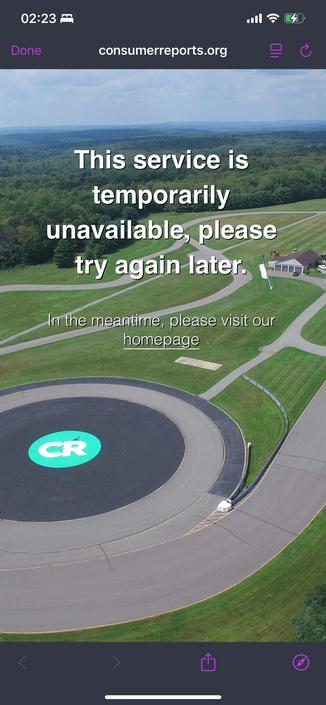
here's the page I was linked to (from a tumblr post I've lost track of) on how to turn this off on various TVs:

https://www.consumerreports.org/electronics/privacy/how-to-turn-off-smart-tv-snooping-features-a4840102036/

How to Turn Off Smart TV Snooping Features

TVs collect a huge amount of data. Here's how to use privacy settings to limit the surveillance on TVs from LG, Samsung, TCL, and every other big brand.

Consumer Reports
Or fucking stop buying these stupid ass things. Get a tv that outlives the sun and just upgrade the things you plug into it.
@foone @thepinkhacker do you have any recommendations? I can't find any dumb TVs for less than $4k, at least not in my area

Sceptre makes pretty good tvs.

https://www.walmart.com/ip/44829924

Robot or human?

@zrb

Don't give a "smart TV" access to the internet and you have a dumb TV.
I got two "smart TV"s and both don't have internet access and both are connected to a mini computer with kodi running.

And for other spying devices i would recommend Pi-Hole.

@foone @thepinkhacker

@foone is it just broken for me?

@foone

I think this is all the more reason for me to find an office TV or something other than one of these consumer TV's for this exact reason.

@foone the best way I found was to simple not let the bloody thing have any internet access. Good riddance snooping.
@foone Seemed cool - mentioned TCL in the headline... But then I couldn't find any actual details about how to do this for TCL TVs in the body :'(
@foone ah wait, duh, I think all TCL TVs are GoogleTV. So that is covered. Cool.

@foone We've had "smart" TVs for over a decade now. They've rarely been hooked up to the internet. (I hooked up an LG TV to get a firmware update for dolby, and then disconnected it right after.)

*So far*, I don't think any of them brick themselves if they're not connected, but I'm pretty sure that day is coming.

@foone even that is incomplete. Here are some of my instructions to disable the voice assistant on LG Smart TVs : https://social.treehouse.systems/@Aissen/111267905868798609
Anisse @ Kernel Recipes (@[email protected])

Even if you don't want to use voice commands, and don't press the "Mic" button on the remote, your LG TV will spuriously show a popup from time to time telling you to accept Voice Terms & Conditions (and connect it to the network). It's because it thought it heard "Hi, LG" (even from playing content!). How to disable this spurious popup on you LG WebOS TV when you don't want to accept "smart TV" terms & conditions: 0/ (optional) make sure TV is up-to-date 0.5/ Say "Hi, LG" and watch popup being shown. That's the issue. 1/ disconnect it from the network (if connected) 2/ accept the terms and conditions for Smart Features, Voice, etc. 3/ Go into the Settings -> General -> Voice assistant settings, and disable the Voice assistant 4/ Go back into Settings -> Support, and revoke the terms and conditions you accepted. TV will reboot 5/ Say "Hi, LG". Popup is no longer shown 6/ (optional) reconnect your TV to the network #LG #WebOS #HiLG #privacy #VoiceActivation #VoiceAssistant #enshittification #InternetOfShit

Treehouse Mastodon
@foone Endlessly adorbz, these pretenses at being able to disable the snoop 'features'. Some of them really look authentic!
@foone rule zero of "smart" TVs is to never connect them to a network
if you do, make sure it's firewalled so the only thing it can talk to is your jellyfin.

@foone We've found our streaming box covers our needs so well that there's no reason to connect the TV to the Internet at all.

I'm seriously concerned about it receiving updates that will start serving ads or making HDMI 2 a subscription service or something.

@growlph @foone oh no. Don't give them ideas.

@vandorb12
The biggest revenue growth in Samsung TV is from their selling your viewing habbits and selling ads to insert in your tv.

@growlph @foone

@foone IIUC the way they do content fingerprinting is to collect a sample of pixels from the image and check them against a database, they only need a few bytes and it works regardless of the image source, if the TV has a path to the Internet
@foone the apple TV is safer than "insert smart TV brand here"? Have you looked at what the apple TV is doing on the network?
@jbrownesq nope! but it's not my apple TV, so that issue is out of my hand. I just figured that at least we'd only be dealing with the apple TV spying on us... but no, the roku-tv is spying on what the apple TV has already spied on!
@foone ahhh ok, understood. Yeah roku is also pretty full of holes lol. We used to use a handful of those services and had at least one smart device online, and then I did a little packet capture and mapped some stuff out. Blocked them all at their hardware addresses at that point.

@foone

Yeah I was disappointed when I found out about this “feature”. Not a fan of our vacation pics being collected by a crazy stalker corporation.

@foone Rip it's fucking "brains" out, or block it.
My TV was cleared of wifi credentials AND I put it's MAC address in my router as disallowed from Port 0 - which is where my ISP is connected. If it somehow gets on my wifi, it can't get to Roku or anywhere else.
@foone allow us to strongly suggest changing your wifi password so that any credentials stored on the TV are no longer valid
@foone i had to turn off all this shit and _also_ make sure the fucking thing doesn't have internet access

@foone all the replies to "network block it" are missing that some of these will insist you go through wifi setup until it succeeds. I don't know if we've yet reached effectively online-DRM about it and refusing to function if phoning home stops succeeding.

microprocessors becoming so cheap was a curse

@foone if you haven't physically desoldered the antenna assume it's phoning home somehow or trying to.

@foone
I just disconnected all my TV's from the Internet. Their Internet features were crap and I use other devices to cast YouTube and other things to the TV.

No internet, no ability to report on me (unless they have hidden cell modems in them like some solar equipment apparently have).

@foone drill through the wifi chip /silly :3

@foone I refuse to buy a tv smart enough to need an internet connection.

I will *never* hook up my tv to the internet, nor my desktop screen, nor my car, nor my solar inverters, nor my home cleaning activities, nor my doorbell or security cameras.

If any of these devices comes with a sim, I will remove it. I don't care if it degrades it and I could e.g warm up my car with an app. it's an entirely unnecessary backdoor into my life that I just don't care enough about to keep around.

@foone it cant do that if you fill the TV’s ethernet port with epoxy