 David Smith
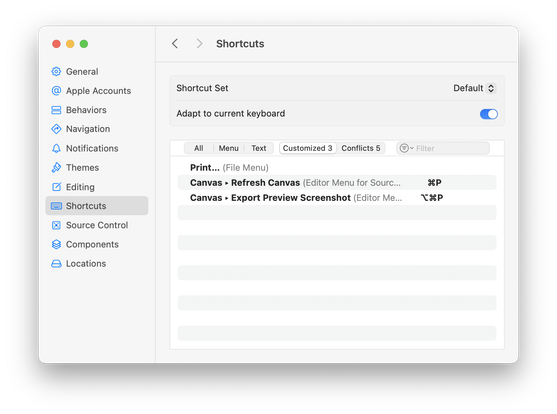
If you are spending your days doing tons of rapid iteration of your SwiftUI views as part of your iOS 26 redesign, can I recommend these two custom keyboard shortcuts”
1) Re-map “Refresh Canvas” to ⌘P. I never print my code but find I need to manually refresh things very often.
2) Re-map “Export Preview Screenshot" to ⌥ ⌘P. This saves a PNG screenshot of the current canvas view. I'm using this as part of my Design Diary series, but otherwise I use it all the time just to have past references.
 Sören Gade
 Tom Insam
 Adam Bell
 Axel Le Pennec
 Shaun
Shaun Quentin Zervaas
 Steven Woolgar