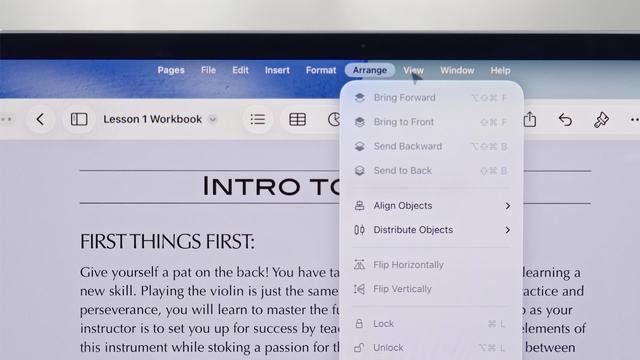
So many of the YouTuber reviews of iPadOS 26 are 'wow, I didn't know these iPad apps had all of these features' upon seeing the menu bar.

Just enforces the point: a menu bar is an educational tool with discoverability built in, just as much as anything else.

I have very strong feelings about this, and it's why I think the menu bar should always be visible in iPad windowing mode

@stroughtonsmith The menubar should always be available in *every* mode, and every orientation. When I'm using a drawing app, holding my iPad portrait orientation in one arm, with a stylus in my free hand, I don't want to be trying to perform multi-touch gestures while not dropping the stylus, or pecking about looking for wherever / whatever this developer decided a menulet should be. Even if it's just a single word "Menu" top left of screen that gets me a top level from there.

@metaning @stroughtonsmith Funny, that’s exactly how this worked way back when the OS was still called NeXTSTEP.

(Starting at the active app level, not the “every app currently on the screen” level)

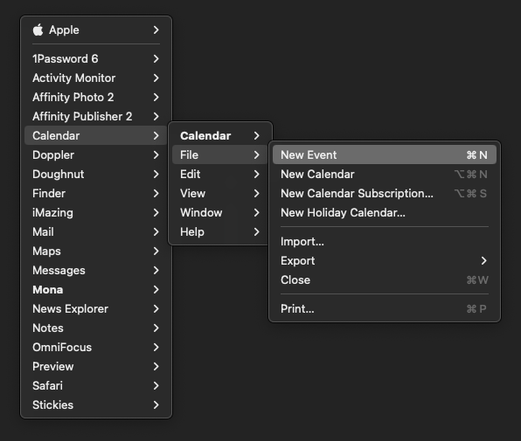
@darthnull @stroughtonsmith yup, that's a setting in Menuwhere - I just keep it on whole system mode, and use it mainly on my non-menubar displays to save coming back to the main one... bound to my scrollwheel button.

@metaning @stroughtonsmith Never heard of that! A nice feature on NeXT was you could keep the menu hidden and summon it anywhere with a right click (giving function to the second button Steve absolute hated having).

<finds app> Yup! Exactly like that. I may have to give that a whirl….

@darthnull @stroughtonsmith Many Tricks do good work, Moom is also a nice enhancement.