 Froyok
You can hear a slight delay when the camera quickly zoom in near the sound origin: that's the trade-off between fast updates and audio chunk buffering.
It's still quite WIP, so maybe there is a way to get a better result.
Right now the processing is still happening on the main thread (there is no threading at all in Ombre so far).
To be able to get occlusion (and maybe other effects) working I will have to move audio into a separate thread. Maybe then I will be able to adjust the delay.
To be able to get occlusion (and maybe other effects) working I will have to move audio into a separate thread. Maybe then I will be able to adjust the delay.
I'm a bit unhappy this took a month to figure out. I ended-up again in one of those "can't code if I can't figure out what to do" moments. Twice in a row because of voxel stuff, which hit quite a bit my motivation.
My main struggle with the audio stuff, is that you are supposed to just buffer audio chunks and let the hardware read it.
That wasn't obvious, and I struggled for a while to get that information. Trying to understand how you are supposed to integrate deltatime in all of this wasted a lot of my time.
That wasn't obvious, and I struggled for a while to get that information. Trying to understand how you are supposed to integrate deltatime in all of this wasted a lot of my time.
I still haven't figured out all the answers unfortunately.
While streaming simple sounds and applying specific effects like attenuation is easy, I still don't know how to handle effects that have long tails (like reverb), especially when looping while still integrating dynamic updates.
While streaming simple sounds and applying specific effects like attenuation is easy, I still don't know how to handle effects that have long tails (like reverb), especially when looping while still integrating dynamic updates.
I don't know if it's because I don't have the right keywords, or if it because search engines are really awful there days, but I haven't found a good answer about this online so far.
Some progress on Steam Audio integration: I have now attenuation, air absorption and binaural effect integrated.
Results are starting to get pretty cool ! :)
(Sound ON for the demo !)
It took more time than that I would have liked, but the audio processing is now in its own thread.
Main benefits is that latency is basically gone.
Main benefits is that latency is basically gone.
Latency existed in a first place because of the main thread sleep when it was done doing it work (to avoid consuming the CPU for nothing).
Now the audio thread can work as needed without stalling.
Now the audio thread can work as needed without stalling.
That means I can also reduce the framerate without impacting the audio for the user. (I reduce framerate to 5 FPS when the engine is out of focus.)
It took some time to convert into a thread because I had to completely rework the way I do my updates.
Now it is based on marking entities as dirty and sending updates via an event/message system.
Now it is based on marking entities as dirty and sending updates via an event/message system.
Two weeks passed by already, dang !
Most of the work the past few days has been on adding support for occlusion. So that required uploading the meshes to Steam Audio BVH and running a simulation to raytrace audio sources.
Most of the work the past few days has been on adding support for occlusion. So that required uploading the meshes to Steam Audio BVH and running a simulation to raytrace audio sources.
It has actually been quite straightforward and I didn't hit any real blockers, I was just slow to get started I guess. I feel like 50% of the work happened yesterday during a big refactor (which took the whole day). 😅
End result is that I now have occlusion working on my audio sources !
It gets evaluated with several samples so that sounds fade in/out nicely.
It gets evaluated with several samples so that sounds fade in/out nicely.
There is still a lot of work to do, especially for optimizing the process and ignoring sounds that wouldn't be relevant. Right now I took shortcuts to get something working. But the code is in a good shape ready for future improvements !
I think I'm gonna take a break on audio however. There are some optimization I thought about regarding my shadow volume compute shader pass that I would like to try out.
A few updates ! 😄
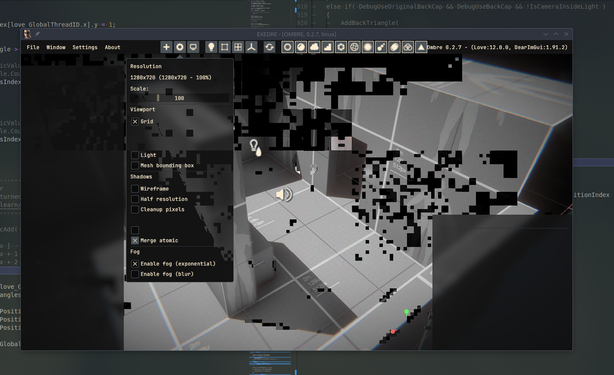
I did try out a few times to optimize my shadow volume compute pass. The idea was maybe I could merge the atomicAdd calls, emitting only one total instead of one per new triangle. In practice every try, even with shared memory, were slower.
I did try out a few times to optimize my shadow volume compute pass. The idea was maybe I could merge the atomicAdd calls, emitting only one total instead of one per new triangle. In practice every try, even with shared memory, were slower.
I got some "fun" glitches out of it at least. First time it crashes the system, the other times it was able to recover fortunately.
(Turns out I writing data into an SSBO but out of bounds).
(Turns out I writing data into an SSBO but out of bounds).
I went back to do more Steam Audio after that. This time to plug in the transmission property, which allows sound to be go through objects (instead of just being fully occluded).
After that I started looking into handling sound reflection/reverb, but it has mostly been about hooking Steam Audio systems for it so far. I'm still struggling to figure out the right way to make it work.
Simulating one sound, by throwing a bunch of rays at it, can actually eat up CPU time quite fast (went up as high as 20 ms !). So I will definitely need to move that into its own thread too.
So I put that stuff on the back for the moment. I needed a creative break. So I started working on finally implementing a translation manipulator in my editor !
It started with drawing a basic axis mesh at first:
It started with drawing a basic axis mesh at first:
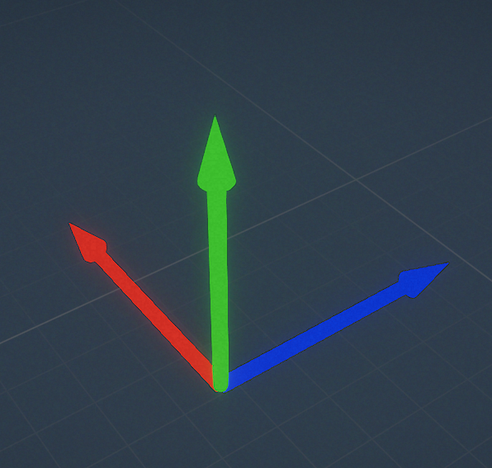
I quickly hit a snag however: sorting issues !
Without depth writing, you cannot properly draw that object, especially since it's a single mesh. However because it's gizmo I didn't want to overwrite the scene depth buffer.
Without depth writing, you cannot properly draw that object, especially since it's a single mesh. However because it's gizmo I didn't want to overwrite the scene depth buffer.
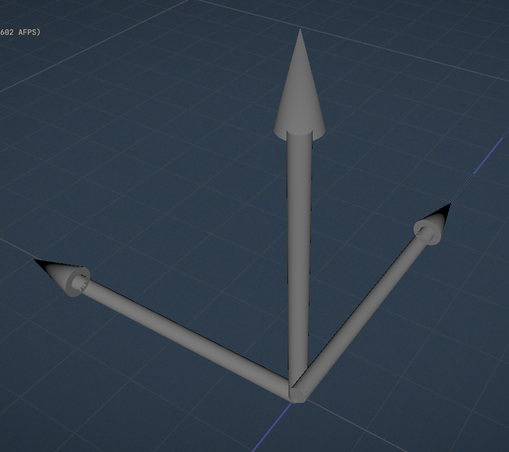
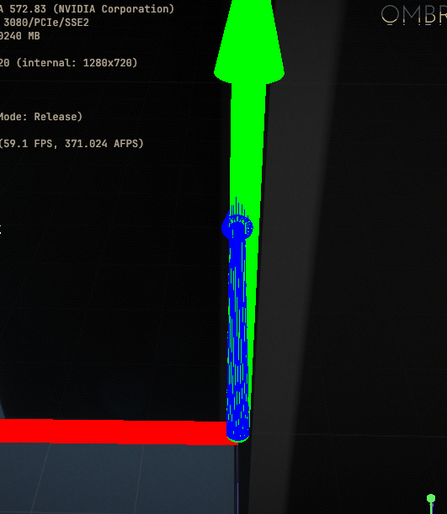
After chatting with a colleague, a suggestion I got was to use SDF for rendering the gizmo, instead of using meshes.
And I actually liked that idea, notably because you can do a lot of interesting and creative stuff that way (like goofy animations). Also no sorting issues !
And I actually liked that idea, notably because you can do a lot of interesting and creative stuff that way (like goofy animations). Also no sorting issues !
By the way, if you never heard of it, Project Neo at Adobe is all about using SDFs to render cute stuff. (One fun fact is that even the gizmo in it are of SDFs.)
https://projectneo.adobe.com/
https://projectneo.adobe.com/

So the first try of making an SDF got borked a bit, but I got nice glicthes out of it once again ! 😆
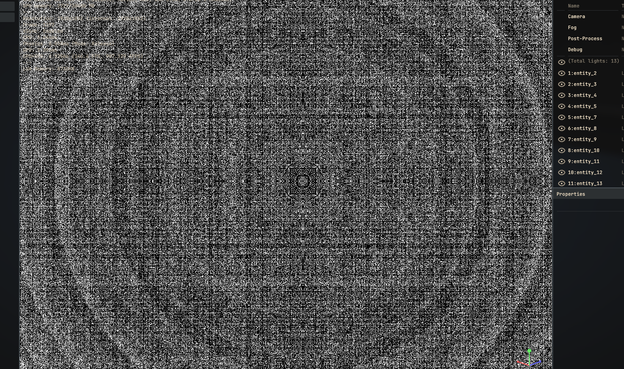
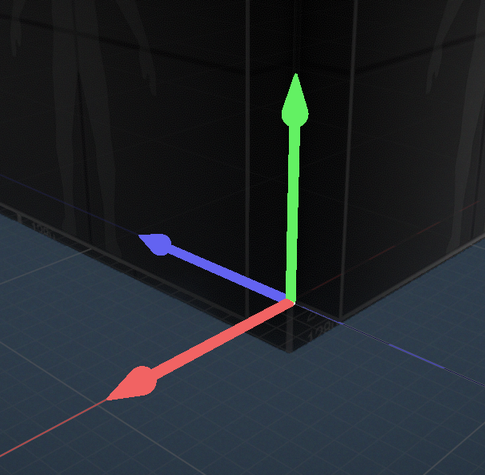
Hooking collisions after that was easy, because I could use SDF functions on the CPU too to do ray intersections.
I use a capsule in this case to make the area a bit bigger.
I use a capsule in this case to make the area a bit bigger.
And then yesterday night I found out that blue lights were behaving weirdly.
After some back and forth I isolated the issue not with the tone curve but actually with my color grading LUT.
After some back and forth I isolated the issue not with the tone curve but actually with my color grading LUT.
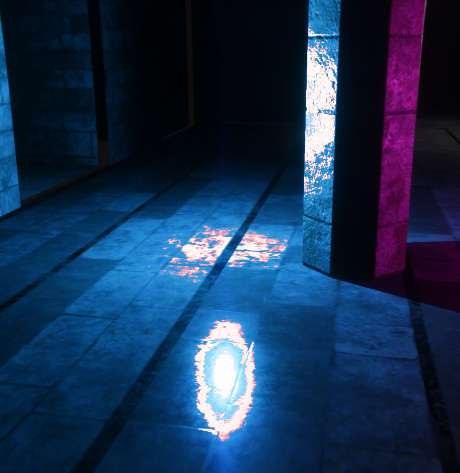
I was a bit puzzled by this regression. It was working fine at some point and I haven't modified anything related to it in months.
After digging to understand what was happening I had a hunch: what if it was a regression in Mesa OpenGL driver ?
After digging to understand what was happening I had a hunch: what if it was a regression in Mesa OpenGL driver ?
Fortunately on Linux it's pretty easy to test that out. I forced the Zink driver, which emulate OpenGL over Vulkan and quickly saw it was working fine over there.
So I guess I should keep a eye on this bug next time I update my system, since my mesa version is a bit old right now (still on 24.2.8).
So I guess I should keep a eye on this bug next time I update my system, since my mesa version is a bit old right now (still on 24.2.8).
Started adding a state machine in the gizmo code, and hooked some events. So now I can select objects around in the scene and it shows the gizmo on it.
Also started animating it, because it's fun. :)
Also started animating it, because it's fun. :)
Manipulator is finally working, I can now move stuff around easily in my scenes. :)
I also refined a bit the color/transparency of the manipulator.
I also refined a bit the color/transparency of the manipulator.
Toying around with it a bit, I'm wondering if I should try to put the manipulator where I clicked on the mesh instead of at its origin.
This would avoid the need to move/zoom on the object to offset it.
This would avoid the need to move/zoom on the object to offset it.
Been a while, so where are we with things in Ombre ?
I continued working on the manipulator a bit to handle scale transformation. I stopped there because I didn't want to think about rotation stuff yet. 😅
Also adjusted its style, wanted to make cooler.
Finding stuff can be hard sometimes, so I started adding more debug information. I added a little tooltip when I hover objects in the scene to get some quick info for example.
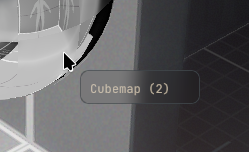
Now that I was able to get information on the fly, it was easy to expand it to the selection overlay system and draw an outline when hovering object. That makes selection much easier: less mistakes !
Then I added a prototype for a new entity type : the rotator !
The goal is to have this entity control another one (here a mesh) to update its rotation.
The moody light + fan was born ! :D
The goal is to have this entity control another one (here a mesh) to update its rotation.
The moody light + fan was born ! :D
Another little feature I finally added was a color picker. I wanted to be able to edit more stuff directly in-engine, so I finally implemented the color widgets for lights. It was easy enough because most of the code was from another project of mine. So "yeay" for copy pasting ! :)

I moved onto another big task, which took less time than I expected : I finally implemented an asset browser in-engine, to be able to navigate through my project files.
At first I spent some time fiddling with ImGui to add a custom split separator that is resizeable.
Then I did a few other style hack to make the tree view nicer to look at, and also started adding icons based on the file type.

I added some tooltip when hovering assets in the window, but most importantly I started adding support to drag and dropping.
First test was with meshes, to be able to drop them into the scene:
First test was with meshes, to be able to drop them into the scene:
And so we are today, what am I doing now ?
On the Graphics Programming discord server there will be a showcase of projects, so I plan on participating this year.
On the Graphics Programming discord server there will be a showcase of projects, so I plan on participating this year.
I think it's a good opportunity to focus on building a demo level and some assets to showcase the engine features.
So I started working on a little level, playing with lights and building materials. :D
So I started working on a little level, playing with lights and building materials. :D

I haven't posted any updates in a while (once again), but I have been mostly busy with life and working on the demo level, adding a few features needed here and there. I also fixed quite a lot of bugs, the joy of dogfooding.
Past few days have been focused on building a basic particle system, mostly to add smoke in a few places of the demo level to add some life.
I got a simple vertex+frag shader working, driven by the particle logic stored in a texture. I'm already liking the early results. :)
I got a simple vertex+frag shader working, driven by the particle logic stored in a texture. I'm already liking the early results. :)


 Ronflaix
 Sébastien de Graffenried