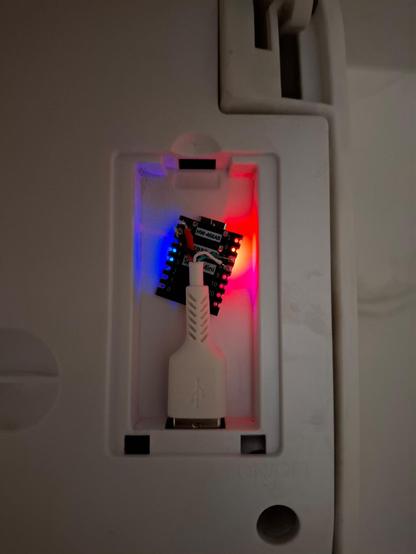
Today I've connected a split Haier AC unit to my #HomeAssistant smart home. By default, the unit would run a proprietary controller via a proprietary Haier smartphone app and connect to someone else's cloud. This tweak I've done makes it work completely locally in Home Assistant via #ESPHome, relying on #FreeSoftware exclusively.
#HVAC

It also acts as a Bluetooth proxy in Home Assistant, which I like a lot as I don't have to provide a standalone case for it.

#BLE

@mdimjasevic What's that cute little ESP board? 🤩

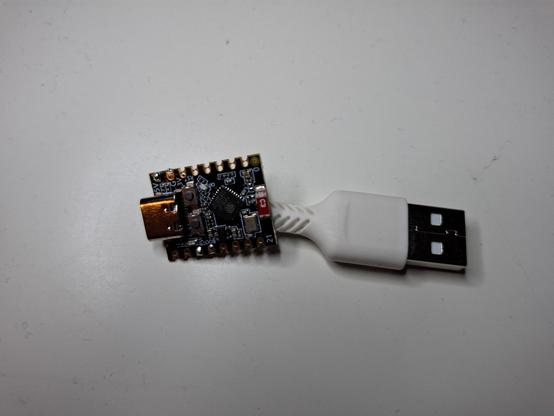
@kroimon That's an ESP32 C3. Initially I thought I'd use an ESP32 D1 mini, but it isn't small enough to fit in the tiny space for the controller in the AC unit case. ESP32 C3 is the smallest ESP dev board that I know of.

A good thing is that both boards are supported by #ESPHome, so it was straightforward to integrate the C3 into Home Assistant.

@mdimjasevic This looks super cool! Do you have a longer writeup anywhere describing what all you needed to do to get this working?

@jayemar Unfortunately, I don't have a writeup. It's all based on this ESPHome climate component: https://esphome.io/components/climate/haier.html

It starts with physical constraints. You open up the unit, see where the controller is, you size it, check the interface it uses, and you ponder what can fit in.

Then you figure out what protocol your AC unit uses (SmartAir2 in my case), explore what can and needs to be done about it, and iteratively write a config file for your board until ESPHome reports no issues.

1/2

Haier Climate

Instructions for setting up Haier climate devices.

ESPHome

@jayemar

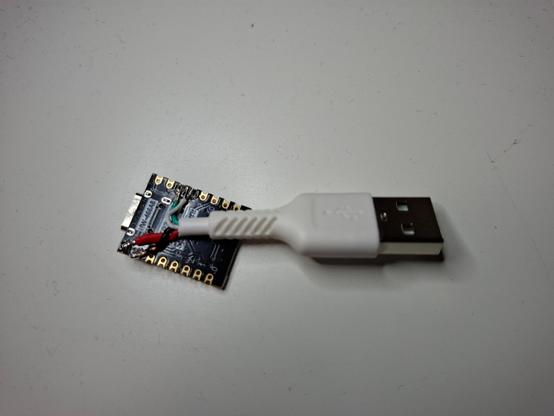
Finally, you take the hardware and get your hands dirty: you cut the USB cabel to a length more than you'll need, explore the wires it has, and think about the minimal length you can cut it to such that you will still be able to solder its wires to your ESP board. Finally, you solder it, check if you burned your board by overheating it 😅 while soldering, connect it, and check its logs. You might go back to fixing the config file, back to soldering, and so on.

Hope that helps.

2/2

@mdimjasevic Thanks for this additional info. The steps "check the interface it uses" and "figure out what protocol your AC unit uses" are where I'd be stumped. Well done, very cool!

@jayemar I found out what interface my AC uses by taking the proprietary controller the unit came with, then looking up the FCC ID written on its case, and downloading the product manual provided by that FCC website. The protocol was mentioned there.

The interface was a USB port, though the protocol was UART as documented in that #ESPHome page I've linked to. Just today I started looking at a Midea AC unit I have in another room. It has a 5-pin connector that I am yet to learn about.

#HVAC

@mdimjasevic I would LOVE to hear (read?) more about this. I have 5 of these units in a house we bought and would be really glad to them them offline!