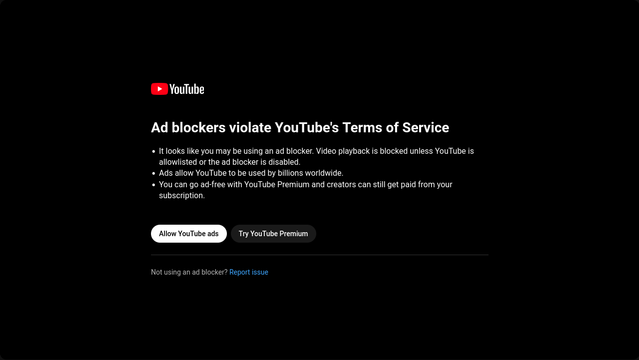
Looks like YouTube is blocking adblockers again. This time, they are claiming that the use of adblockers violates its terms of service.

I read the terms of service: https://www.youtube.com/t/terms#20c5cf0fa6 There is nothing in there about adblockers. And yes, I actually read the terms, I didn't just search for 'adblock'; contrary to youtube.com's lies, you are NOT required to disable adblock.

So once again, let's delve into how to watch get around YouTube's adblockerblocker.

1/5
#YouTube #AdBlock #AdBlocker

Terms of Service

Invidious is to YouTube what Nitter is to Twitter: An alternative front-end that anybody can run on their own website that lets people watch videos on youtube.com. Note that Invidious instances don't host anything; they just embed videos from youtube.com.

Here is a list of verified instances: https://docs.invidious.io/instances/

#Invidious #YouTube

2/5

Invidious Instances - Invidious Documentation

The official Invidious documentation

Alternatively, you can use dedicated apps. Personally, I'm a fan of FreeTube on desktop and NewPipe on my phone (NewPipe is available for Android and derivatives; I'm not sure it's available for iThings). Both allow you to subscribe to YouTube accounts without needing an account yourself; in fact, you can't even log in. As such, you might be able to read comments, but you can't comment yourself, or like videos. On the plus side, no relevancy algorithms.

#NewPipe #FreeTube #YouTube

3/5

Some video players can directly play video if you feed them a youtube.com URL. I personally use MPV, but if you're scared of the command line, SMPlayer gives you a nice graphical program that can natively play YouTube videos (as well as videos from a bunch of other video sites).

VLC works on phones, but not on desktop.

4/5

#YouTube #MPV #SMPlayer

As for subscribing to channels, NewPipe and FreeTube have that functionality built in.

I prefer to use an RSS reader, because every YouTube channel has an associated RSS feed. For an online RSS reader, you usually just need to copy the channel URL. If that doesn't work, go to the channel page, press Ctrl+u to view the source code, and search for /feeds/ to get the RSS URI which you can then copy into your feed reader.

Thank you for reading.

5/5

#YouTube #RSS

Someone on another forum pointed out another workaround that doesn't need any additional software.
• Click the Share button under the Video
• Click Embed
• Watch

6/5

#YouTube #AdBlock

@Infrapink One thing to add to the list: Using YouTube Mobile on desktop through a browser plugin (aptly named YouTube Mobile for desktop) allows the use of uBlock Origin and Sponsor Block without the popup (thus far) and with a much lighter UI resource wise. The only downside this far are comments currently being broken and not displaying for some reason

@Infrapink youtube is still loading just fine for me in Firefox with ublock on my phone.

Thanks for letting me know about New Pipe though, I'll check it out.

@Infrapink Sorry, but the ToS does ban the use of ad blockers.

The Permissions and Restrictions section makes it clear that you are not allowed to "circumvent, disable, fraudulently engage with, or otherwise interfere with any part of the Service..."

Commercials are very obviously a part of the service being offered by YouTube, especially from the perspective of Google, content creators, and advertisers. An ad blocker exists to circumvent and disable the delivery of commercials.

The more interesting argument is whether or not they should be allowed to stop you from skipping them. There is precedent for them not being able to (they can't stop you from fast-forwarding past ads on a time-shifted recording), but we live in a much worse capitalist hellscape than the one that gave us free use of VCRs so...

I'm still going to find a way to block any and all ads you try to put in front of me though Google :)

@chadmed @Infrapink

The Permissions and Restrictions section makes it clear that you are not allowed to "circumvent, disable, fraudulently engage with, or otherwise interfere with any part of the Service..."

I'm legally manipulating MY MACHINE that I OWN in accordance to MY OWNERSHIP RIGHTS.

And I'm requesting data from their servers. Those requests aren't of a hacking nature.

Don't want me to use the service? Don't send data when I request it.

@Infrapink In Firefox I do consistently well avoiding EwTube ads with uBlock Origin and AdGuard. Not sure which one's doing the heavy lifting or if they're job-sharing.

Orion (which I prefer a lot) does a fair job on its own, but instead of an immediate jump into an ad-free video as in augmented Firefox, each ad loads and then fast-forwards, then the vid eventually loads and plays; that's much less good.

So I'm on edge of seat for your info!

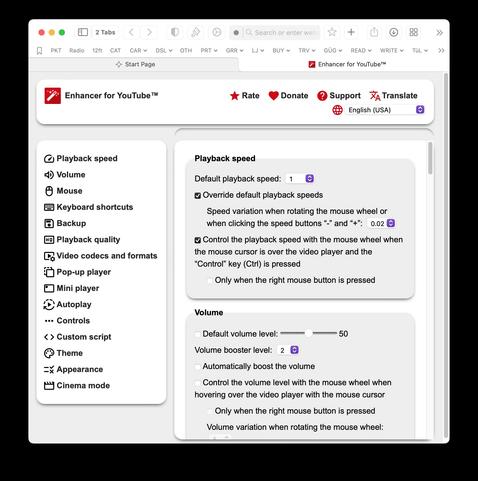
While I'm using UBlock Origin & Adblocker, I recommend "Enhancer for YouTube" which not only strips out the ads but offers more customisation of YouTube.

There's a little bit of mucking around when the video first loads and the plugin takes over, but after that it's an ad-free experience.

https://addons.mozilla.org/en-US/firefox/addon/enhancer-for-youtube/

@isocat @Infrapink

Enhancer for YouTube™ – Get this Extension for 🦊 Firefox (en-US)

Download Enhancer for YouTube™ for Firefox. Take control of YouTube and boost your user experience!

@BobLefridge @Infrapink Sounds good, but not working for me. I installed it (the Chrome extension) in Orion, and at best there's no difference; at worst I get the "Ad blockers violate blah blah blah" thing. Guess for now I'll carry on using Firefox for my tubewatching. Sounds like you might have more advice, though?

I installed it in Firefox and it just worked out of the box. I've used it for a few years with no problems. Sorry I can't be more helpful.

@isocat @Infrapink

@BobLefridge @Infrapink No worries at all; Orion is in Beta, so some stuff is unpredictable.

@BobLefridge @Infrapink Circling back: I got advice from the Orion forum on setting its configs to give EwTube its well-deserved steel-toed kick in the nuts. That allowed me to actually watch EwTube vids, but still with initial and intermittent ads. I reinstalled Enhancer (the Chrome version; Orion can take both FF and Chrome extensions) and…perfection! No more ads. Yayyyy! Thank you.

https://orionfeedback.org/d/9391-a-constellation-of-youtube-problems-in-orion/2

A Constellation of YouTube Problems in Orion - Orion Public Issue Tracker

YouTube is not usable in Orion 0.99.130. I change the user agent to Chrome, the page reloads, then after awhile an ad...

Brilliant! Well done!

No ads is the best part, but dig into the options and there are all sorts of little magic things. For instance, if I'm listening to a slow interview, I often use the speed changer at 1.5x or 2x ... that sort of thing.

Thanks for the update. And enjoy!

@isocat @Infrapink

@BobLefridge @Infrapink Fer sher. I've updated the update with the link to the Orion forum post with the config advice.

Odd thing: I don't find anything about ads in the Enhancer controls.

It's under "Ad Management" for me.

@isocat @Infrapink

@BobLefridge @Infrapink Huh! Got none such here. Maybe that's only on the Firefox version of the extension…? I picked the Chrome version because it's said to be updated more recently and frequently.

That's strange. If you have time, I'd try the Firefox version to see if it's different.

@isocat @Infrapink

@BobLefridge @Infrapink Same thought. Watch this space.
@BobLefridge @Infrapink No good; the FF version doesn't show me any ads-related options in the config panel, and it doesn't block ads. I removed it and reinstalled the Chrome extension. Still no ads-related options in configs, and as of this morning it no longer blocks YouTube ads. Quite the cat/mouse thing, this.

Bugger! I thought it would be a relatively easy thing to sort.

I'm still using v2 (from 2023) while the latest release is v3. I'm guessing that YouTube has probably 'convinced' the developer to disable the ability to remove ads, so I've turned off auto updates for that particular extension.

Sorry we couldn't get it working for you.

Merry xmas from downunder.

@isocat @Infrapink

@BobLefridge @Infrapink Actually…looks like old versions can still be had. I'm not seeing a v3; the latest version appears to be 2.0.130.1 . Could I trouble you to please have a look and see what the long version number is on yours?
https://addons.mozilla.org/af/firefox/addon/enhancer-for-youtube/versions/
Enhancer for YouTube™ version history - 25 versions – Add-ons for Firefox (af)

I'm using 2.0.121 on Windows desktop.

@isocat @Infrapink

@BobLefridge @Infrapink Aha! Mystery solved. Lookit the first item under 2.0.122: " Removed 'Ads Management'-related features, they caused issues anyway... Get uBlock Origin to block ads"

Here's a note on the version page regarding v2.0.122 (31 Jan 2024).

* Removed "Ads Management"-related features, they caused issues anyway... Get uBlock Origin to block ads"

That explains the problem and hopefully earlier versions will still have ad management.

FYI I'm also using uBlock Origin.

@isocat @Infrapink

@Infrapink Simply use Opera browser? In all those years the integrated ad blocker is working perfectly on YouTube.