
Looks like YouTube is blocking adblockers again. This time, they are claiming that the use of adblockers violates its terms of service.

I read the terms of service: https://www.youtube.com/t/terms#20c5cf0fa6 There is nothing in there about adblockers. And yes, I actually read the terms, I didn't just search for 'adblock'; contrary to youtube.com's lies, you are NOT required to disable adblock.

So once again, let's delve into how to watch get around YouTube's adblockerblocker.

1/5
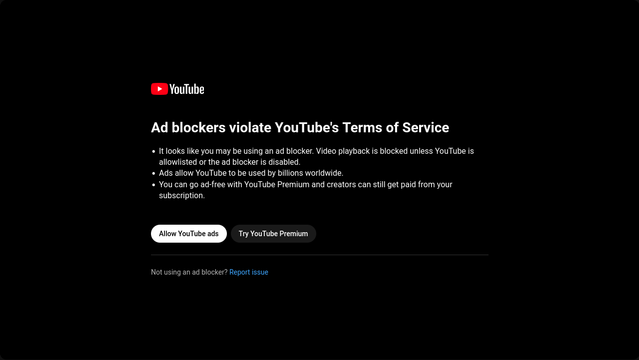
#YouTube #AdBlock #AdBlocker

Terms of Service

Invidious is to YouTube what Nitter is to Twitter: An alternative front-end that anybody can run on their own website that lets people watch videos on youtube.com. Note that Invidious instances don't host anything; they just embed videos from youtube.com.

Here is a list of verified instances: https://docs.invidious.io/instances/

#Invidious #YouTube

2/5

Invidious Instances - Invidious Documentation

The official Invidious documentation

Alternatively, you can use dedicated apps. Personally, I'm a fan of FreeTube on desktop and NewPipe on my phone (NewPipe is available for Android and derivatives; I'm not sure it's available for iThings). Both allow you to subscribe to YouTube accounts without needing an account yourself; in fact, you can't even log in. As such, you might be able to read comments, but you can't comment yourself, or like videos. On the plus side, no relevancy algorithms.

#NewPipe #FreeTube #YouTube

3/5

Some video players can directly play video if you feed them a youtube.com URL. I personally use MPV, but if you're scared of the command line, SMPlayer gives you a nice graphical program that can natively play YouTube videos (as well as videos from a bunch of other video sites).

VLC works on phones, but not on desktop.

4/5

#YouTube #MPV #SMPlayer

As for subscribing to channels, NewPipe and FreeTube have that functionality built in.

I prefer to use an RSS reader, because every YouTube channel has an associated RSS feed. For an online RSS reader, you usually just need to copy the channel URL. If that doesn't work, go to the channel page, press Ctrl+u to view the source code, and search for /feeds/ to get the RSS URI which you can then copy into your feed reader.

Thank you for reading.

5/5

#YouTube #RSS

Someone on another forum pointed out another workaround that doesn't need any additional software.
• Click the Share button under the Video
• Click Embed
• Watch

6/5

#YouTube #AdBlock

@Infrapink One thing to add to the list: Using YouTube Mobile on desktop through a browser plugin (aptly named YouTube Mobile for desktop) allows the use of uBlock Origin and Sponsor Block without the popup (thus far) and with a much lighter UI resource wise. The only downside this far are comments currently being broken and not displaying for some reason