 Dominic Pajak
 BBC Micro Bot
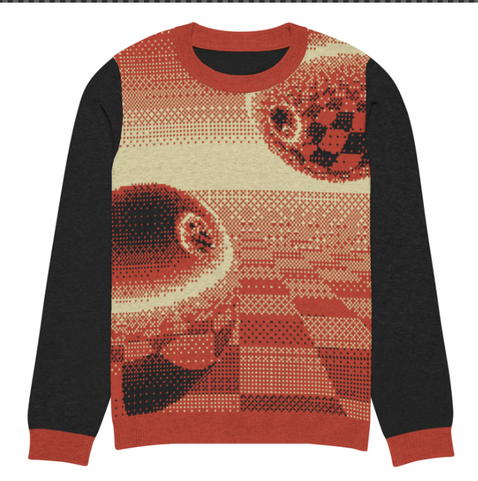
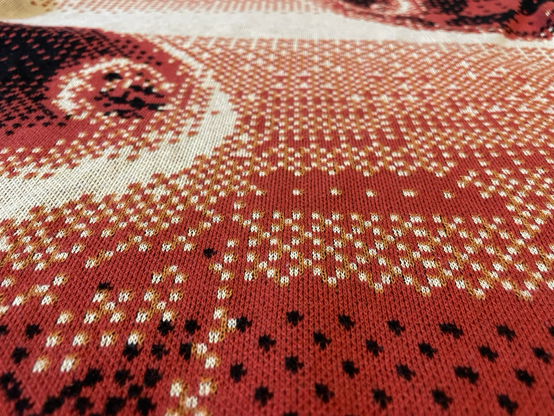
Just ordered a festive 8-bit ray traced baubles custom sweater 😂

BBC Micro Bot :mastodon: (@[email protected])
Attached: 1 image I ran @coprolite9000's program and got this. Source: https://bbcmic.ro/?t=9ctpk #bbcbasic
Just ordered a festive 8-bit ray traced baubles custom sweater 😂
Attached: 1 image I ran @coprolite9000's program and got this. Source: https://bbcmic.ro/?t=9ctpk #bbcbasic
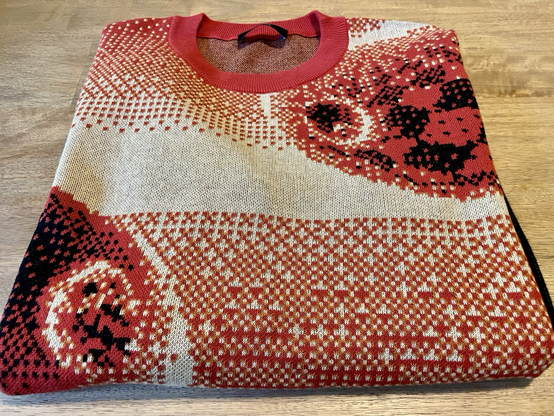
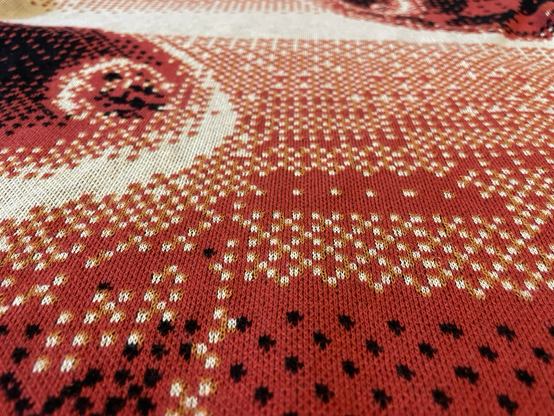
BBC BASIC rendered festive knitwear another world first no one asked for courtesy @bbcmicrobot 🤓
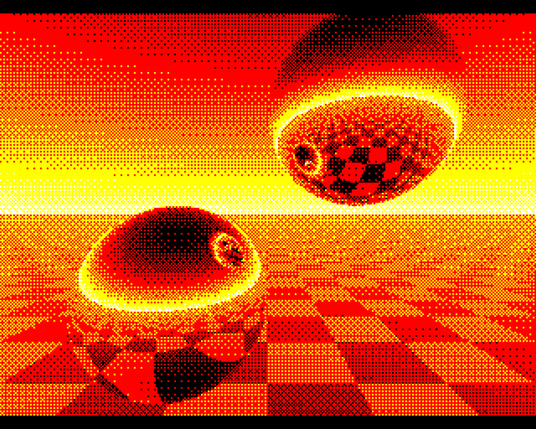
@bbcmicrobot Raytracing core borrowed from other people - I just added some ordered dithering! (Yes, I'm rummaging through my old Twitter archives. This was originally posted back in late 2021...)
@bbcmicrobot @nske @kweepa It loops over each pixel in the screen in turn and traces a ray for each - line 40 sets up the initial ray then line 50 traces it, testing if it hits the sphere, and if so calculates the reflection angle and loops to trace the reflected ray (via the GOTO50).
Line 60 handles the chequerboard - e.g. if you replace it with V=ABSV the ground is just an inverted version of the sky.
Line 70 sets the colour (with dithering in this version).
The main trick is that there's really only one sphere! It is at coordinates (I,I,I) (that's capital i). For each pixel, I is initially set to 1 if we're tracing the right half of the screen and -1 for the left, then the sign of I is flipped each time the ray reflects of the sphere (since it's not physically possible for a ray bouncing off one sphere to hit that same sphere again without reflecting off the other sphere first.
This one sphere trick can be extended to render more than just two spheres - e.g. I posted a version some time ago with a line of spheres where the coordinates of the sphere get incremented/decremented based on the sign of the direction of the reflected ray. I also have an unposted work in progress which just adds spheres top left and bottom right, but I've haven't yet got all the inter-sphere reflections working right.
 Mikey
Mikey Jonathan Hogg
 Regine Horteur
 NSKE
NSKE Rheolism
 Cyberspice
 groff 🇺🇦
 Jason Bowen 🇺🇦
 Flounder Mode
 Patrick Grey
 cos
cos Leigh Garland
 Urix Turing
 64kb
64kb Coprolite9000