Just posted a new TestFlight beta with these updates:

- Play Next is now available outside of playlists

- Added Import/Export OPML in settings

- Small buttons on now-playing screen now have larger touch targets

If you'd like to join the TestFlight beta, there's a link in the app, near the bottom of the settings screen. Hop on!
@overcastfm still having several gigs of audio not auto deleting after played though the settings say it should. Will send feedback and logs
@tonywalker23 @overcastfm 100% agree with this.
@chrisdoran70 @tonywalker23 @overcastfm Are you listening on multiple devices? It seems as though deletes don’t sync across devices.
@josephwagner @chrisdoran70 @overcastfm yes correct. Phone iPad and two Mac’s.
@tonywalker23 @chrisdoran70 @overcastfm I think what is happening is you play an episode on one device and the Overcast deletes it on that device and updates playlists on all devices. But the episode doesn’t get removed from storage on other devices. That’s why you’ll see wildly different storage amounts across devices.
@josephwagner @chrisdoran70 @overcastfm I know nothing about making apps, but that makes sense. my temp solution is ever so often on each device delete all downloads and redownload all. the other bug I hope gets fixed is playlists order. have a playlist with hourly news prioritized so it is at top of list, the rest of the list is oldest to newest. but new episodes get put in the middle of the playlist instead of at the bottom.
@tonywalker23 @chrisdoran70 @overcastfm the version posted in the App Store todays seems to have resolved this issue for me.
@josephwagner @chrisdoran70 @overcastfm it appears to have for me also. there are still a few stragglers but I haven't had time to give it much attention today. im going to delete all downloads from all devices then redownload all and see how that goes for a few days. for me, that just leaves the "special" playlist I have that isn't working right. set up so that hourly news go to the top, below that is everything except one sorted oldest to newest, and 1 low priorirty (4 hours long is why) last
@josephwagner @tonywalker23 @overcastfm yes. It worked perfectly before the upgrade for me.
@overcastfm "Small buttons on now-playing screen now have larger touch targets".. If that means what I think it means, I am very much thrilled by that change. Hope it lands well for the rest of your user base as I always found VoiceOver's explore-by-touch way too unforgiving for us totals on that screen. Thank you so much for taking the time and effort to code that in.
@overcastfm I still don’t see a field for username and password input for private feeds.

@chrisdoran70 @overcastfm

Embed the user/pass into your private feed with a colon separating them, and using %40 for the first @ symbol, if the username is an email.

So your URL would look something like
http://username:password@whatevertherestofthefeedis

or

http://username%40email.com:password@whatevertherestofthefeedis

100% of my shows that use user/pass logins work this way.

@JuventudGuerrera @overcastfm yes. I have done that. But again, theirs fields existed in the previous version… where did they disappear to?
@overcastfm please fix Airplay 2. Doesn’t work at all anymore. Airplay 1 works but with huge delays and usually won’t even resume from pause.
@galonsky @overcastfm I’m sure it’s on his todo list, and must be a major refactor of the audio engine, but I agree. It’s so frustrating. Airplay 1 is the better option at the moment, but sometimes resuming or new episodes just don’t work and you have to swap to phone speaker and back again to reset it.

@Diggory @galonsky Honestly, it’s not a huge refactor. My AirPlay 2 engine didn’t change with the rewrite — iOS 18 broke it in subtle, buggy ways that I’m still trying to work around.

18.1 is significantly improved.

@overcastfm @Diggory iOS 18 definitely made it worse, but I did have airplay issues on the new rewrite on iOS 17. Never had issues pre rewrite. Glad to hear 18.1 improves it.

@overcastfm @Diggory @galonsky Will be waiting to try 18.1 too then… But I agree there was problems already with 17, it is just that upgrading to 18 has made using Overcast with HomePods (mini) very unreliable.

Interestingly I have seen the Apple Music app having some problems too (but a lot less).

But another app I use to “stream” mp3 from my NAS has had no issues whatsoever (MusicStreamer) 🤯

@overcastfm unfortunately no dice on airplay 2 in 18.1 either
@overcastfm Play Next is much appreciated! Keep up the great work!
@overcastfm Thank you! I love the bigger sizes, but the airplay button doesn’t have a shape showing for Accessibility > Display > Button Shapes the way the other ones do. Is that a bug?
@overcastfm Am I the only one having an episode try to play and then after awhile it gives up and just marks as played? Joining the beta now
@overcastfm When are you going to fix playlist sorting? If I add an episode I don’t subscribe to it gets added to the top of all of my playlists, even though it’s not a priority podcast (above my priority playlist episodes), even though I have sorting set to oldest to newest. It’s been like this since the big upgrade in July - 2.5 months.
@_doug_miller @overcastfm I’ve been having the same issue, downloaded new episodes of feeds I subscribe to and have to manually change the sort to a different sort order and back for things to sort correctly.
@overcastfm Thank you! But will keep repeating that the functionality to start playing the next episode in a list/queue by clicking the play button on a remote (earphones/buds) still is broken and makes the app personally hard to use (in fact I've stopped). Just a as a friendly reminder, I'm not the only one.
@overcastfm so happy that play next is coming back! move to queue/playlist is not the same.
@overcastfm This chapter selector is still broken.

@overcastfm Any update on playlist sorting as new episodes are added?

Having to edit playlist, change sort, save, edit, change sort, save to get them into the correct order is annoying.

Since it fixes the order, it clearly knows the order. Yet it still adds new stuff in the wrong spot often.

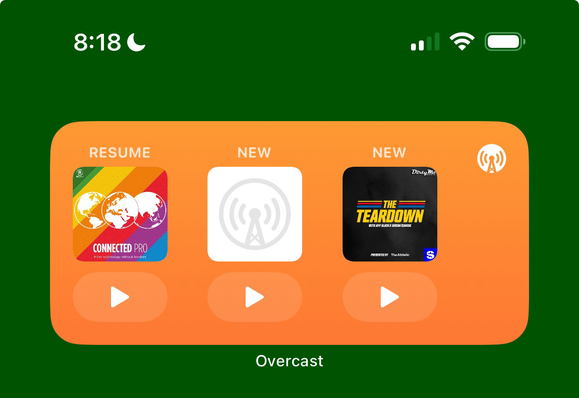
@overcastfm Is the Home Screen widget bug fixed? 3 months after launch and this bug persists in the release version.

Can I send you any phone logs or whatever you need to help track down this bug and fix it?

@overcastfm

> play next is now available outside of playlists

@overcastfm any updates on VoiceOver support?
@overcastfm Hopefully fixing the CarPlay bug where it forgets it’s last playhead position and replays half of what you’ve already listened to.
@overcastfm anyone have luck with importing an OPML file into another app?? I was able to pull an export, but can’t import the file into another app.
@overcastfm ooooh thank you! Was just thinking yesterday that I missed Play Next and was going to ask if it’s on the list of things being re-added to the new app 👏
@overcastfm Widget in latest build is *still* not loading artwork on automatically downloaded podcast episodes. Bug since July.
@overcastfm such a fan of this project - thank you! I think an update in last several months broke download to watch functionality - all downloads but two (different two every time I reinstall) terminate in “download failed: not authorized” message. Hopefully on your radar - submitted a couple of detailed bug reports to reproduce as well!
@overcastfm The sleep timer in Overcast hasn’t worked for me for weeks, even after reinstalling the app. I’ve been living without it for weeks, but my sleep has been significantly affected. I reluctantly switched to Apple Podcasts. I don’t like reaching out like this but I used to be able to sleep properly and use a podcast app that didn’t frustrate me. I would very much like to go back to that. Please fix the sleep timer.
@overcastfm are you planning to bring back the blue dot to the main podcast screen to show that there are new episodes?