
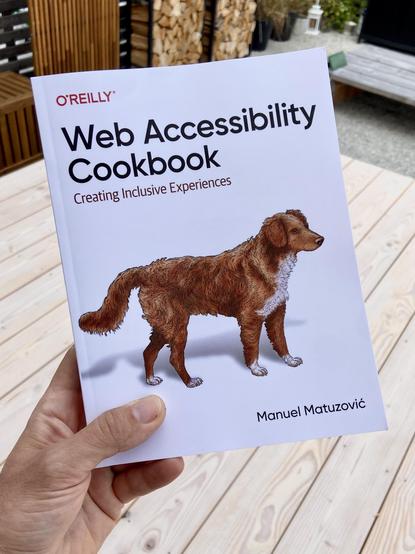
Yes!! @matuzo’s book just arrived! 🥳 It was a huge honor to contribute a little bit by reviewing it – now I can’t wait to read the final version. 🤗

Also: get yourself a copy! It’s a fantastic and invaluable book for everyone working on the Web!
👉 https://accessibility-cookbook.com
#a11y #accessibility #webdev
Web Accessibility Cookbook

The Web Accessibility Cookbook provides you with dozens of recipes to help you build common components on the web.

@matthiasott @matuzo Is this the first O’Reilly book with a domesticated animal on the cover?
@matthiasott @matuzo “Actually that is the rare Uzbek Mountain Wolf, an extremely vicious predator that can grow up to 4 feet in height and 200 pounds.”
@jsit @matuzo My interpretation is that it is a guide dog. 😁
@jsit @matuzo a rare, wild Uzbek Mountain Guide Dog, of course.
@matthiasott @jsit Look at the last printed page in the book! :)
@matthiasott @jsit @matuzo I'm no expert but on first glance that looks like a Nova-Scotia Duck-Tolling Retriever
@matthiasott I didn’t even think of that! 🤦‍♂️
@matthiasott @jsit @matuzo I just saw a picture of a dog and “Cookbook” in large letters, and thought wtf?! 🙀
@matthiasott @matuzo how e-reader proof is it? How are the images?

@kjvdven @matthiasott it's available as epub, html and pdf. So I guess it should be fine. The images aren't great unfortunately. To mitigate that issue I put them on the website.

https://accessibility-cookbook.com/figures/

Figures - Web Accessibility Cookbook

The Web Accessibility Cookbook provides you with dozens of recipes to help you build common components on the web.

@matthiasott @matuzo

is there a recommended screen reader or other kinds of extensibility extensions for browsers to ACTUALLY see or hear the web like people who need it would?

which ones are those?

i seeing these promoted would help me and others a lot - by just trying it out and test the accessibility one has tried to implement 🙂

@serapath @matuzo Yes, testing your site with a screen reader is super insightful and a mandatory step if you really want to make a website accessible. There are various screen readers out there. The most popular ones are called JAWS, NVDA, and VoiceOver (the screen reader built into macOS): https://webaim.org/projects/screenreadersurvey9/

This is a super interesting video with @tink showing how she uses a screen reader to access the web: https://www.smashingmagazine.com/2019/02/accessibility-webinar/

WebAIM: Screen Reader User Survey #9 Results

@serapath And throughout the recipes in the book, @matuzo regularly mentions how screen readers behave in different situations. For example, how they access headings, links, lists, etc, or if certain HTML elements / their roles are announced and so on. That’s another really useful aspect of the book!