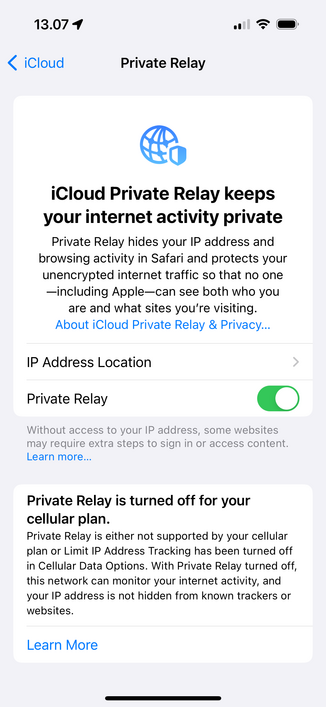
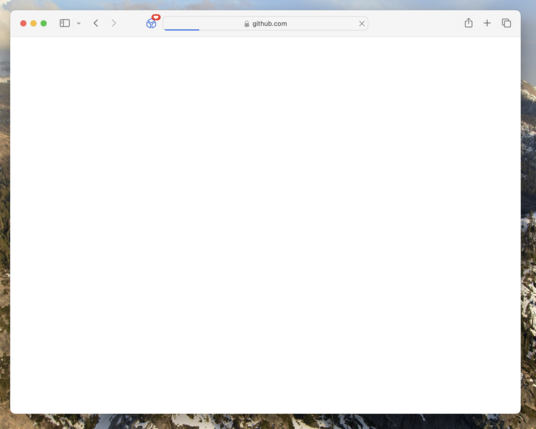
Incredibly often, it seems that Safari fails to load a website. It happens both on my Mac and iPhone and has been happening for a long time. I think this has to do with my WiFi, but I fail to see anything unusual in my Ubiquiti setup.

Anyone seeing similar issues with Safari, or is this some issue in my Internet setup?

(Yes, I've tried disabling all extensions)
Private Relay was not the cause of my issues with Safari. Still seeing issues today after I disabled Private Relay yesterday 😞
@simonbs I encountered those issues when the 'Auto proxy discovery setting' for the network interface was enabled. If this applies to you, perhaps try disabling it. (I'm also using a Ubiquiti UniFi system)
@simonbs I’m a very heavy user of safari. Many extensions. Probably hundreds of tabs. Multiple windows. And I’ve never seen these issues. Maybe I’m a Safari Unicorn.

@simonbs Yes, also seeing this!

Fully restarting Safari usually solves it for me - so I assumed a memory issue so far.

Also have a Ubiquiti setup though, so maybe the root cause's there somewhere?

@euklid I've also found that fully restarting Safari seems to resolve it. I didn't mention it in my original post because I can't yet seem to work out if that *actually* fixes it or it's somewhat random that it works.
@simonbs This doesn’t happen to me.
@simonbs yes, but not GitHub. I though it was due to service workers, but since GitHub doesn't use them, probably something else.
@simonbs yes, been seeing this as well. so often and frustrating that I (reluctantly) switched to a different browser.
@simonbs So you have Private Relay on? Whenever I have a non-loading website, switching off Private Relay usually fixes it.
@mistercharlie I did indeed have it turned on. It states that it isn't available for my cellular plan but I suppose it still works on WiFi. I guess this could be it. Disabling it now and seeing how that works over the next period of time. Thanks for the heads up!
@mistercharlie @simonbs I too have been having similar issues and found that quitting and restarting is the easy quick fix. But when I’ve bothered to look into it, Private Relay seems to be the culprit.
@simonbs yeah, I find it not too uncommon for iOS Safari to confused and just give up loading a page
@simonbs I’ve been having this issue without private relay enabled. At the time of freeze few apps are misbehaving: clock freezing, finder acts up, etc. it goes away in a few minutes. Thought it issue on my system due to conflict. But heard others had similar issues….
@simonbs Yes, I see this quite regularly as well, and a Safari restart usually fixes it. @siracusa also mentioned this in the recent ATP Insider YouTube episode at 26'45''.
@simonbs Happens to me relatively frequently as well.
@matt I don’t recall having this particular issue, but one that does bug me is when searching in DDG, the tab will effectively freeze. If I click away, it’ll move to where it should be. The only cure is to kill the tab and start again. @simonbs
Luke Channings (@[email protected])

@[email protected] re: John's Windows Can you elaborate on Safari "acting like it's out of file handlers?" - for me it often pauses for ages before it starts loading the page. Sometimes I'll open the URL in another browser and it'll load immediately, and Safari will take a few more seconds after that. I'd love to get to the bottom of why it does this, it's maddening. I've tried various settings, notably "hide IP address from Trackers", and "preload top hit", but nothing fixed it.

Fosstodon
@simonbs Having lots of problems with Safari lately, with extensions/content blockers off.
@simonbs Whenever I‘ve seen this, it‘s been a symptom of some kind of DNS issue, e.g. one of your WiFi’s list of name servers is wrong, or the DNS server for your cellular connection isn‘t reachable over WiFi, etc. It can potentially also be an MTU problem which is causing DNS responses to be dropped or mangled. (FWIW, I‘ve also got UniFi at home/office, and we don‘t have the issue there, although DNS isn‘t being handled by the Ubiquiti controller in our case.)
@simonbs yup, forced to kill safari (thanks to Kill Raycast extension) multiple times a day. Also let's not talk about whole browser freezing and such when loading.
@simonbs Happens to me constantly on iOS.
@simonbs I thought it was just me! Only started happening somewhat recently. Been using Arc more because of it
@christianselig @simonbs Happens in Arc too with a vpn! I’ve had to turn my Guardian VPN off because it stopped search working from the address bar 😢
@christianselig @simonbs Same. Seeing this behavior across iOS/iPadOS/macOS. Started recently. One of multiple Safari bugs that is affecting all platforms.
@christianselig @simonbs Safari is my daily driver and I don't think I've ever encountered this. Certainly not repeatedly! I don't have private relay on, if that data point adds anything. I also don't have tons of tabs/windows, maybe 20-30 tabs across 2-3 windows at most…
@simonbs This always feels very much like Chrome’s ERR_NETWORK_CHANGED, it seems to happen when _something_ fiddles with DNS, be it a VPN or Private Relay.
@simonbs @christianselig I see this happen on sites that use a specific forum software
@simonbs I don’t use Ubiquiti and I see this 2-3 times a week. I’ve never been able to see a pattern to it but I think @caseyliss reported this on a recent ATP too.
@developerjustin @simonbs Yeah I definitely see this periodically. Someone wrote to ATP off-handedly mentioning it was likely Safari's networking process getting stuck, but my brief experimentation did not corroborate it.
Resolving a Strange UniFi and macOS Incompatibility

I recently upgrade my network stack to a Ubiquiti UniFi-based setup. Overall, it's been an awesome upgrade and I've really enjoyed working with the hardware. However, I was getting bit by a pretty serious bug when it came to my primary desktop machine - a 2018 Mac Mini.

brandon martinez
@simonbs Almost always this is DNS related - at least for me. Either iCloud Private Relay or PiHole. Give it a try and disable whatever you are using to intercept DNS requests.
@simonbs Yes! Keeps happening every so often.
@simonbs I'm seeing a lot of page crashes on iPhone when scrolling down a page with ads. Makes it really hard to use the phone to read web articles. On Mac it's pretty solid with the exception of a few compatibility issues (some of Microsoft's web apps for example).
@simonbs I think it’s a too aggressive DNS caching issue with macOS. The fix for me is `sudo kill -HUP mDNSresponder`
@simonbs @christianselig Try to reload without iCloud Private Relay (Show IP address option when right clicking on reload button). Most often it’s Cloudflare’s proxy servers acting up.
@wajdi @christianselig I’ve tried disabling Private Relay altogether and will see if that makes a difference.
@simonbs @wajdi I've never enabled private relay so I don't think it's that :p
@simonbs I haven’t had any issues loading pages that I can think of but safari has been super wonky for me lately that I’m willing to believe it
@simonbs happens to me for years on Mad. Even before private relay. Sometimes it works in a private browser window but not in the normal session.
@simonbs A few days ago I had this issue on my iPhone running iOS 16, I have never accounted an issue like this in all of my years using iPhones since the iPhone 3GS
@simonbs It happens a few times a month to me. Normally I have to restart Safari or, at the worst, reboot.
@simonbs This happens to me ever since I went to Sonoma. Turning off/on my wifi resolves the problem. It also doesn’t seem to be just Safari but all network connections. I always assumed it was due to my ISP provided access points because I haven’t gotten around to replacing. The fact that your Ubiquiti setup is also having the same problem depresses me…
@simonbs it's not Private Relay perchance?
@keir Might be. I forgot I had it enabled by I’ve tried disabling it and will see how it behaves over the next few days.
@simonbs sounds very similar to some issues I know others have had with Private Relay (it's something I've never used precisely because of the reports of issues 😄). Fingers crossed it helps! 🤞
@simonbs @christianselig I rarely see this on iOS. On my Mac I take it as a sign to either restart Safari or my Mac.
@simonbs thought it was only me! I mix in FF/Orion because of this.

@simonbs this happens to me all the time. I end up having to restart Safari to get it to work.

I have this issue on my home network with a personal mac and on my job’s network with a work mac.

@simonbs Check your ping times. Sonoma on my Intel Mac had networking issues which (among other things) led to pages not loading. I had to eventually downgrade to Ventura and now it works fine.

The main symptom was ping times spiking to hundreds of milliseconds and timing out, getting worse as uptime increased.

@simonbs I see it from time to time in Safari on macOS and iOS, but also on Arc browser on macOS. The latter shows ERR_NETWORK_CHANGED. I have a feeling it's connected to iCloud Private Relay. Not a big issue anyway, it does not happen too often, and reloading page solves it.
@simonbs @christianselig this has happened to me on basically every browser I’ve tried thus far, including Safari and Arc. Loading just breaks with a little progress on the bar or an indeterminate bar and stopping or refreshing is broken. Eventually I have to kill the tab. Happens more on foreign websites like Japanese ones, fixes itself if I use a VPN with a server in Japan 🫠
@simonbs I rarely use Safari in my Mac but this hasn’t happened to me on iOS. But this does happen constantly to me on Epiphany on Linux using WebKit-gtk and it drives me crazy. Generally I stick to Firefox unless it’s iOS because this issue happens far too often and I hate losing my place or work flow over WebKit issues.
@simonbs yes, can confirm. Switched to Firefox, because it kept annoying me.
@simonbs this happens to me and it’s infuriating. I’ve found no solutions and closing the tab remains the only option.

@simonbs Happens to me ALL the time with certain websites I use at work. I just ended up switching to Arc, and now Edge, and calling it a day.

Nothing against Safari, but kinda hard to embrace browser uniqueness when everyone develops just for Chrome.