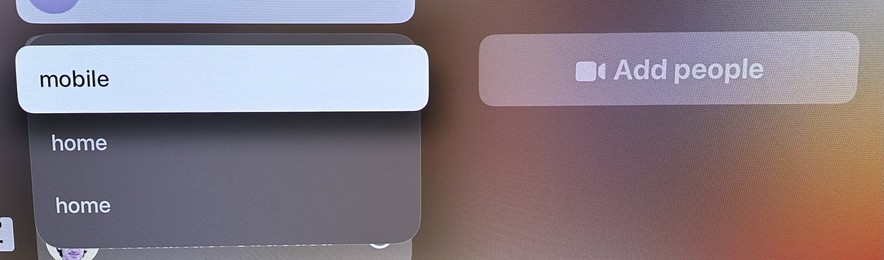
The team responsible for the FaceTime app on tvOS needs a VERY stern talking-to. Just for starters, take a look at the menu that appears when trying to start a call with a person.

Now imagine if it actually showed the emails or phone numbers for any of these choices. But no, you just have to guess! It’s on a giant TV screen! There’s plenty of room! It is MADDENING!
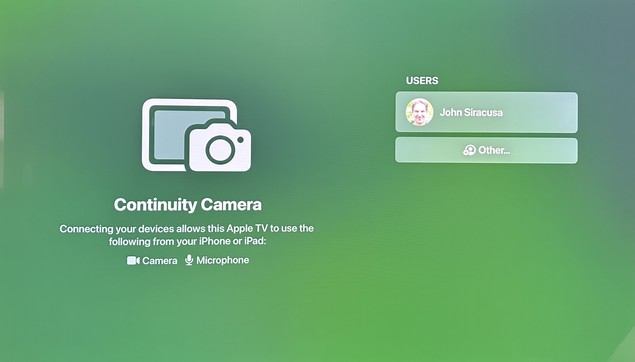
Launching the app often shows this screen, in which no button presses or swipes on the remote will do ANYTHING. Like, nothing. No item changes appearance. No actions can be triggered. Force-quitting the app and re-launching it usually “fixes” it.

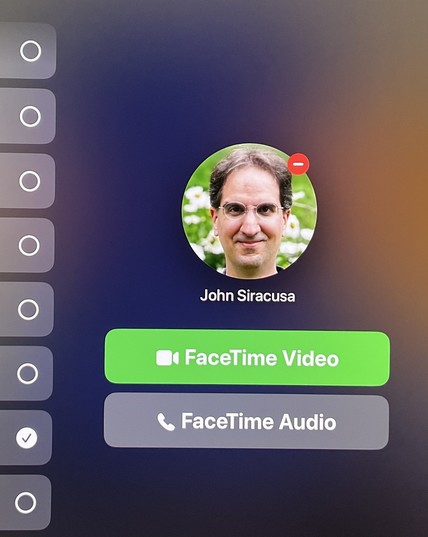
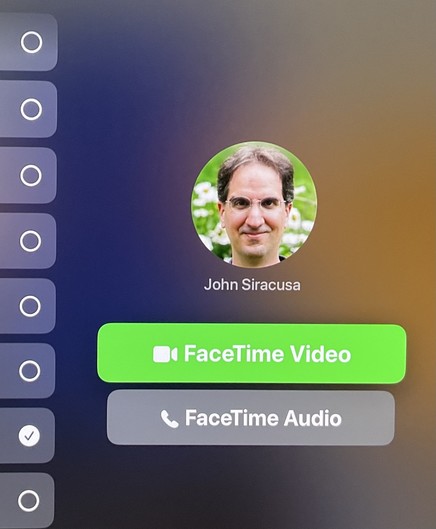
Once you pick from one of the mystery “home” or “mobile” or whatever contact methods for a person, you often get this screen, which makes it seem like you can press the main (touchpad) button on the remote to press the green button and initiate a FaceTime Video call. That is NOT the case.

Pressing the button on the remote actually moves the selection focus back to the user list! (You can figure out why if you look closely.)

Here’s what the screen has to look like in order for a button press on the remote to actually click the “FaceTime Videol button. No, this is not the same screenshot as before.

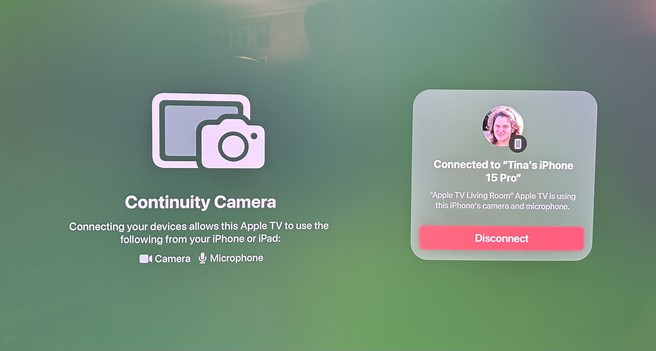
If you actually manage to start a FaceTime call, it will periodically (every few minutes) be stopped entirely, displaying this baffling screen. The only possible action is to click the red “Disconnect” button.

After that, you have to reconnect Continuity Camera, which means getting up from the couch and picking up the phone to manually accept the connection, even though the phone and the Apple TV are both signed into the same Apple ID and the phone was already being used as a camera earlier.

The interface for trying to add one or more people to an existing call is even more byzantine and full of UI dead ends and traps, but I don’t have the energy to set up a test call to screenshot it all. Please, Apple, do better.
@siracusa @Malik This is something for you. ;-)
@siracusa felt your pain yesterday. Once in worked perfectly. It’s a great idea and once it’s working is quite neat but the process of enabling CC and then initiating a call is so brittle this is a feature I can never sell to my family (great shame given surely the target audience).
@siracusa It is hard to know if they have just lost design leaders or if they’re focused elsewhere. So many basic design principles are missing across their platforms.