Speaking of things that don’t work – I’ve always used and liked 1Password, but for the past year or so their Safari extension has barely worked for me on Mac and iPad. It regularly fails to authenticate or just never comes up.

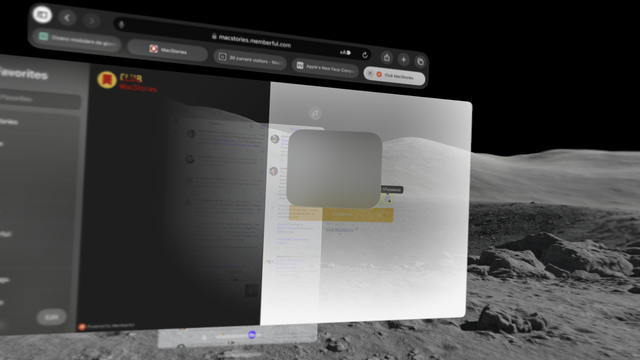
Sad, but not surprised, to see that their Vision Pro experience with compatibility mode doesn’t work out of the box either with Safari. I get this empty spinner that never goes away 🤷‍♂️

I may have to finally consider other options for personal and team use. 😔
@viticci 1Password has been doing everything in their power to convince their [non-enterprise] users to find alternatives.

@caseyliss @viticci I have to be honest, 1Password saved my bacon on Vision Pro. It actually autofilled all my passwords -- but not my two-factor codes 🙃

Still, I do feel the pull of just using Apple's password management at this point, now that passwords can be shared

@jsnell @caseyliss @viticci I’ve switched completely from 1Password to iCloud Passwords and it’s great.

Still need categories like secure doc numbers (passports) or WiFi passwords (you *have* to add a website url to create an entry), but otherwise love it.

@stephenrobles @jsnell @caseyliss @viticci I’m tempted to do this as well, but my mom almost knows how to use 1password 5 years later, and I hate to change it now. 😂
@TeeeBear that’s a big reason to stay for sure.
@stephenrobles I thought we were better than we are, apparently. 🤦‍♀️
@TeeeBear haha it's ok, the time has not yet come
@stephenrobles @jsnell @caseyliss @viticci I’ve been slowly migrating that sort of information into secure Notes in preparation for a possible move away from 1Password. Definitely not as nice as the bespoke solution that 1Password offers but possibly good enough.
@jsnell @caseyliss @viticci I've switched. It's relatively painless and way smoother in everyday use.
@jsnell @caseyliss @viticci The only reason haven’t switched is that I desperately need the cross-platform access to use on my work PC (eew, I know).
@jerrod @jsnell @caseyliss @viticci This, and little things like additional fields and multiple URLs. It’s insane Apple’s password manager doesn’t support multiple URLs (or the ability to edit the URL after creation). I’ve tried to switch, but it’s just too there yet.
@jsnell @caseyliss @viticci Looking forward to switching if Apple supports Firefox on Windows like they support Chromium browsers. 🤞
@jsnell @caseyliss @viticci I switched after death by a thousand cuts from 1Password. It’s been working great, and the windows version is serviceable enough for the little I need it. Adding the ability to use it in Chrome in MacOS removed the last bit of friction for me.
@jsnell 1Password copies your two-factor code to your paste buffer when it fills your password. When you get to the screen asking for the code, long pinch (that feels weird to write) and select “paste”.
@scotthill ok ... but on all other Apple devices it just autofills....
@jsnell Agreed, it would be better that way. I did write to their support about another bug, and they replied (without a date commitment of any kind) that they're working on a Vision Pro-native app.

@jsnell @caseyliss @viticci I tried switching, but Apple keychain only supports one login per url (making google stuff a nightmare). So I had to switch back.

I have really turned around on 1pass. It used to be the best app I owned…now it’s just trash. I have the same issues Viticci has with the extension, and it’s infuriating.

@TheJesusFish @jsnell @caseyliss @viticci would that be specific to the AVP? Because on MacOS, IOS and IPadOS you can have many logins per url 🤔

@marcmagnin They may have updated it since I last tried (which was the release of sonoma), but that was one of the restrictions.

Another was that the file 1password exports needs to be proofread to make sure all the passwords are formatted correctly because password import will fail silently, and not tell you which passwords failed to import.