I have a huge amount of respect for the team working on watchOS and all the improvements we've seen in the latest release. It's probably my favorite Apple platform.

So when the watchOS app I use the most has design regressions, I have to say something. I hope the feedback is constructive and helps guide the product in a way that makes it more useful for folks like me.

Here are a couple thousand words about timers:

https://furbo.org/2023/09/28/the-timer-in-watchos-10/

/cc @lorihc @douglemoine @taylorcarrigan

The Timer in watchOS 10 • furbo.org

The new visual appearance and functionality of watchOS 10 is a welcome change. There was clearly a lot of design and engineering effort put into this new interface and the improvements are tangible for most apps. Unfortunately, the app that I use the most on the Apple Watch has lost much of its usability, both […]

Furbo.org by Craig Hockenberry
@chockenberry Agree with everything you’ve written, especially this bit:
“The next version of the Timer added presets for 1, 3, 5, 10, 15, and 30 minutes along with settings for one or two hours. This, to me was the pinnacle of its design on watchOS. “
I still have frustrations with the current version of Timer and your explanation of the new version shows it to be demonstrably worse. I might hold off upgrading the OS on my watch because of these changes.
@chockenberry You forgot to do all caps on “a capacitive screen works with any part of your body”
@freehours9 HOW DID YOU KNOW I COOK IN THE NUDE

@chockenberry @lorihc @douglemoine @taylorcarrigan Thank you for putting this in writing. ❤️

I’d love to know what 3rd party apps folks use and recommend with watchOS 10.

@chockenberry @lorihc @douglemoine @taylorcarrigan
The change in watchOS 10 is a step back and you did a good job of explaining why. And while I respect your stance on not wanting to be proscriptive, I would suggest that if you have set favorites, the recents listing goes away PROVIDED the listing of presets stays in the same order. Not a fan of having the order change in a listing
@chockenberry @lorihc @douglemoine @taylorcarrigan Like a lot of Apple enthusiasts I have one of every major category Apple sells (probably). I would be most lost without my iPhone, but I think I *enjoy* using my Apple Watch the most.

@DanMorgan @lorihc @douglemoine @taylorcarrigan That's a great way to put it.

I would add that I use my watch the most *during* the activities I enjoy: swimming, cooking, etc. There's a certain freedom with it *not* being able to do too much.

@chockenberry @lorihc @douglemoine @taylorcarrigan Mine is podcasts and music while I’m hiking. (AirPods Pro too) Yup, deeeep inside the walled garden.)
@chockenberry @lorihc @douglemoine @taylorcarrigan
A related backwards step in the OS is the loss of persistence in position when pressing the crown. I have it set to do a list of apps, rather than an icon spread. Previously a press would bring up the list at the same place I left it (usually on the Timer app!). Now it defaults back to the start of the list (Activity) and I have to scroll back to the Timer app each time I invoke the list. Very frustrating!
@chockenberry @lorihc @douglemoine @taylorcarrigan I have literally never interacted with the Timers app on the Watch. I press the Digital Crown and talk to my Watch like Dork Tracy. So it’s fascinating to hear your usage. I have to say you’re right about the Done screen.
@pl @chockenberry @lorihc @douglemoine @taylorcarrigan yeah have literally never set a timer with anything but voice
@chockenberry @lorihc @douglemoine I've had a very busy day but just want to acknowledge that I'm going to sit down and read this. I know Lori will too.
@taylorcarrigan @lorihc @douglemoine Yep, that's why I wrote it. I know you all care deeply about the product.
@chockenberry I too turned on the contrast, bold, (and reduce transparency) accessibility options, hoping for the best, but no luck. Not just in Timers, but across watchOS.
@chockenberry great article. I use timers while cooking in exactly the same way, including nosing. The redesign looks like they just changed something to change it. Horrible.
@chockenberry @lorihc @taylorcarrigan Hi, Craig. Very much appreciate this thoughtful post. It's helpful to understand how you use Timers, and to see the issues you raise in that context. Also thanks for filing feedback. As you well know, that's the best way to capture issues and enhancement suggestions like these 🙏

@chockenberry this is a fantastic write-up

I literally just nosed a repeat button, but couldn’t figure out why setting the initial time felt worse, and why everything felt so noisy (I assumed the zeros but assumed “it was probably like this two weeks ago too and I just forgot”)

Reading your writing just laid out, in order, exactly everything I’d been feeling. Great work!

@chockenberry Maybe the answer is a third party timer app? And if a good one doesn’t already exist, perhaps this is the year for someone to make one.

@sidb @chockenberry maybe - but it’s frustrating when Apple does so well elsewhere and then does this.

I’ve got timers on a main complication and use them often.

@chockenberry @lorihc @douglemoine @taylorcarrigan Huh… the timer app in watchOS 10 is one of the few changes I’ve actually been pleased with. For my use it’s now much faster.
@chockenberry please check your wasp nose privilege, some us have never had access to using the watch with our noses lolol
@chockenberry
Like you, I use timers all the time while cooking (and other times). You dismiss the Siri approach and I know it is fashionable to dump on Siri. But Siri works extremely well for me. I honestly didn't know what the interface to timers looked like on the watch! It is very rare for Siri to let me down when setting a timer. More often, it is me forgetting to start a timer at all.
@chockenberry I’m really glad you wrote this analysis. I’m also a frequent user of timers and have been really aggravated by the changes, and I’m not even a (frequent) user of nose taps. It just seems like a big step back in several ways, the first of which is I always used to access it by hitting the side button to bring up recently used app cards, and now I have to pick it from the constellation of apps that contains 3 similar but wrong answers.
@zebe @chockenberry The side button was the primary way I interacted with my watch too, the large tap targets of the app cards worked great for the few apps I use. After playing with the remaining options, I think the best replacement is the widget screen (swipe up from bottom of screen). I was able to place widgets for the apps I need, and they seem to stay in the same order no matter what. It sure would be nice to be able to customize that side button though.

@chockenberry @siracusa @lorihc @douglemoine @taylorcarrigan I have used Siri to set cooking timers on Apple Watch from the beginning. So much easier than trying to use your nose, and you can label the timers that way (“hey siri, 5 minute timer to check on the onions”).

But I’m fine with the watchOS 10 timer app honestly. It works fine for me.

@_doug_miller @chockenberry @siracusa @lorihc @douglemoine @taylorcarrigan put me in the Siri camp as well, as I never bothered to try using my fingers. Oh, and thanks for the tip on labeling, as I generally just go "Hey Siri, set a timer for six minutes!"
@chockenberry @lorihc @douglemoine @taylorcarrigan how do you feel about watchOS 10 in general? I am not a fan! I don’t understand why I want widgets when I have complications, and to shoehorn widgets in they changed the swipe gestures. And why did they get rid of the side swipe to change watch faces?

@chockenberry Agree completely but two notes:

1. I use Siri to set timers. It’s nice that’s it’s supposed to work more on decice and need the phone less, but I find it’s not as good at starting timers. 🤷‍♂️

2. I have a watch face that XLarge with the timer complication, which is great for reading it, but now I can’t easily swipe to that face which is really annoying.

@hmelman @chockenberry I’m going to miss that swipe too. I may have to stay on 9 for a while - will that work with iOS 17?

@chockenberry @lorihc @douglemoine @taylorcarrigan excellent write up and I agree. Thank you for putting it into words because I couldn’t quite decide what I didn’t like about it.

What we really need is API/Entitlements as developers to write our own timer app that can be elevated to the same level of alerting.

I will say my most common interface to timers is Siri. Something changed with 10 and I no longer get an audible confirmation of the timer creation though. Probably a Siri setting…

@chockenberry my most used timer 5:30. Eggs, Craig, that’s where I need seconds.
@chockenberry @lorihc @douglemoine @taylorcarrigan Totally agree with your assessment about the usability of the new timer watch app, but can you explain why the infinite corner idea with Fitts‘s Law holds on a touch screen? I was under the impression that it does not, but may be wrong.
@tho @chockenberry @lorihc @taylorcarrigan My understanding is that the "infinite" corners and edges of Fitts’ Law are specific to mouse / pointer interactions. But I agree with Craig's point. Even if the corners and edges of touchscreens aren’t “infinitely" forgiving as they are on desktop, there is an ergonomic advantage to placing controls there on touchscreens because the non-capacitive area around the button can be similarly forgiving. A person can comfortably fat-finger a corner button.

@douglemoine @tho @lorihc @taylorcarrigan Right. And as someone whose hand spans 10” from thumb to pinky, I appreciate that affordance.

It’s actually an area where the Ultra isn't as good as the other devices: a sharp edge doesn't work as well as the rounded ones.

@chockenberry @tho @lorihc @taylorcarrigan sharp edge must be tricky for nose taps too 😅 🔪
@chockenberry @Ada @[email protected] @douglemoine @taylorcarrigan I’m using this watch face for some situations. So I can set timers even without unlocking the watch. Maybe this can help you a bit?

@chockenberry @lorihc @douglemoine @taylorcarrigan
Well said. I usually use Siri to set the timer, but if Siri isn't available I’ve got to go through this mess.

Ending a timer now is just ugly.

@chockenberry @lorihc @douglemoine @taylorcarrigan 💯👍 Excellent critique about the regression of something specific and actionable and very much about accessibility/cognitive load. I have a similar discussion about leaving leading zeros in numbers every few months.

@chockenberry @lorihc @douglemoine @taylorcarrigan

I can’t agree with this more. Easily my most hated change across all platforms this time around. A huge step backwards in readability.

@chockenberry 100%! It is the area of WatchOS 10 that I’m having the hardest time adjusting to. I use timers a lot. Coffee. Stretches. Cooking…

@chockenberry. I appreciate your analysis, as I prepare to be slightly upset about some of the "new" features I probably will not like.

Personally I set all timers on my watch using Siri which has been a game changer for me staying on task. (I rarely have raw meat finger when cooking though.)

@chockenberry Thank you for your thoughts on the timer changes. I can only add that it has always bothered me that the word “Done” is not a cancel button. Such a large target to hit, unlike that tiny x in the bottom left.
@chockenberry great article! Another app that is a terrible regression is the basic weather app. My eyes are getting bad these days too and now all contrast has been lost because of background colouring that adds no functionality. This release has been so frustrating. Apple does tend to push too far and then cleanup in later releases (see iOS 7!) so hopefully this gets better over time.

@chockenberry @[email protected] @douglemoine @taylorcarrigan

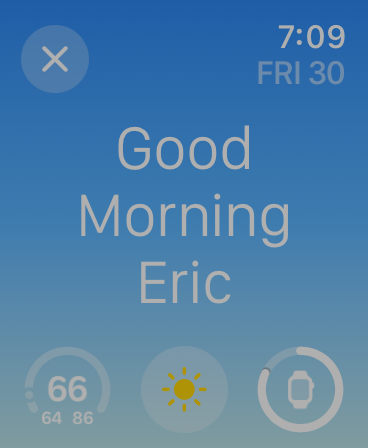
Great points. I have 50-year-old eyes and hate numerous changes to WatchOS 10. The Done timer screen is bad. So is the new wake screen if you sleep with the watch. Dim white text on a light blue background is soooo bad on my old morning eyes, it used to be white text on black background.

Try to read this in a dark room the instant your eyes open after tapping the Stop button. It’s all a smear of light on my wrist.

@chockenberry
In general with watchOS 10, what’s with all the tiny touch targets? Do not like the little ‘X’s.
@lorihc @douglemoine @taylorcarrigan @chockenberry if it would simply let me have the fixed editable list and the current one if it’s not in that list (which would go away when it’s done), then I’d be happy. The recents list has and continues to be the problem across the board. At no time do I ever need a timer again if it wasn’t already in my specific list.
@chockenberry Finally upgraded my watch and man am I feeling this. Like you, I use timers constantly through the day. The cognitive load increase is palpable.
@incanus Yeah, that's why I had to write it up. I'm thinking way too hard to get what I want.