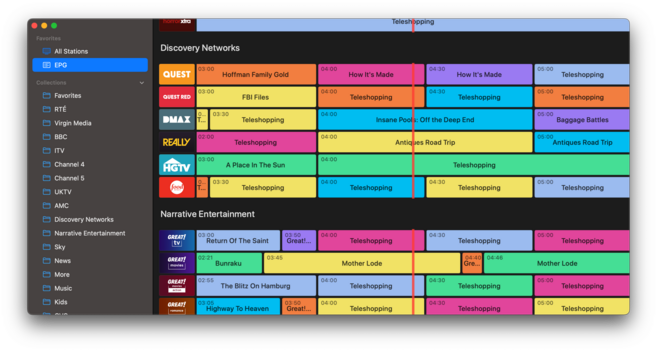
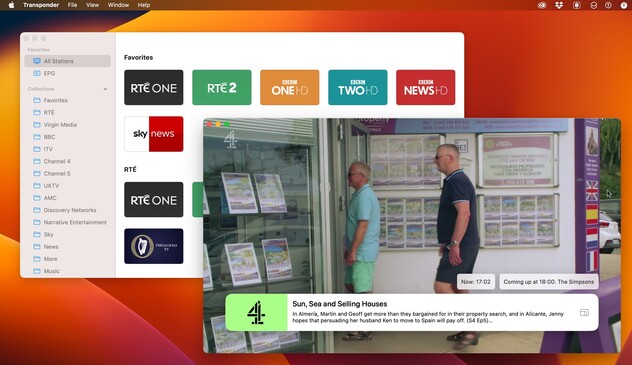
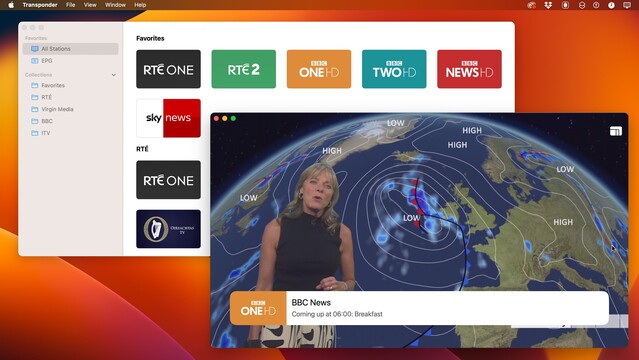
Warming up the productivity engines by putting some effort into my internal satellite TV app, which now has a new product name to go with. Revamping the janky 2015 ObjC codebase with modern Swift. Still an internal app, however, not one I have plans to distribute
Trialed a few Midjourney-assisted icons but ended up going back to a plain glyph. Just looks better on the tvOS homescreen
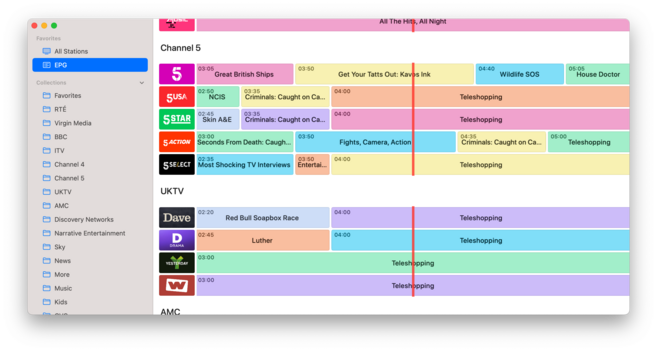
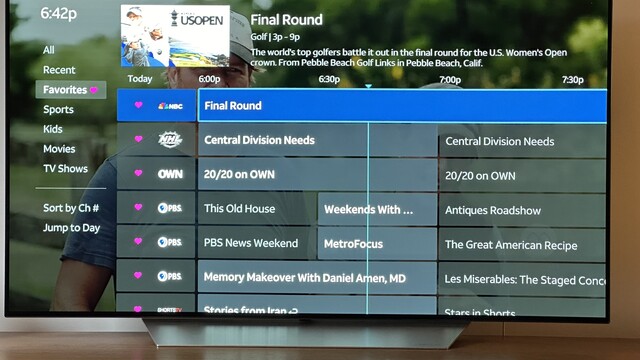
Major rewrite of my EPG view today; really struggling with making it look nice, but it works
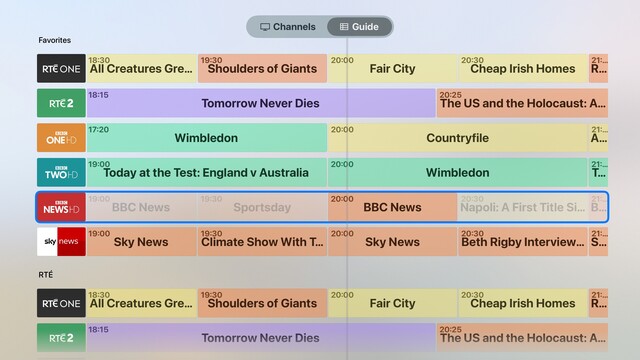
Still experimenting with displaying information on tvOS; now, I have color-coded genres, at least. Not at all happy with how I denote 'now’, but maybe I just need a ruler at the top with a big line through the entire list
Big line it is
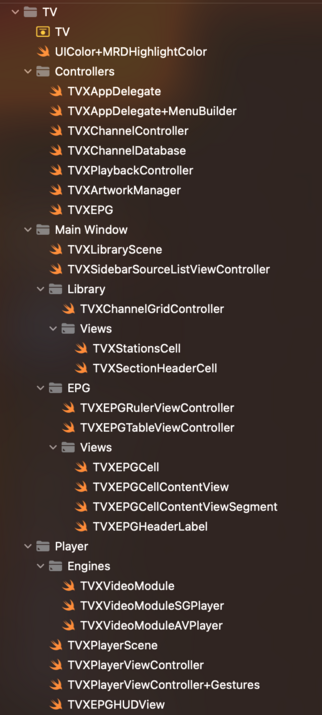
And the last of the Objective-C is gone; satellite TV app is now a fully modern codebase. Every little corner has been given a once-over
@stroughtonsmith Really beautiful looking app. So much better than any other live tv app out there.. :/
@stroughtonsmith looks cool! Looks similar to what I’ve been working on with TV Launcher (https://apps.apple.com/app/id1622598042)
‎TV Launcher - Live US Channels

‎TV Launcher brings 90+ live US TV channels that you know and love into one convenient launcher across Apple platforms. As the perfect app for cord-cutters, it’s never been easier to start watching live channels. * As featured on iMore & 9to5Mac * Appleʼs TV app makes it easy to track programmes…

App Store
@adamfoot very nice! This one's been simmering for a very long time https://www.youtube.com/watch?v=zsPSMTj6cgc
TVAppDemo

YouTube
@adamfoot @stroughtonsmith I’ll vouch that it’s really good!
@stroughtonsmith I have yet to write a line of Swift and intend to keep it that way. Objective-C forever!
@stroughtonsmith Is this an app you are working on?
@stroughtonsmith what’s the voice over solution look like for something like this?
@its_john_davis I haven't done anything to support VoiceOver? It's only used by my immediate family

@stroughtonsmith yeah, and that’s cool. I was asking more for the thought exercise :D.

Maybe a custom rotor could go through the channels, and then it would iterate through the shows?

@its_john_davis personally I would just provide a custom accessibility label for each row with current and next show. Just because you *can* show all this data to a sighted person doesn't mean it’s particularly relevant for a non-sighted one. I would want an accessible UI optimized to give me context, fast, and not accidentally lose me down a submenu
@stroughtonsmith I know you have reasons for not releasing this, but omg you’re killing me please release it 😵‍💫
@johnhealy its tied to a RaspberryPi using a very custom config specific to me, uses private data sources I can't share, and isn't in any way portable
@stroughtonsmith you could highlight whatever program is currently broadcasted. This is how the tv program app I'm using does it
@loicwolff that’s what it’s doing for the selected row. But I don’t like how it looks if I do it for all rows

@stroughtonsmith Seems the most obvious. Simple and effective.

What if the currently broadcast item was slightly raised and enlarged? Sort of how the currently selected icon on tvOS works. Might be distracting or hide stuff. Maybe fun as a design mockup to try.

There was some tv guide app I used on Windows about 20 years ago that was excellent. Can’t recall the name right now.

@stroughtonsmith This is directv stream here in the states. Not pretty, but it works
@stroughtonsmith maybe a slightly thicker line? Contrast seems a bit low. Not much you can do color wise because of the color coded items below, but maybe a thicker line would cut through more. Honestly a dark UI and color scheme might cut through more since white can contrast a wide array of colors.
@stroughtonsmith This looks great! I guess you have already, but have you seen TV launcher? https://apps.apple.com/gb/app/tv-launcher-live-uk-channels/id1622598042
@JoeR looks great if you're already paying for 10 different web services. Doesn't really help with my satellite dish though