 Simon B. Støvring
Got double and triple clicking to select words and lines working in Runestone for AppKit 😃
Notice that it's even possible to double click an opening or closing bracket to select everything within the brackets 🤓
Baby steps, y'all.
Got double and triple clicking to select words and lines working in Runestone for AppKit 😃
Notice that it's even possible to double click an opening or closing bracket to select everything within the brackets 🤓
Baby steps, y'all.
Word selection was a prerequisite to support right-clicking to cut, copy, and paste and with word selection in place, it was trivial to the right-click menu 😃
Baby steps, y'all.
And now Runestone for AppKit supports undo and redo too 😃
Text selection, the right-click menu, and undo/redo are things I have missed while working on other features, so it is great to finally have those in place.
Baby steps, y'all.
Hoping to fix this difference between Runestone and UITextView as part of bringing Runestone to the Mac.
TextKit, and as a result UITextView, will remove leading spaces one line fragments when wrapping lines. This ensures that line fragments align vertically.
It's going to be tricky though 🤔
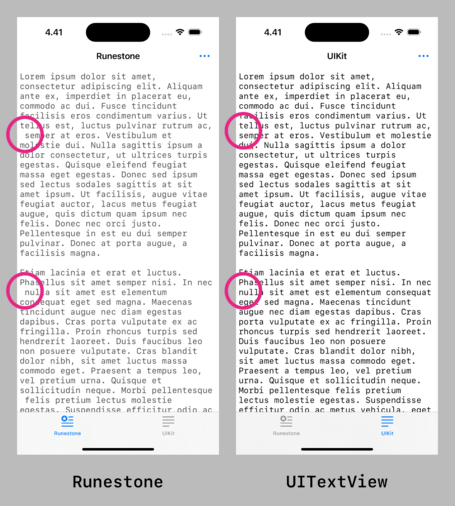
This turned out to be much easier than I anticipated! 😃
Runestone will now remove leading whitespace in line fragments to match the text layout of UITextView and NSTextView much closer.
This difference has been bothering me since the launch of Runestone so it feels great to finally have it addressed.
Here are the changes for anyone interested: https://github.com/simonbs/Runestone/pull/272
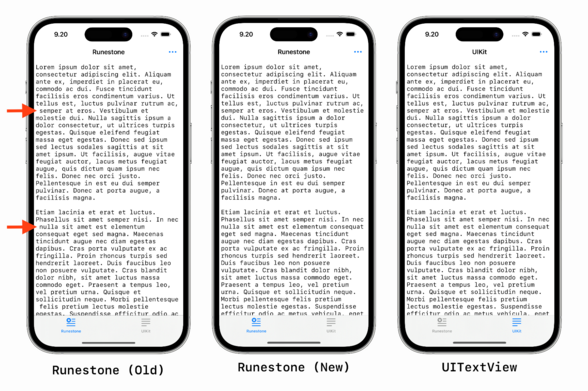

The changes in this PR hides the leading whitespace in line fragments to align with TextKit, i.e. UITextView and NSTextView. See the screenshot below for a comparison. The new caretLocation(forLine...
Fixed a bug in Runestone for AppKit where it would reapply the syntax highlighting every time the window was resized, as such, causing the text to "blink”. 😃
Baby steps, y’all.
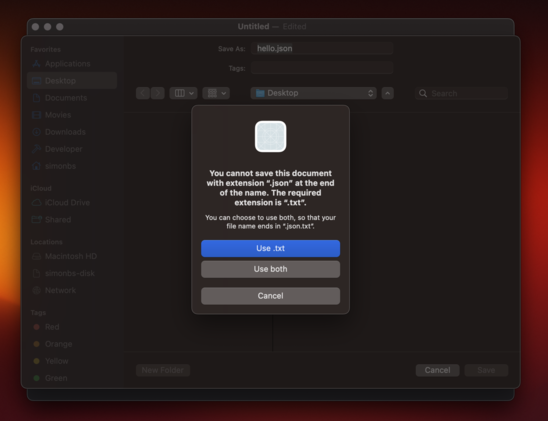
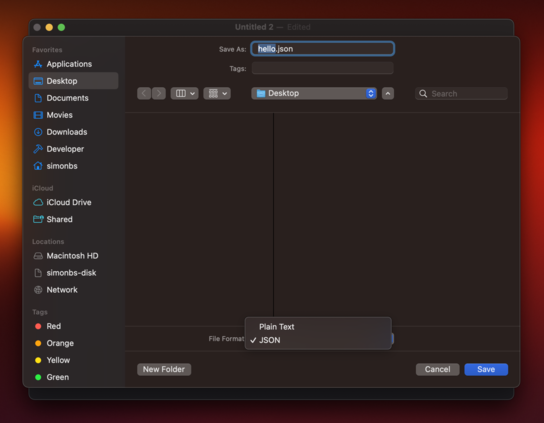
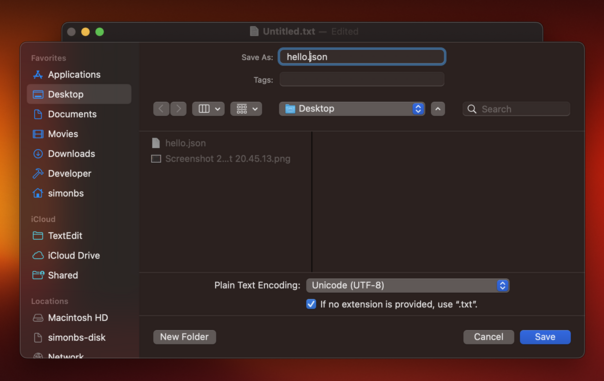
Got window cascading working 😃
I was not able to get it working without using a storyboard which I'm not so happy about. Storyboards seem more common in the AppKit-world than in the iOS-world though.
Baby steps, y'all.
Happy to see that Runestone for AppKit has a pretty decent scroll performance 😃
This was a big focus point of mine when building Runestone for iOS and unsurprisingly, I can harvest the fruits when running Runestone on the Mac too.
This is a large JSON file with absurdly long lines and scrolling is fine but not perfect but I'm happy with it as a benchmark 😊
Baby steps, y'all.
Need to figure out how I can avoid the line numbers becoming "clipped" when scrolling past edge on the left-hand side 🤔
I have previously worked around this by adding the line numbers on top of the NSScrollView but now I'd like the line numbers to be part of the scroll view's document view.
This one is tricky…
Adding the line numbers as a floating view to the NSScrollView works fine until the find/replace panel is presented. Why does it have to be so hard to work with scroll views in AppKit? 😭
In UIKit I just add the line numbers to my scroll view and manually offset them when the user scrolls to make them appear sticky. That *almost* works in AppKit but the UI will sometimes flicker and get clipped in a way I don't like 😔
This thread is going to be a bit quite the next few days as I rework some of the internals of Runestone to make it easier to support both the AppKit and the UIKit implementation. These changes should make the implementation of line numbers and find/replace a bit prettier, hopefully.
Baby steps, y'all.
As I move code out of large types in Runestone, I struggle to find proper names for those types. Here are a few examples.
- What's the name of the type coordinating a text change? TextEditService? TextEditController? TextEditor?
- The type laying out line fragments? LineFragmentLayouter? LineFragmentLayoutManager? LineFragmentLayoutController?
- The type managing the content size of the scroll view? ContentSizeManager? ContentSizeService?
I'm spending way to much time on this 😑
Refactoring my code to make it less it easier to maintain in the long wrong and I feel like I have forgotten how to write code. I'm like
"What's the best way to get notified when this object changes? 🫤💫”
Making some progress on bringing the Composition Root pattern to the Runestone framework 😃
On one hand it's stressing me out a bit that I'm spending so much time refactoring Runestone's code but on the other hand, I think I'll appreciate this effort for several years going forward.
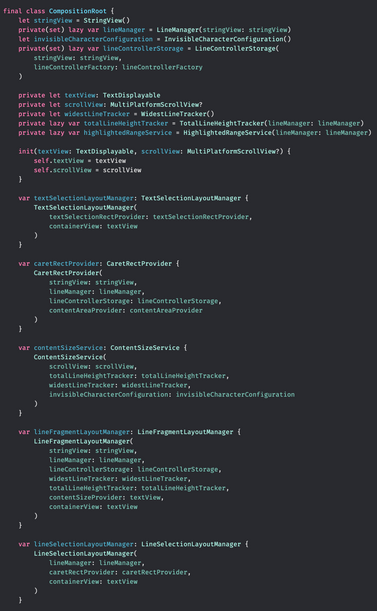
Today I made a small breakthrough in the clean up of the Runestone codebase. It feels so good and it's such a relief 😃😌
The past week I have written very little code on Runestone because I have been trying to figure out how I want to structure the code, each component's dependencies, and the communication between them. Today I realized that the question was right in front of me the entire time: Combine.
Refactoring large parts of Runestone to isolate logic and make it communicate using Combine. This morning I got cursor movement working again and it feels like a tiny milestone 😄
Baby steps, y'all.
Lately I've been struggling to work on Runestone. I haven't had the motivation. Maybe I was a little burned out from working on it *very* intensively for a period of time.
Now I'm on vacation and slowly finding the motivation again. I'm hoping to progress a little on the refactoring each day but not so much that I end up not having a vacation and being burned out again.
The past month or so I have been working on a big refactor of Runestone to split up some types in smaller types that are easier to unit test. Now I'm finally harvesting some of the fruits 😃
Baby steps, y'all.
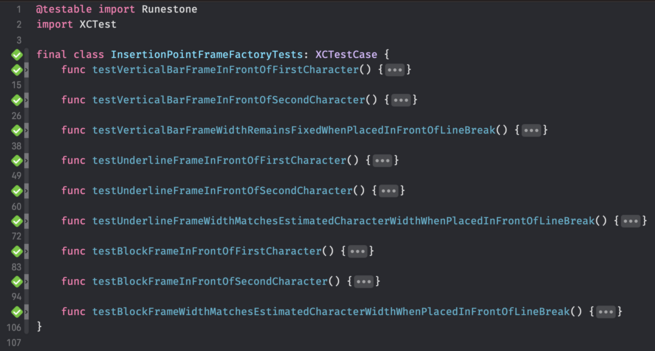
Took a stab at supporting more caret shapes in Runestone for Mac and it now supports the vertical bar, underline, and my favorite caret shape: the block.
It was tricky to support the block caret as I need to draw the character the caret is on top of to ensure it is visible. As such, this is still very experimental but it’s a good start 😃
Baby steps, y'all.
I struggle to make the text within the block caret align exactly with the underlying text. It's most notable when the caret is on top of an emoji.
I won't ship this unless I can get it pixel perfect but I'm running out of ideas to try 😬
The character within the caret now aligns perfectly with the text below it. Now I just need to prevent emoji from being filled with color 😄
Baby steps, y'all.
Supporting the block caret turned out to be trickier than anticipated but it seems to work now 😃
Regular characters, invisible characters, and emoji now all show on top of the caret in the correct colors.
Baby steps, y'all.
Working on supporting the block caret in Runestone for iPhone and iPad 😃
This is tricky because UIKit manages the caret but I need a custom view to show the block caret. So I need to hide UIKit's caret and add my own. Next up I need to ensure it works with the floating caret that's shown when long pressing to drag the caret to another locaton.
Baby steps, y'all.
The three shapes of carets are working on iOS now 🙌
Someday Runestone users will be able to choose between the Vertical Bar, Underline, and Block.
Runestone's custom caret now supports iOS' standard behavior where only the floating caret is shown when dragging the caret around unless the floating caret is far from where it'll land if it's released, in which case both the floating and the underlying caret is shown.
This will be a setting in Runestone, allowing users to have the underlying caret displayed all the time for easier navigation.
Baby steps, y'all.