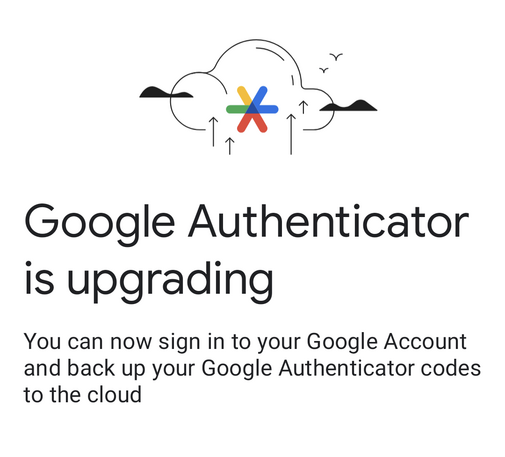
As I awoke this morning from uneasy dreams I found that Google had replaced my authenticator app with an anus drawn by Kurt Vonnegut
…wait I'm sorry, fucking *what*? "back up your authenticator codes to the cloud"?! Isn't it *literally* no longer 2FA then? Like at that point the test the authenticator performs isn't "do you have the physical device" it's "do you have access to the Google account". Why not use a Google password manager and skip the authenticator?!
Is the market for this feature people who are being forced by a job or policy to use authenticator 2FA but don't take it seriously?
Stuck now trying to figure out whether the presence of the "back up to the cloud" kills the security of my Google Authenticator install *even if I don't enable it*. It seems like if someone compromises my phone, now they can exfiltrate my authenticator/OTP keys by simply going through the GUI flow to sign up for "cloud backup". (This *is* Android so maybe the keys are stored in a way a compromised phone could just read them off the disk, but… even that probably couldn't be done through a *GUI*!)

@mcc

Aegis Authenticator FTW!!

I am very glad I switched a couple of months ago...

https://getaegis.app

Aegis Authenticator

Aegis Authenticator is a free, secure and open source app for Android to manage your 2-step verification tokens for your online services.

@ParadeGrotesque @mcc how does it compare to Authy?

@gunstick @mcc

Aegis: Open source, no activation code, encrypted database, no link to your device, encrypted backup to your device or to the cloud.

Plus nice little touches like it only displays the code when you touch the name and so on and so forth.

@mcc if you find a good alternative authenticator app I'd be interested to hear about it
@bruceiv everyone is recommending "aegis" to me
@mcc @bruceiv as a consultant, I wish there were less options

@zippy1981 @mcc @bruceiv if you eliminate all the options that are not #opensource you can work based on what is technically most fitting.

If they all use an #openstandard that should just work.

@mcc if you can get to the gui you can export all the seeds as a QR code...
@mcc The seed info for the TOTP keys was always stored on disk; that's not new.
@mcc it depends upon what it takes to onboard a new device!

@mcc

When you sync an authenticator to a service, they do a secret exchange. It's a shared secret. If that secret is exposed, then yes, someone else can provide TOTP 2FA codes to the service. However, the secret in the phone should be encrypted and unlocked via your phones auth mechanisms (face ID, fingerprint, what ever). That mechanism is tied to the physical phone, those secrets / keys are not backed up, and not restored.

The risk is not zero but its low.

@mcc Looks like i need to correct this, Google allows the back up to be restored on a different phone. That means they are stripping the encryption based on the device's secrets. The TOTP codes are not bound to the device. This increases risk.
How Google Authenticator made one company’s network breach much, much worse

Google's app for generating MFA codes syncs to user accounts by default. Who knew?

Ars Technica

@mcc

Many other TOTP Authenticators have had online backup with a separate password for some time.

Indeed without this feature it's problematic if not impossible, to move to a new smartphone.

I do wonder what will happen if you loose access to your Google account and end up locked out of your TOTP settings 🫤🤷‍♂️

@mcc I evem don't backup my phone, as I am unable to determine how (and if) this is secured. I would do it if the backup is encrypted with a password I have to type in. But I can't find such an option.
So same thing for authenticator.
I use Authy, which has a local encrypted backup to the SD card.
And there I run rsync to my NAS.
@mcc “ESA: Extra Step Authentication”
@mcc yes
@mcc see also, people who use the 2fa feature of LastPass, and also how the most popular 2fa provider out there works, Authy.
@wilbr @mcc ... And Bitwarden
@luskebux @mcc I give a slight pass to that because at least that's self hostable. It's not a real second factor but it's at least not putting all of your eggs in the same CLOUD SERVICES bucket THAT'S BEEN HACKED MULTIPLE TIMES RECENTLY
@mcc I guess it would still protect from 3rd party password breaches or MitM password harvesting, but yeah it’s more 1.5FA
@mcc A big part of this is folks who upgrade their phone and wipe/sell the old one having forgotten to transfer the 2FA codes.
@FlatFootFox sounds like an argument against 2fa to me, not an argument in favor of fake 2fa?!
@mcc Oh yeah, for sure. I just mean that’s the only consumer “use case” I can think of.
@mcc I consider using 2FA in a manner in which I could be locked out of all my accounts by losing a device to be rather unserious, IMO
@mcc I think it's marginally better than WinAuth (which I was terrified to see widely used in a company that won't give people work phones and where devs don't want work anything on personal phones)
@mcc it ticks the "2FA" box in compliance checklists

@val @mcc I sync codes between devices , which works, but it's E2E, so that's okay.

But for those accounts I have a hardware key.

@mcc but it's terrible UX in times when phones randomly die or get lost.
@leah @mcc They're finally discovering that 2FA is bad UX and inaccessible to folks for whom stable possession of objects isn't a given.
@dalias @leah If 2FA is unfair to people who cannot keep stable possession of one of the two factors, the solution is to not use or not in-all-cases require 2FA! The solution is not to say "okay, so we will remove one of the factors" (or, I guess, "okay, so we will make one of the factors be 'your site password' and the other factor be 'your Google password', I would describe that also as a bad solution)
@mcc @leah Oh, absolutely. It's all a shitshow with different actors in the show trying to work around the stupid shit other ones did while doing more stupid shit themselves. 🤷 🤡
My current workaround? Self-hosting an instance of Vaultwarden, so I can just log into another website that is under my direct control and get the 2FA from there
Of course, the major problem here being “having enough ownership of things to be able to leave a computer on at home and accessible online”.
@dalias @leah @mcc can’t wait to see how much worse it’ll get with passkeys
@chucker @dalias @mcc imo better, those support multiple 'tokens' out of the box?
@mcc I'm just waiting for the day when it dawns on people that once all these useable by mere mortals features are added to authenticators and key-based authentication, that we're functionally replacing passwords with client side-authenticated pins, which are just extremely weak passwords.
@mcc They couldn't figure out how to do good ux for transferring your 2fa to a new device so they did that, I assume. I agree it's bad. I use 2fas now and it does it right (you actually need to have both devices in your hands to transfer).
@mcc I mean... this doesn't _have_ to be insecure. If it's using a hardware key and asymmetric crypto and re-encrypting with multiple keys when you add another hardware device... (sort of how keybase.io worked)
@mcc But from the blog post it sounds like they didn't do any of that...
@lambdageek I don't know how this feature works because I didn't turn it on. But it seems like by nature, any cloud backup feature is *designed* to exfiltrate the keys from one device and let you download them on another? So the weak point in the security is now that exfiltration mechanism, and that mechanism is ultimately designed to be used. Maybe there's a second password on top of your Google password? Maybe they send you mail/notifications on an exfiltrate event like w/ Google login itself?
@mcc yea the way keybase supported adding multiple devices was by having one of the previous N devices re-encrypt everything so it could be decrypted using one of the N+1 keys. So the only thing stored in the cloud was an encrypted version of the data. To add the N+1st device, you had to have access to both the new device and one of the old ones and go through an exercise to prove that you were in control of both. I don't see how this would work if one of the devices is lost
@mcc Cloud backups for TOTP are table stakes these days (the availability loss is unacceptable for most people, too many people have been completely locked out from their accounts due to Google authenticator). As long as they're e2ee they're fine
@mcc I had a momentary meltdown because I lost the app and was trying to get into an account. At least it has cloud backup of the keys now. Finally.
@mcc My favorite part of things like this is the absolute certainty that the designer and a bunch of people next to them knew exactly what they were doing, and decided to hang their managers out to dry, knowing they'd be the people who championed shipping the Google Butthole to production.
@mcc good thing OTP is a standard
@bob @mcc Agreed, but porting OTP secrets from one app to another is kind of an entire pain, so in practice, kind of have to go re-pair OTP everywhere.

@xgranade @bob @mcc yeah that's why migrated to an app that allows export in a readable format (and also encrypts it) long ago and wouldn't touch the Google one with a stick.

(AndOTP in my case, btw)

@bob How am I supposed to know which free OTP app to trust if I can't trust my OS vendor :(
@mcc I use aegis (https://github.com/beemdevelopment/Aegis). the code is straightforward and the crypto is just bouncycastle. I also use microg lineageos so google isn't *really* my OS vendor
@bob How much safety would you say "aegis" gives you against this concern? https://mastodon.social/@mcc/110430104840398160
@mcc cloud backup in aegis is disabled by default. instead by default it backs up to a file (encrypted with your passphrase) that you're supposed to copy to external storage
@mcc and getting into the app at all requires the passphrase
@bob Hm. On a non-rooted Android phone, I *think* there is some hypothetical way for apps to split between storage that other apps / adb cannot read and storage that other apps / adb can. It's probably not encrypted like the apple secure enclave but accessing it at least requires fully compromising the OS. I guess I don't know for a fact which side the google authenticator keys are stored on.
@mcc the app doesn't encrypt it itself?

@bob I don't know. (Though if it encrypts it itself, then the question becomes where it stores the decryption key).

I've never looked into this, I just assumed Google, being the operating system vendor, would do something reasonable. But "upload your 2fa to the cloud" does not seem reasonable, so now I know nothing.

@mcc does it ask you for a passphrase? I've never used google authenticator