
Recently I’ve been doing heart rate based workouts. I went looking for an app to display my current Watch heart rate on my iPhone but couldn’t find one, so of course I had to make one (not as a product, just for me).

The design for this was really interesting, I wanted to visually reference the watchOS 9 heart tracking but in a way which worked at iPhone size. I recorded my design process as one of my ‘design speedrun' videos:

Video: https://www.youtube.com/watch?v=k7XntSWmVIA
Article: https://www.david-smith.org/blog/2023/04/24/design-notes-35/
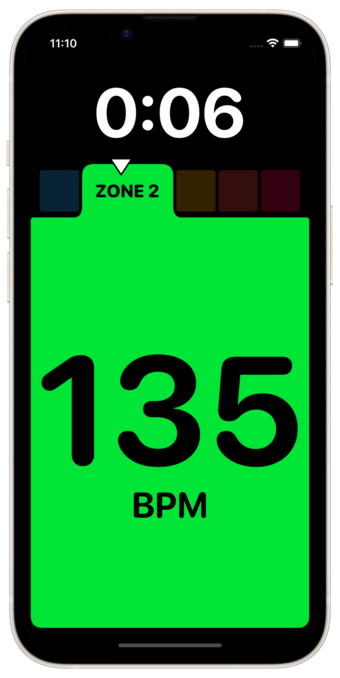
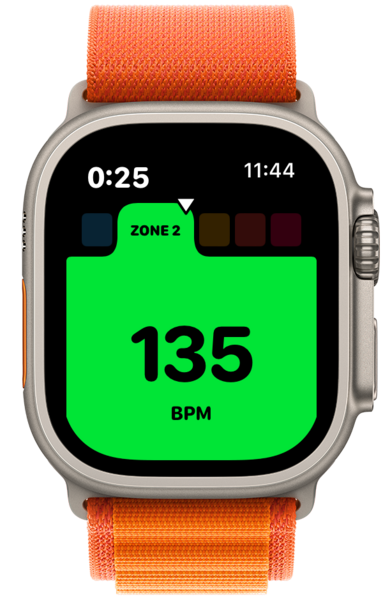
Speedrun Design: Heart Rate Zone View in SwiftUI

YouTube
@_Davidsmith Nice! I’d buy this. There are a few out there but they’re hard to find. I use “Simple Zones”.
@_Davidsmith I’ve been using the zones screen, with alerts when going out of zone two. But… I can’t find an simple app that shows am I meeting exercise goals? They recommend 150-300 low intensity minutes a week, or 75 high intensity. There’s not an easy way to see that.
@_Davidsmith
I'm on awe of people who when they can't find an app just go and make one.
@frngr
@_Davidsmith watch is 9’s workout was a regression for me: they show too much data at once, illegible when running.
Before one could choose which metric, now all on. Also heart zone screen is separate and complex.
For watch os10, I hope they bring back metric choice, and make heart zone part of the main one.
I want: current pace, total distance, heart rate zone as a gigantic colour thing (like you’ve done). Nothing more.
Asking peeps to scroll screens when running…🤦
@_Davidsmith I have a couple of apps which do web based overlays for livestreaming (https://heartwitch.app) and online workout classes (https://gbeat.com)
You can watch my exciting 🤣 livestreams of RingFit Adventure here
https://www.twitch.tv/heartwitchapp
Heartwitch

@_Davidsmith Nice! I made an app prototype like this a few years ago, but became so frustrated with the watch development experience (having to completely restart all my devices, including the Mac, every 3rd debug run) that I ended up giving up in disgust. I'll have to give it another shot and see if things have improved.
@_Davidsmith I really enjoy these videos, and I've thought about recording some of my own either to publish or just to refer back to later. Do you use any special apps or tools to capture them, keep out notifications, etc.?
@Timschmitz It’s just QuickTime doing a windowed capture, with the window size set to 1920x1080. Then I turn on do not disturb and close all the apps I’m not using. Edited in Davinci Resolve, to retime and add the timer.

@_Davidsmith I really like your speed run videos!

What Xcode Theme do you use? Is it available online? Thanks.

@alpennec Solarized Light by Ethan Schoonover.

https://github.com/stackia/solarized-xcode

GitHub - stackia/solarized-xcode: Solarized Light & Dark theme for Xcode.

Solarized Light & Dark theme for Xcode. Contribute to stackia/solarized-xcode development by creating an account on GitHub.

GitHub