
Is there any way I can fix this? I don’t have any other computer in my network with such a name. That’s just macOS being stupid.
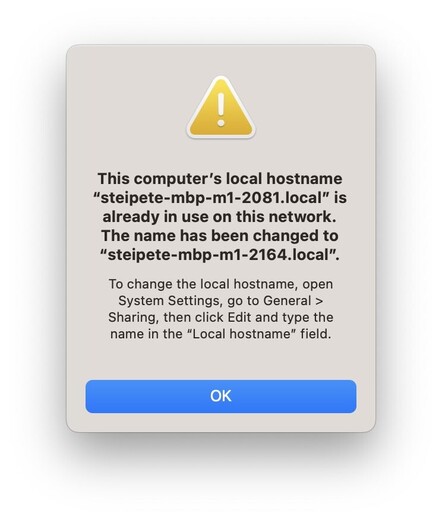
Update: It’s a bug in macOS when wifi and ethernet are enabled at the same time. Fix is to disable WiFi here. Just uncomfortable, extra manual step if I take my Mac somewhere else.
@steipete is it really all that is needed for the bug? Bacuse I have been using Wi-Fi and Ethernet for a long time and have never seen this.
@igorkulman @steipete It’s related to multicast DNS (Bonjour) in some way, and disabling wifi certainly seems to help in some setups, but my current setup does not suffer from the issue although I constantly ran into it when we lived at our old place. Router/DHCP server hasn’t changed, although our new ISP doesn’t do IPv6 🙄 and come to think of it we have a new Wifi AP, so perhaps it’s to do with multicast handling in the AP?
@steipete Just keep WiFi enabled, but don‘t configure your Mac to automatically connect to your home WiFi network.

@steipete this bug has plagued me for years. It drives me crazy, and the forums are full of people complaining about it, and nothing has ever been done.

Pretty sad, because it would be lovely to have a stable host name to connect, but I have now resorted to memorizing the IP address of my Macs.