 Simon B. Støvring
The AppKit version of Runestone now supports scrolling the content.
This involves a bit more than just wrapping everything in an NSScrollView because Runestone only renders the lines within the viewport.
Baby steps, y'all.
The AppKit version of Runestone now supports scrolling the content.
This involves a bit more than just wrapping everything in an NSScrollView because Runestone only renders the lines within the viewport.
Baby steps, y'all.
I need to implement all moving within lines myself 😑
In the screenshot I'm logging the selectors that I don't handle but that AppKit expects me to handle. This is something we get (almost) for free in UIKit. Honestly, I really don't want to write this logic.
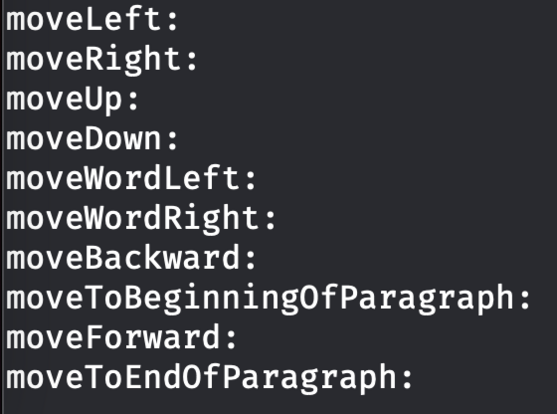
Got navigation with the arrow keys working in Runestone for AppKit.
I figured out how to reuse some of the code from the UIKit implementation so this turned out to be much easier than anticipated.
Next up is adding support for jumping between words with Option+Left/Right arrow keys.
Baby steps, y'all.
While working on moving between words in Runestone for AppKit I found that the UIKit version had an incorrect behavior when moving between words followed by an emoji. The caret would always jump all the way to the end of the document which isn't correct, obviously. Fortunately, that was easy to fix and the fix works in both UIKit and AppKit.
And yes, it is supposed to jump all the way from the word "emoji" to the word "cool". That's how TextEdit does it too. Baby steps, y'all.
And now Runestone for AppKit supports moving to the line and document boundaries as well as clicking with the mouse to move to the closest location.
Maybe the next step is to support text selection. Or something more fun like line numbers.
Baby steps, y'all.
Line numbers and highlighting the selected line now works in Runestone for AppKit.
This one was a bit tricky because the view hierarchy is different between AppKit and UIKit and there's some important layering going on here to make it look the way I want it to.
On the other hand, disabling line wrapping worked without any changes 😃
Baby steps, y'all.
Taking a break from this thread tonight*. I did a few minor things that aren’t worth showing off but I’ll prioritize playing with the Quest 2 and watching Slow Horses for the rest of the evening. I need a short break 🤗
* Since I’m posting this I guess I’m not really taking a break.
Just tested syntax highlighting in Runestone for AppKit for the first time. Was happy to discover that it just works 😃
Baby steps, y'all.
Mostly got text selection, copy, paste, and cut working in Runestone for AppKit today 😃
There are still a couple of bugs in the text selection that needs to be fixed but it's getting there.
Baby steps, y'all.
Still polishing the text selection in Runestone for AppKit. Getting all keyboard shortcuts working as expected is extremely tricky but I'm getting closer. However, I've just got text selection working with the mouse so that's something 😄
Baby steps, y'all.
In case you would like to start playing around with Runestone for AppKit, you can do so already now. It’s available in the GitHub repository: https://github.com/simonbs/Runestone/tree/mac
I’m still working on this, so bugs should be expected. Don’t waste too much time reporting issues. At this point I likely know they’re there but haven’t gotten around to fixing them yet 😊
And in case you are using Runestone in your project, remember that I have GitHub sponsors setup 🫶 https://github.com/sponsors/simonbs
Got double and triple clicking to select words and lines working in Runestone for AppKit 😃
Notice that it's even possible to double click an opening or closing bracket to select everything within the brackets 🤓
Baby steps, y'all.
Word selection was a prerequisite to support right-clicking to cut, copy, and paste and with word selection in place, it was trivial to the right-click menu 😃
Baby steps, y'all.
And now Runestone for AppKit supports undo and redo too 😃
Text selection, the right-click menu, and undo/redo are things I have missed while working on other features, so it is great to finally have those in place.
Baby steps, y'all.
Hoping to fix this difference between Runestone and UITextView as part of bringing Runestone to the Mac.
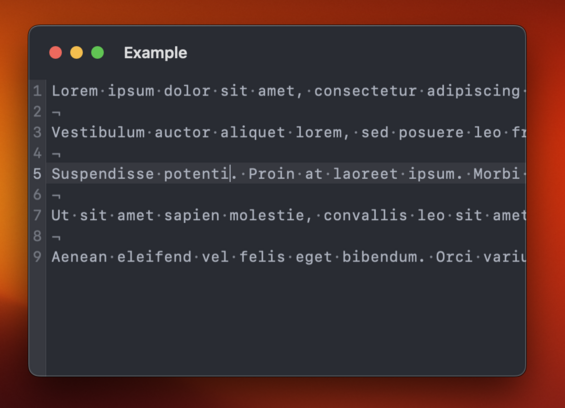
TextKit, and as a result UITextView, will remove leading spaces one line fragments when wrapping lines. This ensures that line fragments align vertically.
It's going to be tricky though 🤔
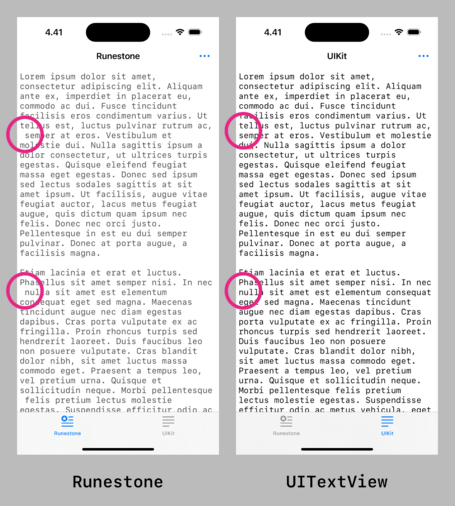
This turned out to be much easier than I anticipated! 😃
Runestone will now remove leading whitespace in line fragments to match the text layout of UITextView and NSTextView much closer.
This difference has been bothering me since the launch of Runestone so it feels great to finally have it addressed.
Here are the changes for anyone interested: https://github.com/simonbs/Runestone/pull/272
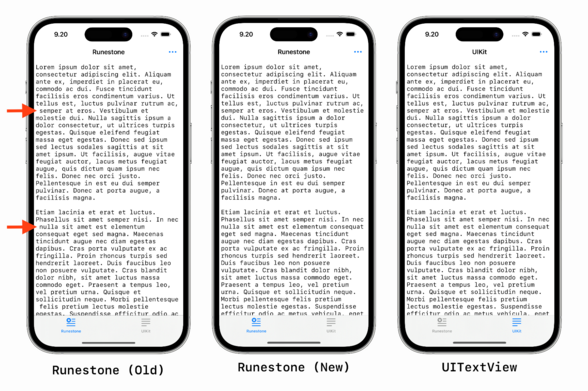

The changes in this PR hides the leading whitespace in line fragments to align with TextKit, i.e. UITextView and NSTextView. See the screenshot below for a comparison. The new caretLocation(forLine...
Fixed a bug in Runestone for AppKit where it would reapply the syntax highlighting every time the window was resized, as such, causing the text to "blink”. 😃
Baby steps, y’all.
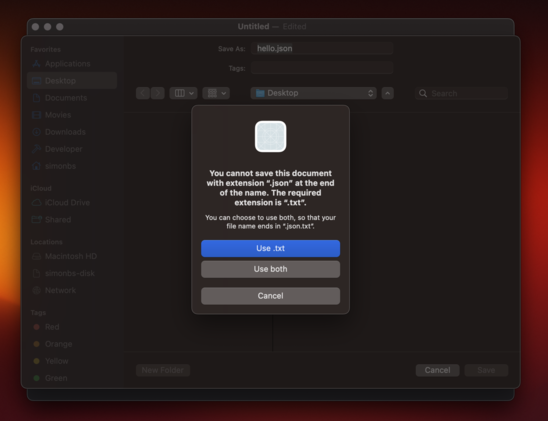
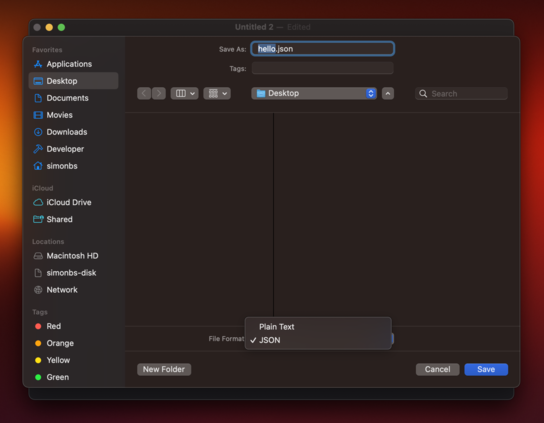
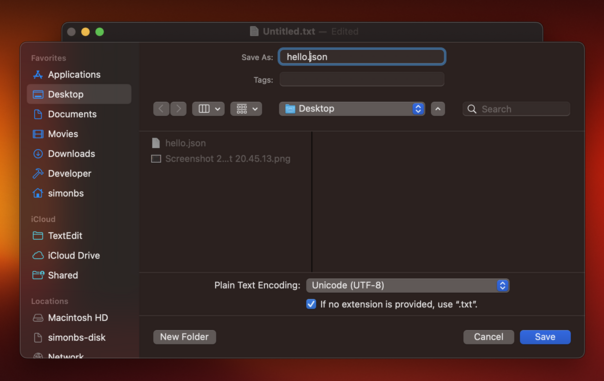
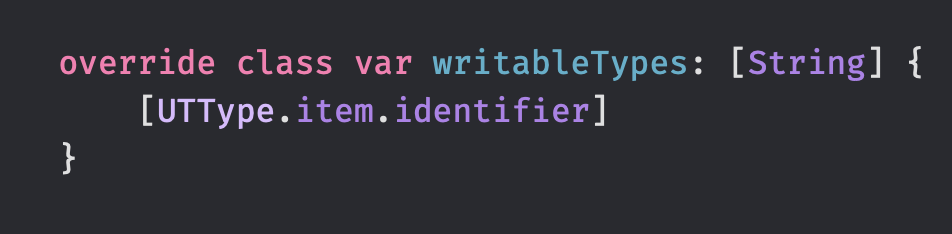
Got window cascading working 😃
I was not able to get it working without using a storyboard which I'm not so happy about. Storyboards seem more common in the AppKit-world than in the iOS-world though.
Baby steps, y'all.
Happy to see that Runestone for AppKit has a pretty decent scroll performance 😃
This was a big focus point of mine when building Runestone for iOS and unsurprisingly, I can harvest the fruits when running Runestone on the Mac too.
This is a large JSON file with absurdly long lines and scrolling is fine but not perfect but I'm happy with it as a benchmark 😊
Baby steps, y'all.
Need to figure out how I can avoid the line numbers becoming "clipped" when scrolling past edge on the left-hand side 🤔
I have previously worked around this by adding the line numbers on top of the NSScrollView but now I'd like the line numbers to be part of the scroll view's document view.
This one is tricky…
Adding the line numbers as a floating view to the NSScrollView works fine until the find/replace panel is presented. Why does it have to be so hard to work with scroll views in AppKit? 😭
In UIKit I just add the line numbers to my scroll view and manually offset them when the user scrolls to make them appear sticky. That *almost* works in AppKit but the UI will sometimes flicker and get clipped in a way I don't like 😔
This thread is going to be a bit quite the next few days as I rework some of the internals of Runestone to make it easier to support both the AppKit and the UIKit implementation. These changes should make the implementation of line numbers and find/replace a bit prettier, hopefully.
Baby steps, y'all.
As I move code out of large types in Runestone, I struggle to find proper names for those types. Here are a few examples.
- What's the name of the type coordinating a text change? TextEditService? TextEditController? TextEditor?
- The type laying out line fragments? LineFragmentLayouter? LineFragmentLayoutManager? LineFragmentLayoutController?
- The type managing the content size of the scroll view? ContentSizeManager? ContentSizeService?
I'm spending way to much time on this 😑
Refactoring my code to make it less it easier to maintain in the long wrong and I feel like I have forgotten how to write code. I'm like
"What's the best way to get notified when this object changes? 🫤💫”
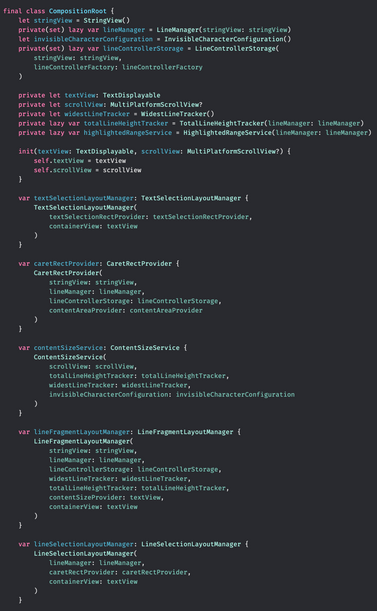
Making some progress on bringing the Composition Root pattern to the Runestone framework 😃
On one hand it's stressing me out a bit that I'm spending so much time refactoring Runestone's code but on the other hand, I think I'll appreciate this effort for several years going forward.

 Tibo Loete