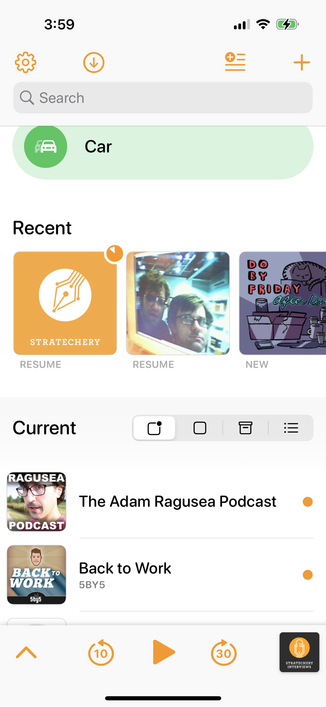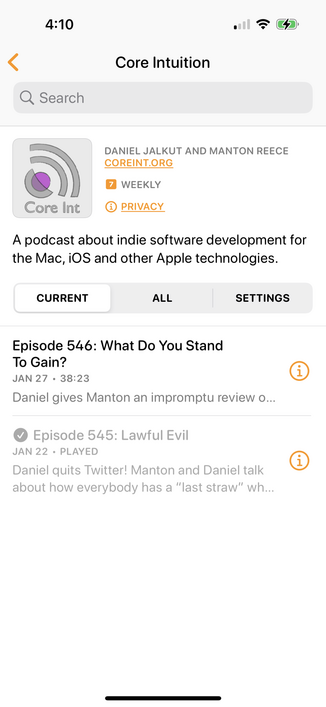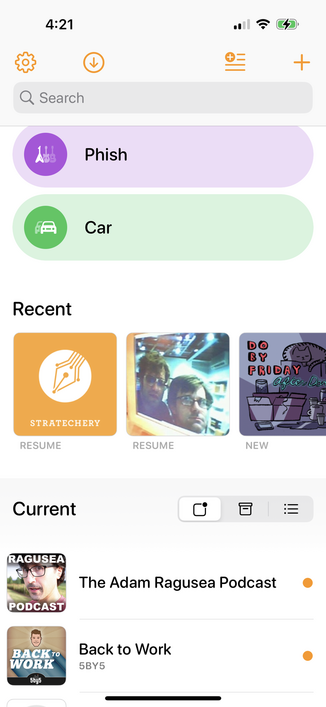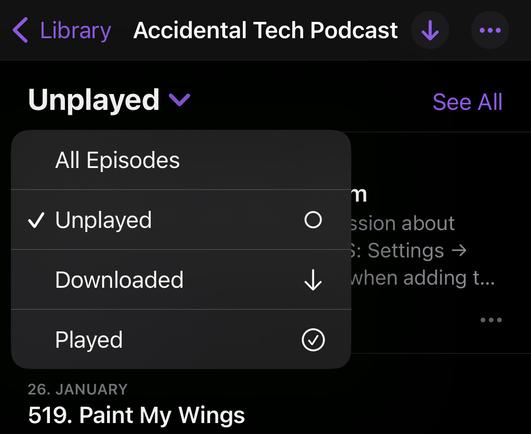
Think I might undo this change — lots of people hate it:

"Making Unplayed areas exclude played episodes; formerly, ‘unplayed’ really meant ‘not deleted’”

This has confused people since 1.0 because “Unplayed” could include played episodes if you didn't use auto-delete.

I decided to finally fix the problem by making the behavior fit the labels — but a better solution may be to revert to the previous behavior and considering changing the labels to be more descriptive.

Maybe “Current” instead of “Unplayed”.

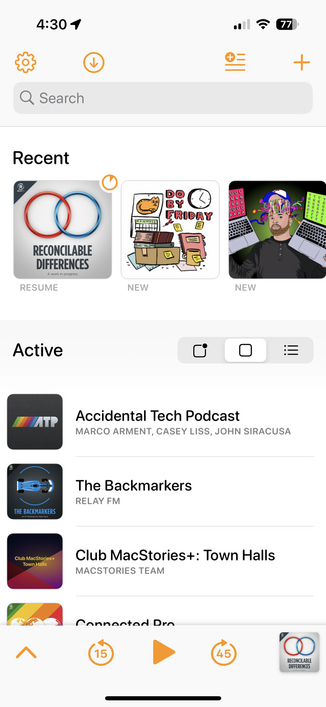
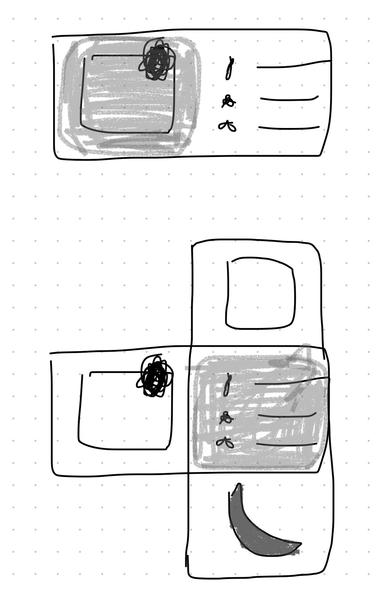
The loss of the Archive list mode has also irritated people, but the new All mode is popular, and having all 4 there is confusing and leaves too little room for the text label. Maybe I got rid of the wrong one.

I always want either Unplayed/Current for current stuff, or All when I want a giant alphabetical list to find something. But Archive was good for occasional decluttering.

Maybe I should bring Archive back, but get rid of Active.

Current, Archive, All.

I think this works really well…

If you've ever wondered why so many podcast apps have HUGE settings screens full of little nitpicky toggles, take a look at my mentions.

Everyone wants a slightly different set of often-conflicting behaviors, and there are tons of edge cases to consider with every decision.

@overcastfm You should just ship a swift interpreter in the settings screen to allow people to modify the code.
@overcastfm I was about to say “you could always add some more settings for it” 🙃
@iamchrisbarlow @overcastfm Simply increasing the number of settings is problematic for two reasons:
1. each variant increases development complexity. So it is at the expense of other functionality if the developer capacity remains constant.
2. due to the combinatorial explosion, the variants caused by many different settings are eventually no longer testable in finite time. The quality decreases.
@overcastfm I downloaded the whole settings screen I’m gonna use the whole settings screen. XD
@overcastfm I would like serch on every list-view. Dont need a toggle. 😁
@overcastfm Overcast is perfect. Thank you for existing.
@overcastfm I find this set of choices quite reasonable and easy to understand.

@overcastfm if you’re leaving the behavior as-is, maybe label it “Added” since that is how you name the behavior of adding to a queue or playlist?

I originally liked “Selected” but that seems to have less existing terminology tie-in.

@overcastfm Speaking of edge cases, any thoughts on extending speed over 3x? For years now 3x has been my normal. I use 3.5x routinely on Audible and would like to be able to go up to at least 5x to review material and search.
@waege FIVE TIMES?
That’s insane. 🤯

@overcastfm Why don’t the buttons “press” (either visually or haptically or both) on an Apple Watch?

The current behavior (no feedback whatsoever, wait a second to see if it worked) is the most user-hostile app behavior I regularly encounter.

Never thought I’d say this but: why can’t you just do what Spotify does for Apple Watch button feedback?

@overcastfm @marcoarment why not call it downloaded? I was under the impression that’s basically what it was anyway.

@overcastfm Reminds me of a @spolsky post from ages ago, still rings true:

"80% of the people use 20% of the features. So you convince yourself that you only need to implement 20% of the features, and you can still sell 80% as many copies.

Unfortunately, it’s never the same 20%. Everybody uses a different set of features"

https://www.joelonsoftware.com/2001/03/23/strategy-letter-iv-bloatware-and-the-8020-myth/

Strategy Letter IV: Bloatware and the 80/20 Myth

Version 5.0 of Microsoft’s flagship spreadsheet program Excel came out in 1993. It was positively huge: it required a whole 15 megabytes of hard drive space. In those days we could still reme…

Joel on Software
@overcastfm First, Overcast is amazing! Thank you! Second, this is a really important non-trivial problem in software right now, in general. I really think the way around this is to just describe what you want and/or ask a few questions to get the desired behavior/setup. I don’t know if there’s a name for it, but I’ll never forget the first time I played Halo on the Xbox… The character in the game says “look up” and depending on what you reflexively do with the joystick, the game automatically sets that to looking up. it obviates the need for a toggle box about inverted or regular up-and-down controls.
@overcastfm I don’t mind larger settings screens if the settings are useful, well ordered and clearly described. I know that’s not what you’re going for, just saying.
@veith @overcastfm Even with many settings, there is still the problem of what the defaults should be. Many users do not venture into settings to change things, and if things don’t work the way they expect, they assume it’s broken. From a QA point of view, every new configuration creates a different set of combinations where something can break. So “just add more settings” should not be a default answer, regardless of ordering and description.
@ravenskana @overcastfm What did I say to make you think I don’t know that? Doesn’t change that I don’t mind a larger set of settings in the apps I use and that still can be valuable feedback for a developer I’d say. What they can and want to make of it is their decision then.
@overcastfm it you get to be opinionated :)
@overcastfm to add to the list, any plans for bringing back a “medium” theme? the grey coloring from the old version is just a lot easier to read in daylight than the current black dark mode
@overcastfm I trust you to make sane choices for us
@overcastfm also Mastodon (ok Twitter, too), RSS Reader, Email apps…

@overcastfm IMHO people are so focused on this filter because it's the only way to organize a lot of podcasts AFAIK.

If there were folders for podcasts I think people would have less of a need to filter out "played" podcasts.

@overcastfm I love how the Overcast setup is. categorries!

@overcastfm FWIW I have it set to “active.” I use the recent thing as the “unplayed” tab and choose active because it filters out all the BS.

I’m pretty happy with this system. I don’t mind losing the archive list mode. But that’s just me. 🤷‍♂️

@overcastfm I know this plays into your next post (toot) but please no. I only realised/remembered that “unplayed” and “all” existed from your posts...I use “active” exclusively.

@overcastfm you are trying to solve for multiple use cases with insufficient controls. Either add more controls somewhere or accept that not every scenario gets covered.

Personally, I would like to distinguish between “new/current” (downloaded or not), “downloaded/saved/archived”, and “all” - with the latter _also_ being able to be filtered for played/unplayed

I would also want that same level of filtering _within_ a podcast, and don’t need “settings” to be a big label in the same row as the various view modes.
@overcastfm I think the three noted labels work. In that interaction, I'd want to know what Podcast 'subs' are active with new episodes, which ones are 'Dead' and should be Archived/Deleted, and the whole list. Subscriber who loves your app!!! Use it daily!!

@overcastfm that works, those use vases make me think Current and All is enough, with Archive inside All?

Either symboled or segregated in a bottom grouping.

@overcastfm Isn’t there a rule that every non-trivial software application will over time evolve towards containing a full Lisp interpreter? That would solve all settings problems.
@overcastfm I like this idea. I do miss the archive view.
@overcastfm what's in the Phish playlist?

@overcastfm Please keep the ‘All’ list, it’s the only one I need. Active/Archive didn’t map on my mental model of which podcast should be in which category and I always ended up chasing a podcast through all three tabs. ‘All’ was a Life saver for that.

No strong feelings about unplayed/current, everything is in a playlist for me anyways.

Also pinned podcast should always show in all lists all the time but I guess that doesn’t fly with everybody.

@overcastfm What does go into Archive at all? Podcasts that are not subscribed and have no downloaded/unlistened episodes? That’s most of the podcasts I’m manually catching up on, every time I interact with that screen after just having finished the last downloaded episode. Feels wrong to then find the podcast I just listened to in Archive, there should be a delay of not having listened to it (two weeks would work well for me I think) 🤡😈
@overcastfm all I need is All. Maybe this should be a drop-down list instead of tabs?
@overcastfm I think just Current and All, with this magnificent mega-picker to filter Active/Inactive solves all your problems.
@overcastfm FWIW I think the change is fine, but 90% of my “what do I listen to next” choices are made from custom themed playlists, not the show lists ¯\_(ツ)_/¯
@antonyjohnston @overcastfm Very much this. I know you’re Anti settings, but I’d love to only see my playlists and have a separate screen for the Podcasts I’m subscribed to.
@overcastfm I’ll only comment that my use is very narrow and will be unaffected. I have one (1) playlist, called “Active”. These are the ones I listen to. They accumulate to be played in date order, deleting after they’re played. Within that, some are priority and jump to the front of the line as soon as available.
@overcastfm I haven't updated to the new one yet - I do use archive for pods I don't follow but dip in and out of sporadic episodes - but I like the idea of current, archive, all.
@overcastfm I vote for Unplayed, much clearer.
@hmelman @overcastfm Me too. I like unplayed over current.
@overcastfm I would find a “unfinished” playlist helpful. It would include items not started and not completed.
@overcastfm I prefer Unplayed because it’s obvious what that means. “Current” however requires some rules and interpretation, and there’s so much room for confusion there
@overcastfm I feel like that's even less clear. What makes an episode "Current" or not?

@overcastfm Tbh episode management has always been one of my biggest points of frustration in Overcast.

For me at least the way PocketCasts allows you to mark an episode as either "Played" or "Archived" makes a lot more sense. Because that gives me 3 categories:

Played = I've already listened to this episode
Archived = I don't plan to listen to this episode
Unplayed = Everything that's not one of the other two categories.

That allows me to easily go back through a podcast's backlog to pick out episodes to listen to without having to search through all the episodes I've either already or don't want to listen to.

I'd also really like the ability to multiselect episodes. Like for podcasts that I don't plan to listen to the backlog of I'll select everything older than the 5 most recent episodes and archive them. Or for podcasts that put teasers in their feed I can search for "Teaser", select all, and archive.

@overcastfm since it includes shows that are played but not deleted, maybe just call it “on device”? (Not sure how this ties into streaming content that isn’t downloaded, but I’m assuming most users use local storage)
@overcastfm I suppose “local” could work to
@overcastfm I think current on the episode list view sounds better than unplayed however I’d prefer unplayed on the Home Screen view.
@overcastfm you could also have a “Continue Listening” list
@overcastfm downloaded wouldn’t work because of streamers, right? but maybe something to indicate they’re the ones you’re “keeping”? either by not deleting or by the Keep X Unplayed Episodes setting.
Something like “On Deck” but not that cause it doesn’t feel like it fits hahaha
@overcastfm Current could also mean now playing. I prefer unplayed.
@overcastfm How about just “downloaded?”