
Do you have a lot of Xcode projects/workspaces/swift packages that you need to access often? Check out my XcLauncher Mac menu bar app. It's a super fast way to open your favourite projects.

By design (and sandbox restrictions šŸ˜‰), it only shows the projects you configure as bookmarks. Unlike Xcode's Recent Files menu, this means the order remains fixed, you can create folders and it isn't polluted with experiments or sample projects.
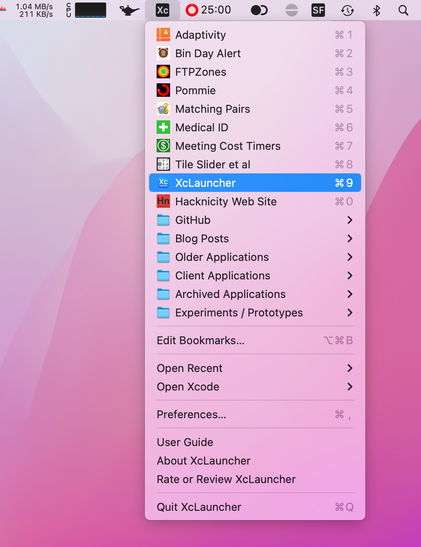

https://apps.apple.com/app/id1234625785

#iosdev #indiedev #macos #xcode

@geoffhackworth Bought! One thing, is it possible to force Xcode to open the new window on the current deskop (vs switching to the one where there is already an open Xcode window)? I know, pretty edge-case-y :)
@voidstern Thanks. I hope you find it useful. XcLauncher has no control over where Xcode opens. In fact, it doesn’t even open Xcode at all. When you select a bookmark from the menu, the app asks NSWorkspace to open the project/workspace file and macOS then opens the file in Xcode. I think this is effectively the same as opening the project file from Finder.

@geoffhackworth I thought so, but I figured I’d ask. Never managed to get the Finder to open it on the current desktop either.

But having bookmarks in the menu menubar beats looking through the recents regardless :)

@voidstern Yeah, it’s surprisingly handy. XcLauncher also has an ā€œOpen Recentā€ menu which accesses Xcode’s recent files list but filters it to only include bookmarks you have configured (and using their custom names). It can only open files you give the app access to by configuring the bookmarks so I hide other recent files. The Open Recent menu can be sorted by time or name (choose in Preferences) and holding alt/option shows the other order.
@geoffhackworth I pretty happy with having an unchanging list of bookmarks :)