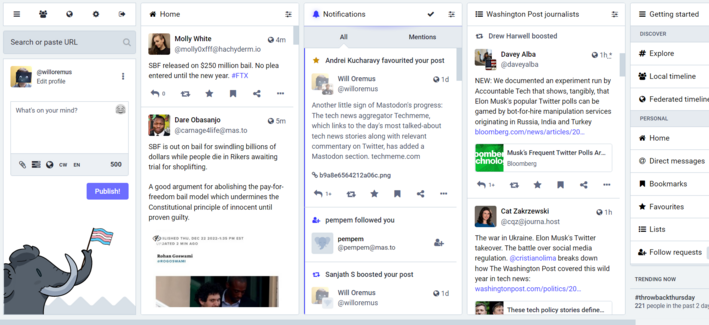
One thing that Mastodon newcomers may not realize is how easy it is to turn Mastodon for web into essentially a Tweetdeck clone, with columns for search/compose, home, notifications, and any lists you've set up. It takes literally seconds.

Here's what mine looks like right now:
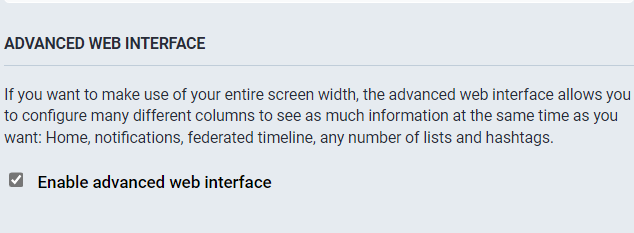
To get the Tweetdeck-style view on Mastodon for web, just go to Settings > Preferences > Appearance and check "Enable advanced web interface." Then "save changes."
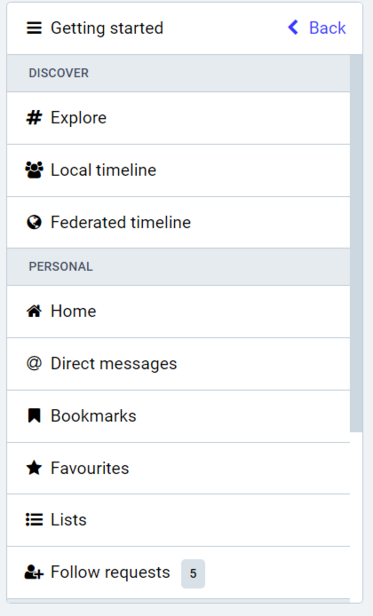
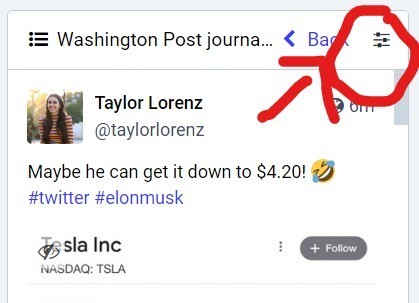
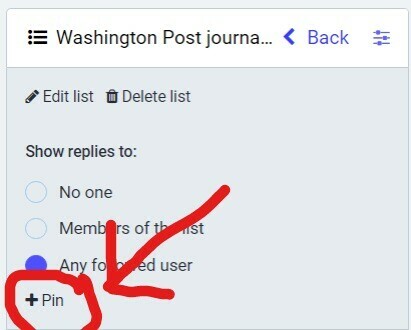
To add columns to your default home screen on Mastodon for web, once you've enabled advanced web interface, select the tab you'd like to add from the "Getting Started" column. (E.g. "Local timeline," "Federated timeline," or any "Lists" you've set up.) Then click the "show settings" icon for that column, and click "pin." That's it.
Thanks to @drewharwell for pointing me to this very helpful @spencerdailey thread, which goes into more detail on using Lists in mastodon for those interested: https://journa.host/@spencerdailey/109550540019073158
Spencer Dailey (@[email protected])

A month after incorporating Mastodon lists into my workflow ( https://journa.host/@spencerdailey/109388873948779246 ), here are some thoughts about the end user experience: As you know, lots of friction exists in many aspects of using Mastodon, and yet, people really want to be here (because they fought through it). 😄 Mastodon's "Lists" feature *is* great, but it really makes you put in the work. Some thoughts on using Mastodon as a media-gazing tool:

Mastodon

@willoremus @drewharwell @spencerdailey
You can also combine multiple hashtags into their own column.

First, search for an interesting hashtag. Open the Show Settings menu on the result and pin the column.

Open the Show Settings menu again and you can tell it to include additional tags in that column.

If your first search was #cats, then you can add #catsofmastodon and #catstodon as well and any related post will show in that column.

@willoremus are lists public or private? not seeing any info/options
@willoremus how do I get mastodon for web is my first question 🤦🏽‍♀️
@helacool literally just enter your server address as the URL in a browser window. in your case, mastodon.world. then log in.
@willoremus Thank you. And I just enabled the advanced thing in settings. It def gives the Tweetdeck feel. Gah I wish I could just port over my lists from Tweetdeck...and would pay to do so. But guess it's still early in Mastodon's feature set.
@willoremus I wish there was a way to curate and share lists. I for one would LOVE a list of quality journalists from a variety of major news networks, as well as a list for breaking news.
@willoremus Any way to add columns for notifications other accounts, allow posting from secondaries, etc?
@willoremus I LOVE YOU!!! Thank you so much!
@willoremus Shame it was not called TootDeck. Missed opportunity that could have helped people migrate to a familiar but better tweeting experience in the Mastodon world.
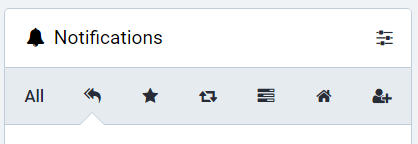
@willoremus Noticed you haven’t yet enabled the notifications category bar to filter them by type. (Display All Categories under Show Filter Bar). That’s another hidden deluxe power user setting.
@profcarroll like this? good tip thx
@willoremus Worth it alone for keeping track of all the polls you’ve ever voted in. (I have no idea what the Home icon category is for BTW.)
@willoremus It's really cool that this is built into the UI instead of being an entirely separate interface.
@willoremus Thank you. This is most helpful to me.
@willoremus
I think I love you - I used tweet deck and really missed that layout
Thankyou