One thing that Mastodon newcomers may not realize is how easy it is to turn Mastodon for web into essentially a Tweetdeck clone, with columns for search/compose, home, notifications, and any lists you've set up. It takes literally seconds.

Here's what mine looks like right now:
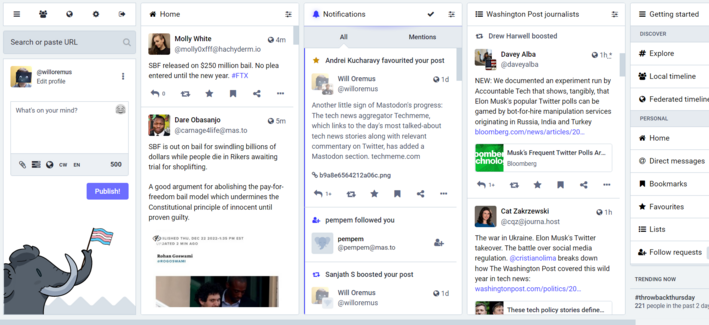
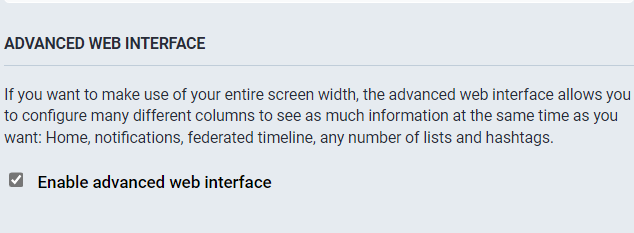
To get the Tweetdeck-style view on Mastodon for web, just go to Settings > Preferences > Appearance and check "Enable advanced web interface." Then "save changes."
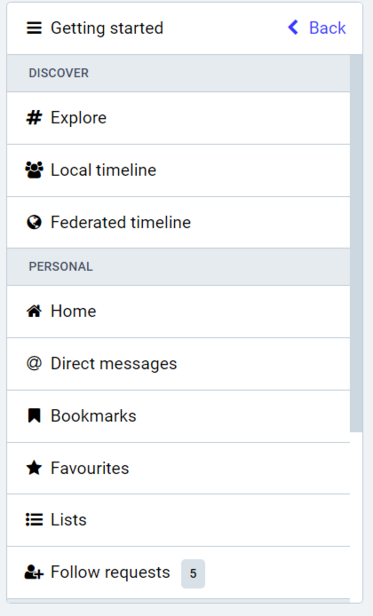
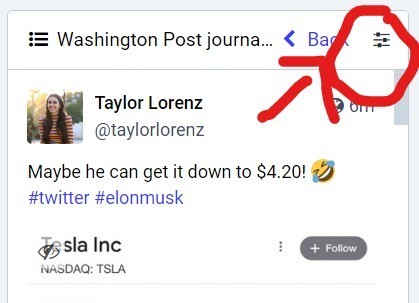
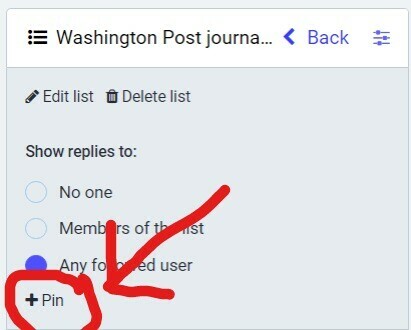
To add columns to your default home screen on Mastodon for web, once you've enabled advanced web interface, select the tab you'd like to add from the "Getting Started" column. (E.g. "Local timeline," "Federated timeline," or any "Lists" you've set up.) Then click the "show settings" icon for that column, and click "pin." That's it.
@willoremus how do I get mastodon for web is my first question 🤦🏽‍♀️
@helacool literally just enter your server address as the URL in a browser window. in your case, mastodon.world. then log in.
@willoremus Thank you. And I just enabled the advanced thing in settings. It def gives the Tweetdeck feel. Gah I wish I could just port over my lists from Tweetdeck...and would pay to do so. But guess it's still early in Mastodon's feature set.