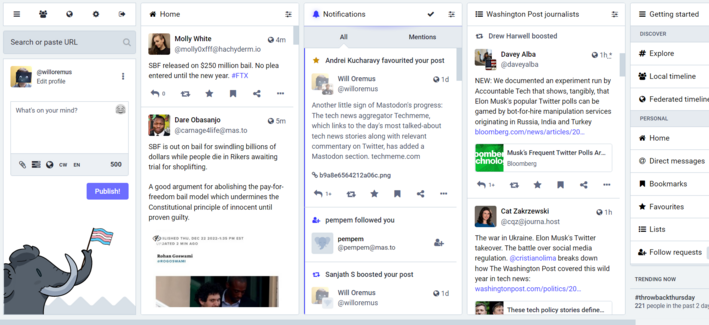
One thing that Mastodon newcomers may not realize is how easy it is to turn Mastodon for web into essentially a Tweetdeck clone, with columns for search/compose, home, notifications, and any lists you've set up. It takes literally seconds.

Here's what mine looks like right now:
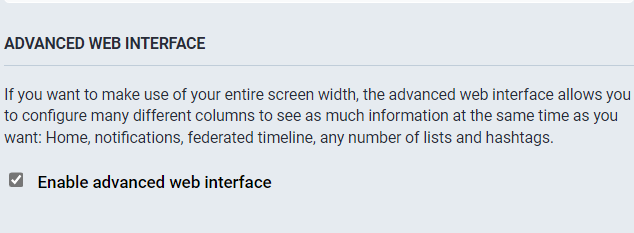
To get the Tweetdeck-style view on Mastodon for web, just go to Settings > Preferences > Appearance and check "Enable advanced web interface." Then "save changes."
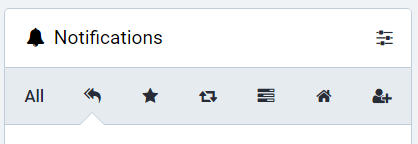
@willoremus Noticed you haven’t yet enabled the notifications category bar to filter them by type. (Display All Categories under Show Filter Bar). That’s another hidden deluxe power user setting.
@profcarroll like this? good tip thx
@willoremus Worth it alone for keeping track of all the polls you’ve ever voted in. (I have no idea what the Home icon category is for BTW.)