So you're just getting started in Mastodon huh?

Here's a neat thing. On the web interface you can search for a Hashtag.

Same as you can on Twitter.

Something like #Ukraine, for example

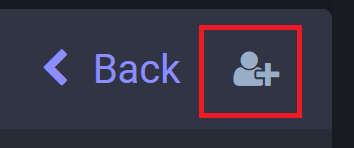
But on the search results, see that little user icon on the right? Click it and you'll follow it as if it's a user!

New posts with that tag will arrive in your home page, even if you don't follow the author yet
For the same reason, try and make use of hashtags yourself, especially in your introduction posts here. If you do, you'll be able to find not just your friends from bird site, but also new people posting in topics you're interested in. Give it a go!
@Pwnallthethings (Future followed hashtag management is a ...future problem)
@Pwnallthethings speaking of hashtags, this is an excellent #feditip
@Pwnallthethings definitely one of the more useful features on here. Thanks!
@Pwnallthethings I think you can then add it as a column in the advanced web view too...

@Pwnallthethings

I can concur it works ๐Ÿ‘

@Pwnallthethings Iโ€™ve read all your work on the #birdsite but never commented as it felt too fraught. I do like this space and we should get out of it what we put in. Iโ€™ll set aside some time to put together a proper introduction on my profile. Just a #normie dude.
@Pwnallthethings I cannot find it. Do I have to use a desktop?

@lenahallesaale

I can't get the search box to work either on mobile web or desktop web. You must search by clicking on a hashtag in a post. Then it works.

If you want to search without a click, edit the URL.

@Pwnallthethings

@lenahallesaale

You see the list of hashtags? You have to click on one of them. Then it appears.

@Pwnallthethings

@kdvncm @Pwnallthethings Thanks! I had to enter Mastodon via my laptop, though. I am not sure whether the tusky-app will show me the hashtagged posts.
@Pwnallthethings does it work on the mobile app once you add it on web
@socrates1024 Should do. The apps lag a bit behind web in features and it's a new feature, but it should arrive in your home feed either way once added
@Pwnallthethings I only see the option to "Pin" a hashtag :/
@andy Alas, you're on a smaller server that's a version behind, so you'll need to badger your server admin to upgrade to get it

@Pwnallthethings let the self-flagellation commence, I guess!

/me commences badgering self

@Pwnallthethings looks like badgering myself worked! Thanks for the tip โค๏ธ
@Pwnallthethings does it matter what server you follow - re: what you see, or no?
@Pwnallthethings @awiley you have three main timelines. Your home timeline is the people and hashtags you follow, your local timeline is everyone on your server whether you follow them or not, and the federated as I understand it is All the public posts from across mastodon from users that are followed by people on your server. So two of your three main timelines are influenced by the server that you joined.
@Pwnallthethings I wish this worked on the mobile app, I don't have this feature personally
@NoxiousDaemon @Pwnallthethings tusky let's you add tabs with hashtags
@Pwnallthethings do you happen to know if you can search for multiple hashtags, to narrow down a search?

@Pwnallthethings

thanks. you have the best tips

@Pwnallthethings
Thanks for the tip. Now where do I save this information please! my memory is just too short
@Pwnallthethings Thank you! Iโ€™m brand new so this helps.
@Pwnallthethings This is great, thanks for the tip! Hope it comes to the mobile app soon.
@Pwnallthethings you can do the same on mobile if you find the hashtag in the wild and click it. Searching for the #hashtag itself doesn't yield results yet sadly!
@Pwnallthethings I didn't know this! Thanks for the tip

@Pwnallthethings My #1 beef with the Pachyderm site is that you can make lists of people you follow, and their posts will be automatically sent there, but

they also will be sent to your Home timeline

Maybe there already is an official Masto way to avoid this? I know two workarounds

-- append .rss to the URL of the person you want to follow and use a feed reader

- on your browser, bookmark something like
<MyInstance>/@MyHero@HisInstance

@Pwnallthethings is that feature available in Tusky?
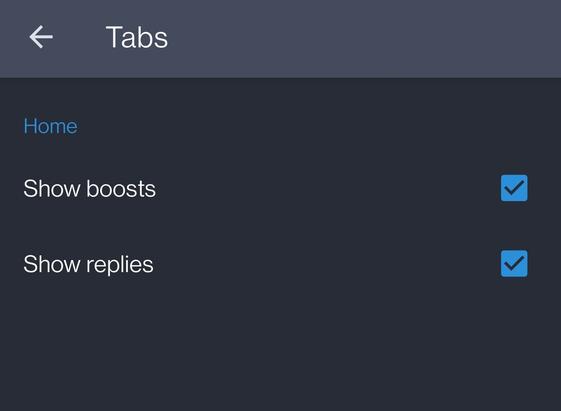
@AyUpMeDucks @Pwnallthethings Account Preferences > Tabs
@thefern @Pwnallthethings thanks for your help but I do not see it
@AyUpMeDucks @Pwnallthethings You're looking at preferences > tabs, you need to go in account preferences instead.
@Pwnallthethings That's so helpful, thanks ๐Ÿ˜Š
@Pwnallthethings very cool - thanks for sharing.
@Pwnallthethings this is a feature I'd like to use, but only if I could have a list of followed hashtags to manage them.
I suppose a work around might be to keep a separate text list and manage them on an ad hoc basis.
@Pwnallthethings this was really helpful so I am glad a friend boosted it! Thank you!
@Pwnallthethings
Any idea why I only get the option to pin the result as a column? No person plus icon.
using mastodonapp.uk via chrome browser on windows11
@Pwnallthethings The app seems to be very limited in functionality compared to the web interface. I donโ€™t see that option anywhere. โ˜น๏ธ

@Pwnallthethings This is one of my favorite things here. I went back to the bird site to see if I had just missed that feature there and it appears it is specific to Masodon.

It seems the Masodon might be better for allowing users to curate their own feeds, which I find preferable.

@Pwnallthethings Ah so it's like instagram where one may follow posts with particular hashtags. Thanks.
@Pwnallthethings There is no button like that here... Looks like it is available in a preview of v4?
@Pwnallthethings Excellent feature, thanks for the tip. Is there a profile level overview of the hashtags I'm following, say for housekeeping reasons later?