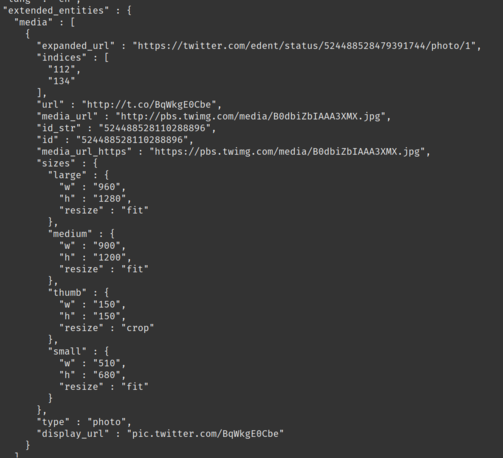

If you download your #Twitter archive it arrives wrapped as a static HTML page, which is not very useful for doing anything with, and worse: it requires the original account to be still active to do useful things like enlarge the images since they use t.co links.

So here's a #Python script to convert a Twitter archive to #markdown or other formats: https://github.com/timhutton/twitter-archive-parser

Now you can archive your tweets in any way you want.

GitHub - timhutton/twitter-archive-parser: Python code to parse a Twitter archive and output in various ways

Python code to parse a Twitter archive and output in various ways - timhutton/twitter-archive-parser

GitHub

@timhutton Thanks - that'll be handy.

Am I reading it wrong though? Looking through my archive, I see the full image URl in the entities?

@Edent The archive also contains the full images, though the filenames aren't given in the JSON and have to be constructed as <tweet-id>-<media_url.filename>

My comment about the t.co links was referring to the behavior of the HTML page they give you, which takes you to a t.co link when you click on an image to see the uncropped version.

@timhutton Ah! I see! Thanks 😃

Here we go ... this discussion should be a good stress test for Chartodon:

Calling @Chartodon LR ...

*whimper*

@Edent @timhutton

@timhutton Thanks. Do you known if someone is hosting this (or something like it) in an accessible way?

@Pepijn I don't, sorry. I'm not sure it would work well as a webpage service, because it would need large data transfers.

If you just want a way to view your tweets then open the HTML file in your archive.

@timhutton No problem. I have my own tweets and images. Was more wondering about some others I know who would appreciate an online tool.
@timhutton das ist bestimmt etwas für @irgendlink
@Bahnhofsoma @timhutton thank you. I'll try it out. Especially the shortlink decode function seems to be very useful.

@timhutton thank you so much for doing this unfortunately I thought I was very technically advanced 30 year Internet user who knows how to code basic html but since I’ve come to mastodon I realized I’m a complete ignorant noob who doesn’t understand computers.

Can you explain the following to me which I don’t understand it’s like it’s a whole new language I’ve never learned before?:
“Open a command-prompt in that folder
python parser.py”

@HelloAndrew @timhutton here's some info on installing and running python scripts in Windows of it's helpful https://learn.microsoft.com/en-us/windows/python/beginners
Python on Windows for beginners

A guide to help you get started if your brand new to using Python on Windows.

@dougholton @timhutton awesome, thanks!
Do you know if this is something that can be done in mobile operating systems as well?
Or if not mobile then on macOS? I don’t have a Microsoft desktop machine available.
@HelloAndrew @dougholton @timhutton macOS makes this very easy. https://support.apple.com/en-gb/guide/terminal/apd5265185d-f365-44cb-8b09-71a064a42125/mac explains how to open the terminal. I think Python is preinstalled on Macs.
Open or quit Terminal on Mac

Use Terminal on your Mac to access the shell.

Apple Support
@timhutton @dougholton @dorward @HelloAndrew
Starting with macOS 12.3, there is no Python installed anymore. You have to install Python 3.x yourself. Before that, Apple only came with the old Python 2.7 which is not able to run the script above as it uses Python 3 language features.

@dougholton @HelloAndrew @timhutton Thank you all. I gave up already after failures with the parser.py script. Then I found this, and it worked on Windows.

From my point of view, what was missing in the README.md of Tims script, was this step:
3b. Check if you have Python (3?) installed by typing `Python --version` - if not, do it: https://learn.microsoft.com/en-us/windows/python/beginners

Python on Windows for beginners

A guide to help you get started if your brand new to using Python on Windows.

@HelloAndrew Command Prompt

A command prompt is a way of interacting with a computer by typing (and opposed to pointing and clicking).

(More specifically it is the bit where you type commands in a Shell which is displayed by a Terminal).

There are different shells which have various differences but the basics of them are mostly the same. Bash and Zsh are common shells.

How you open one depends on your operating system.

@HelloAndrew On a Mac I use Spotlight and type Terminal. On Linux flavours there will usually by some Terminal app in menu although it might be a little deep by default). On Windows you can use the search feature of the Start menu and look for PowerShell (which has its own flavour of shell).

In That Directory

At the command prompt type “cd” (change directory) followed by a directory name to go down into that directory. Use “..” as the directory name to go up a level.

@HelloAndrew You can also use ls (list) (or sometimes dir (directory)) to list the files in the current directory.

python parser.py

This is the command to run python (a program that executes scripts written in the Python programming language) followed by the name of the script (which will be in the directory you cded into). You will need to install Python to use it.

https://missing.csail.mit.edu/2020/course-shell/ might also be useful.

Hope this helps.

Course overview + the shell

Missing Semester
@dorward thank you so much for spending so much time trying to help me understand this I think if I could find the time to go through everything you’re saying it would be pretty straightforward. my biggest disappointment with my experience in Mastodon so far has been that the community seems way more technically advanced than I am and I thought I was a very advanced computer user but apparently I’m not. maybe I’m too old to learn the stuff I need to wait for it to be turned into easy websites

@HelloAndrew You’re welcome, it’s helping pass my commute. I’m probably providing more information than you need (I learn better with more context) which might be a bit overwhelming. Don’t let that discourage you. You know your way around a computer, this is just typing your way around instead of pointing.

The minimum to get up and running is:

1 Open the Terminal
2 Type “cd” then drag the folder on top of the terminal window (to enter its name) then press return
3 Run the Python command

@dorward I tried doing this and it didn't work.I got to step 3 so I think I am not properly running the command but I am not sure what I'm doing wrong.
@lizl_genealogy Does this screen recording of how I used it help? https://imgur.com/nGqh0Ga
imgur.com

Imgur: The magic of the Internet

Imgur
@dorward I will watch it and try what you demo. Thanks very much for helping me.

@dorward I've now watched and tried it. Watching told me that I should probably have been dragging the folder with the code to Terminal. But when I did exactly as you did, it told me that "python" is an invalid command. So then I tried using the command that the Python runner I downloaded yesterday for my Mac suggested, but Terminal responded "can't find '__main__' module in '/Users/lizl/Downloads/twitter-archive-parser-main'." Not sure what else to try.

Thanks again for trying to help me.

@lizl_genealogy You need to specify the path to twitter-archive-parser-main/parser.py not to the directory containing it.
@dorward Thanks again. I'm not sure how to do that as I don't know Python.
@lizl_genealogy You don't need to know Python, you're just running a program written in it. You literally type the path I just said instead of the path to the directory. You left parser.py off the end.
@dorward I apologize that I wasn't clear. I included parser.py at the end and that's the error message I got.
@lizl_genealogy Did you accidentally add a space between the directory and (drag and dropping a folder on Terminal will add one by default) the filename?
@dorward I did not personally add a space, but if Terminal added one, I didn't know I should delete it. Thanks again for your help.
@dorward You were right that that was the problem. But I have now gotten a new error message so at this point I think it is time to give up. Thanks again for trying to help me.
@dorward @lizl_genealogy A big thank you from me too! I followed these instructions and that finally helped me succeed. Cool.
Have a nice day!
@dorward Just want to add that today I tried again and figured out the other spot where I'd been going wrong and used your video to finally successfully extract my tweets. Thanks again for helping the many of us who are less programming savvy!

@dorward @lizl_genealogy Hi David. Thanks for this tutorial. I think I'm getting close, but when attempting to run parser.py I'm getting the following error

line 36
f' Error: This script requires Python 3.6 or later.'
^
SyntaxError: invalid syntax

I just downloaded Python 3.11 so I'm wondering what I should do?

@erb Sounds like you have multiple versions of Python installed and it’s getting the old one. Try typing python3 instead of just python. If that doesn’t work then it gets into questions about your OS.
@dorward Thanks. I'm not sure what I did differently (nothing as far as I can tell...) but after sending you that last query, I followed the steps again and this time got "Parsing ./data/tweets.js..." and now it's going through my tweets (at least that's what I think it's doing)
@dorward like I’m somewhat familiar with the terminal window in macOS but installing python now it seems like this is a project I don’t have time to dig into that I just have to hope and pray someone turns it into a website where I can just enter my credentials and it’ll do the work for me.
@HelloAndrew If Python isn’t installed already then all you need to do is download the Mac installer from https://www.python.org/downloads/release/python-3110/ and run it.
Python Release Python 3.11.0

The official home of the Python Programming Language

Python.org
@timhutton This sounds like it will be really useful but alas way beyond the ken of techno numpties like me 😂
@stevenlawson If you just want to see your tweets, the archive they provide does come with a very user-friendly HTML file that you can open.

@timhutton @f4grx Thanks for that, it'll be useful.

Just raised https://github.com/timhutton/twitter-archive-parser/issues/4 as tweets.js gets split into multiple 101Mb parts if your archive is large

tweets.js is split at the 100Mb mark · Issue #4 · timhutton/twitter-archive-parser

As someone who was prolific on twitter my total download was about 9Gb. For tweets.js it's split into 3 files: -rw------- 1 peter peter 104874538 Nov 5 20:55 tweets-part1.js -rw------- 1 peter ...

GitHub

THANK YOU SO MUCH FOR SHARING THIS, @timhutton!

I had my Twitter export folder lying in my hard disk for so long that I almost ended up deleting 5 years of my activity on the platform just because it was so itchy to find the stuff I wanted.

I now have a solution, thanks again ❤️

@timhutton

Using pleroma-bot you can suck that twitter archive.zip directly into mastodon, and have them present as toots.

@Daviey Good to know, thanks! I'm guessing that requires you to be a Pleroma/Mastodon admin?

@timhutton

I don't think so, just pull out an API token from your Mastodon profile.

I started doing it via Twitter API's, until I realised that the API doesn't go back far enough. Then when I saw you could put a `archive.zip` directly in, I'm waiting for that to be prepared.

@Daviey @timhutton admins might be unhappy to have thousands of automated posts hitting their server as the archive imports? 💔

If this impacts other users -- and i don't see how it wouldn't -- this will result in angry emails / messages?

Meanwhile, can you post a link to the tool? Sounds super useful.

@wait_sasha

Sorry, but I think if admins would be unhappy with this, they need to enforce resource limits, which is a feature mastodon supports. It shouldn't be on the user to regulate volume.

(FWIW, I host my own instance so only me that would unhappy)

The tool is here, https://github.com/robertoszek/pleroma-bot

GitHub - robertoszek/pleroma-bot: Bot for mirroring one or multiple Twitter accounts in Pleroma/Mastodon/Misskey.

Bot for mirroring one or multiple Twitter accounts in Pleroma/Mastodon/Misskey. - GitHub - robertoszek/pleroma-bot: Bot for mirroring one or multiple Twitter accounts in Pleroma/Mastodon/Misskey.

GitHub

@Daviey in a different thread I was commenting I hope all Admins / mods know how to use 2-factor authentication. 💔

Safe to say that not everyone running an instance knows about resource limits unless they are pre-configured and installed by default.

@Daviey @wait_sasha people who aren't on a single user instance would be shitting on the commons, so, yes, that would be a really shitty move and not just something admins need to resource throttle

plus, if you're blasting your tweet history as public posts it'll pollute the federated timeline as well

but either way, all servers with people following you would experience higher load

@meena @Daviey Needless to say I absolutely agree with this. ❤️

@meena @wait_sasha

... Then it is the job of the admin to set limits.. Can you imagine if Twitter simply trusted users to not hammer their API?

Regarding too much noise, most people seem to be syncing it as Unlisted so it doesn't pollute the streams.