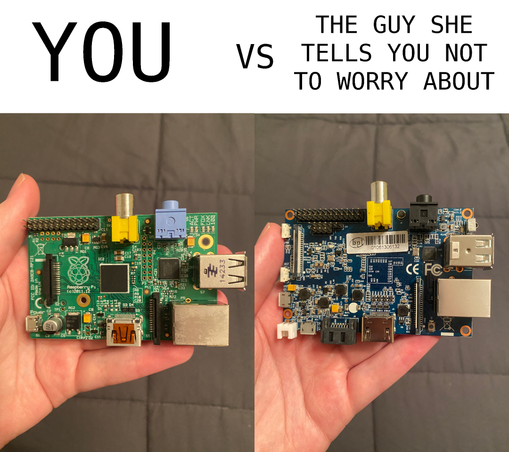
#Wayland runs successfully on more things than I think some might realize. For example, I successfully got this #BananaPi set up with #SlackwareARM 15.0, and got my favorite #wlroots compositor, #dwl.
Big thanks to @mozes, the maintainer of Slackware ARM, and all the folks on the LinuxQuestions forum, for putting up with my nonsense regarding getting my Banana Pi to run Slackware ARM and the troubleshooting that came from it. The first BPi had dead SATA, so I bought a new one that works good :)
Managed to get #SlackwareARM 12.2 running in QEMU this afternoon. This is back when the project was called #ARMedslack, and I managed to get pfetch working, though much like my #Slackware 8.1 install from last week, I had to create my own /etc/os-release file for pfetch to fully recognize everything.
@mozes many thanks for all the awesome work you've put into this project over the years. Also, I don't know if it's just the benefit of modern QEMU, but this VM is FAST!
Am currently in the process of trying to install #SlackwareARM on my #BananaPi. Hopefully it'll all go well.
My #BananaPi arrived today. Now all I gotta do is wait for the extras (SATA cable, SSD, SD card, USB-to-serial adapter), and I should be good to install #SlackwareARM on it :)
Just bought a #BananaPi BPI-M1 on eBay. Gonna try #SlackwareARM 15.0 on it when it arrives.
Why use a minimally-supported Slackware ARM release on pitifully underpowered 32-bit ARM hardware in the big 2025? Because.
So, I just reinstalled #SlackwareARM on my Raspberry Pi 4, this time using a nice fast SATA SSD with a USB-to-SATA adapter. It now boots in about 12 seconds compared to the 90 or so seconds from the USB HDD I was using before.
APPARRENTLY, get this, the Pi is supposed to be a low-power machine, and therefore doesn't like it when you try to power a spinning rust drive solely over USB.
Who woulda thunk?
Now I just gotta get it all set up how I like it :3
So, I'm trying to get a relatively modern #Slackware #Linux install on my #RaspberryPi 1 model B, but the newest supported by #SlackwareARM is 14.2. That's where I wanna tackle #BonSlack.
Does anyone here know how to get BonSlack 15.0 installed on a Pi 1? I'm completely lost on how to do it, and documentation is minimal at best.