Simplifying local AI with Pinokio
Are you looking for a way to leverage AI without having to be a developer or an experienced coder then Pinokio is just what the doctor ordered. Best of all you can run Pinokio on your own computer so you don’t have to sacrifice your privacy. Pinokio stands out as a revolutionary tool that merges the power of open-source automation with the simplicity of a browser interface. Built with developers and curious tinkerers in mind, Pinokio is redefining what it means to use a browser—not just to explore the internet, but as a platform that allows even inexperienced users the ability to download and launch AI applications that ordinarily would require lots of know how and skill.
Using Pinokio you can easily install, run, and automate any AI tool on your computer. Anything you can execute in the command line can be streamlined using Pinokio scripts—all through an intuitive, user-friendly interface. You can use Pinokio to install AI apps, manage and run those apps, create workflows for installed AI apps. There is lots of help available to help you get started with Pinokio by following @cocktailpeanut on X or joining the Pinokio Discord to ask questions. Pinokio is open source with an MIT license.
The project has detailed directions for installation your operating system and supports Windows, macOS and Linux. I chose both the Linux and macOS installs. Pinokio is supported on both the legacy Intel Mac and the Apple Silicon Mac. If you are a Linux user like me follow this link to find either the deb or rpm package for easy installation or the source code to compile the application for yourself.
I also installed Pinokio on my M3 MacBook Air. The Apple Silicon install is a little trickier but once you follow the excellent documentation you will be up and running. Once the initial application is installed and launched on either platform, the Pinokio environment is automatically and seamlessly set up during the first launch. When that was accomplished I was eager to dive in and discover what AI applications I could use. At the top of the Pinokio browser there is a ‘Discover’ button that takes the user to a number of applications that can be setup and launched. When the discover button is pressed the user is presented with the following display of News and Apps that can be loaded.
Screen picture by Don Watkins CC by SA 4.0
There are dozens of AI apps with certified scripts that can be installed. There are almost too many to choose from. I knew from experience that though my Linux computer is an i7 with 64 GB RAM that it lacks a GPU so running AI apps on that platform would mean the processing would be slow. I elected to use the M3 MacBook with 16 GB RAM. Much faster processing. My first choice was FaceFusion. FaceFusion has an Open RAIL-S license
Screen picture by Don Watkins CC by SA 4.0
FaceFusion is a powerful tool for face swapping and enhancement. I decided to install it with Pinokio on my Apple Silicon Mac. Using Pinokio it is easy to install this AI app by clicking the ‘One-Click install’ button and waiting a short period of time to install the app. Once the app is installed in Pinokio it can easily be launched from the browser.
Screen picture by Don Watkins CC by SA 4.0
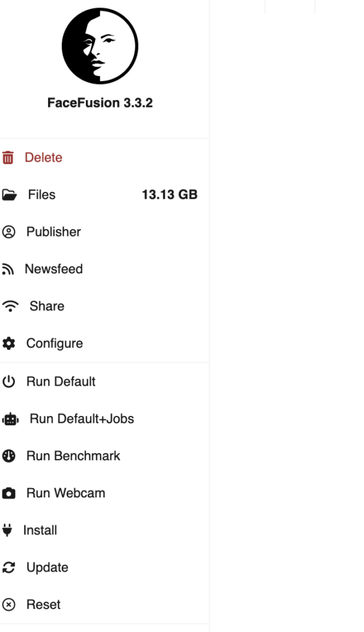
Once FaceFusion is launched I am presented with a menu interace to choose how I will run the application.
I chose ‘Run Default’ and I am presented with an elegant yet easily managed interface for enhancing facial images. In the browser I can see that FaceFusion is running on port 7860 on the localhost.
Screen picture by Don Watkins CC by SA 4.0
Pointing my browser to localhost:7860 I can see the FaceFusion app running.
Screen picture by Don Watkins CC by SA 4.0
Now I can have some fun with faces. I chose to use another AI program to generate an image of a handsome guy with blonde hair and blue eyes like I used to have earlier in life. That is the source image I am inserting into the FaceFusion app. Then I inserted a recent picture of myself taken earlier this year.
Screen picture by Don Watkins CC by SA 4.0Photo by Don Watkins CC by SA 4.0
Five seconds later after I clicked the ‘Start’ button at the bottom of the app I have the new me. Maybe someone will develop HairFusion too. Have some fun with your images and explore FaceFusion more thoroughly.
Image created by FaceFusion
#AI #FaceFusion #Pinokio
 Matthias Schüssler
 Reddit Tech VN Bot
 ResearchBuzz: Firehose
 ∂𑁨í 🕊
∂𑁨í 🕊  All Things Open
 Habr
Habr

 Don
Don


 mzharburg