 Esa Ruoho (Lackluster/Paketti)
Update: Okay, so Im starting to prepare for a trip to Synthcamp2026 where I will be demoing Paketti in a live workflow.
Link to Patreon in bio.
#paketti #tracker #patreon #lua #renoise #demoscene #trackermusic
Update: Okay, so Im starting to prepare for a trip to Synthcamp2026 where I will be demoing Paketti in a live workflow.
Link to Patreon in bio.
#paketti #tracker #patreon #lua #renoise #demoscene #trackermusic
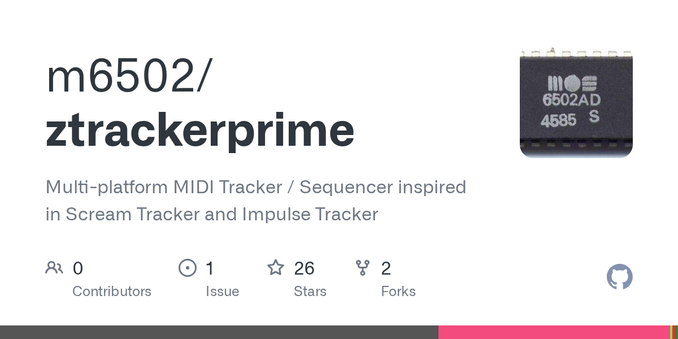
Update: Lots of updates to zTracker - too many to mention. check it out at http://github.com/m6502/ztrackerprime
Link to Patreon in bio.
#paketti #tracker #patreon #lua #renoise #demoscene #trackermusic
Improvement: New feature: Basenote Octave Up/Down — shifts the basenote of all samples in the selected instrument by one octave (12 semitones), up or down.
How it works:
If the instrument has slice markers, only the first sample's basenote is shifted (slices inherit)
Otherwise, all samples in the instrument are shifted together
Fully clamped: at C-0 it won't go lower, at the top of the range it won't
Link to Patreon in bio.
#paketti #tracker #patreon #lua #renoise #demoscene #trackermusic
Improvement: Both PakettiFormats + Paketti had importer issues across (.mod, .iti, .ot (octatrack had export issue)) - both tools fixed and updated.
Link to Patreon in bio.
#paketti #tracker #patreon #lua #renoise #demoscene #trackermusic
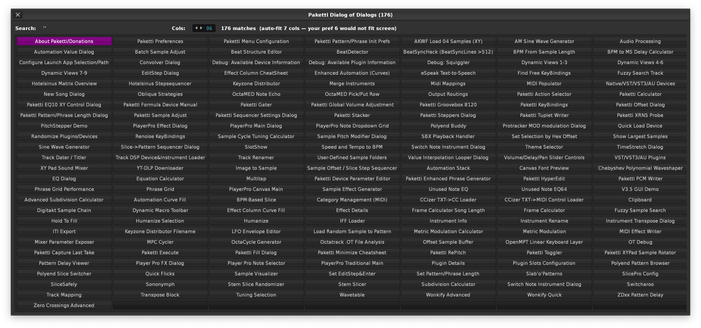
Improvement: Dialog of Dialogs had 3 duplicate buttons, 20 missing - removed the duplicates and fixed the missing dialog of dialogs entries back to working order.
Link to Patreon in bio.
#paketti #tracker #patreon #lua #renoise #demoscene #trackermusic
Improvement: Wrote the first ever Paketti automated Debug test, for launching every one of the Dialog of Dialogs menus to see which ones error.
Link to Patreon in bio.
#paketti #tracker #patreon #lua #renoise #demoscene #trackermusic
Improvement: "V3.5 GUI Demo" in Dialog of Dialogs opens again instead of erroring - mismatch of function names across 4 different files.
Link to Patreon in bio.
#paketti #tracker #patreon #lua #renoise #demoscene #trackermusic
Improvement: Can no longer set Dialog of Dialogs to "1 per column" which would result in a dialog that no longer opens. Some minor tweaks to ordering of Dialog of Dialogs menus and naming so the buttons do not fluctuate in a visually displeasing way.
Link to Patreon in bio.
#paketti #tracker #patreon #lua #renoise #demoscene #trackermusic
Improvement: Beatsync Seamless Auto-Chop is fixed.
If you tried it and got an error popup, that is gone. It now runs cleanly all the way through: trim the silence off the front and tail, normalize, chop the sample into as many pieces as it needs to stay inside Renoise's beatsync limit, keyzone them up the keyboard as a drumkit, and lay the notes across the pattern so playback locks to your song
Link to Patreon in bio.
#paketti #tracker #patreon #lua #renoise #demoscene #trackermusic
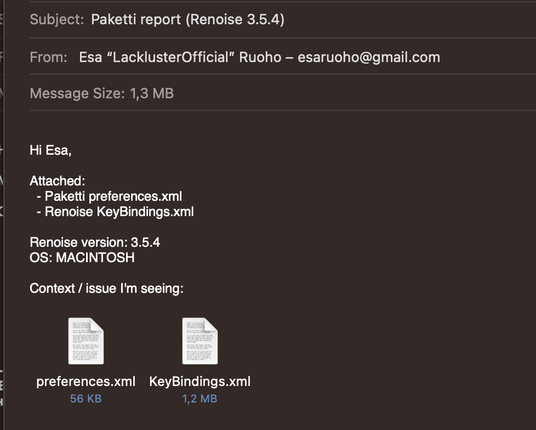
Feature: Paketti Preferences now has a button for sending your current Paketti Preferences + KeyBindings.xml to me as an email. Update to the Email button in Paketti Preferences (Folders row, bottom of the dialog).
When you hit "Email preferences.xml to esaruoho", the new message that opens now comes pre-loaded with:
→ Your Paketti preferences file (toggles, paths, import/export defaults, device chain
Link to Patreon in bio.
#paketti #tracker #patreon #lua #renoise #demoscene #trackermusic