 Thomas Lavergne
Woohooo ! 53 ⭐ for the #ncmaps repo on github.
Am I famous, now 😅 ?
" ncmaps brings scientific colormaps to ncview. "
https://github.com/TomLav/ncmaps
Install it today, your eyes and your colleagues will thank you.

Woohooo ! 53 ⭐ for the #ncmaps repo on github.
Am I famous, now 😅 ?
" ncmaps brings scientific colormaps to ncview. "
https://github.com/TomLav/ncmaps
Install it today, your eyes and your colleagues will thank you.
Woohooo ! 46 ⭐ for the #ncmaps repo on github.
Is it fame yet 😅 ?
" ncmaps brings scientific colormaps to ncview. "

@juliusgarbe Thanks for the kind words, Julius! And a very nice use of #ncmaps indeed.
We also have to thank the original developers of #ncview: they thought ppl would want to add more colormaps and made it possible without compiling the code.
@lavergnetho #ncmaps is definitely the best update to #ncview since 2017! I use it for quite some time now and don’t want to miss it anymore. Giant thanks for taking the pain out of ncview and even more for making this eye-candy solution publicly accessible!
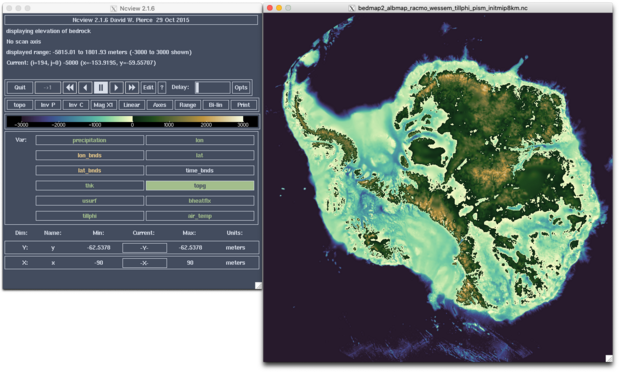
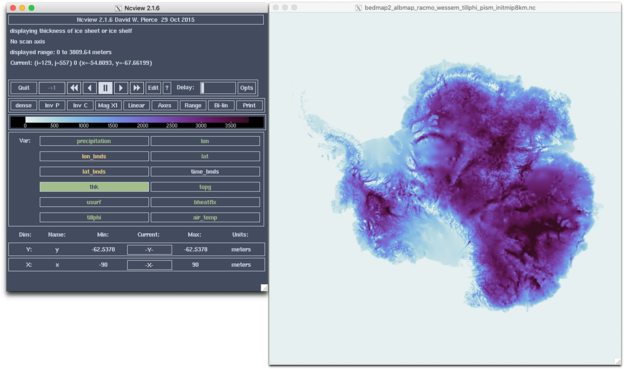
Screenshots below show present-day #Antarctic bed topography and ice thickness from the #Bedmap2 dataset using colormaps topo and dense from #cmocean.
@TGuinaldo Cheers Thibault for this nice example!
So here comes a little challenge:
Step 1) install #ncmaps (https://github.com/TomLav/ncmaps). Really easy.
Step 2) make a #ncview screenshot of a #NetCDF file using one of the ncmaps colormaps.
Step 3) Post it here below, explaining what the image shows, and naming the colormap used.
I'll #boost your contribution 😊!

 Julius Garbe