C'est horrible de ne pas avoir un outil fiable.
#infomaniak
2/2
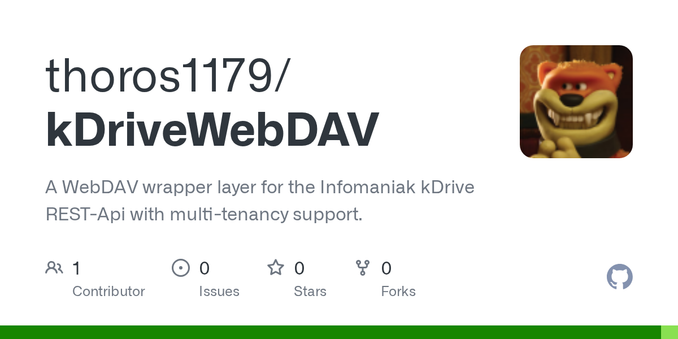
Es gibt aber eine REST-Api für kDrive auf die man Zugriff hat. Also kurzerhand einen WebDAV Wrapper dafür gemacht mit Multi-Tenancy-Support (für die anderen Konten der Familie) und in einen LXC im Heimnetz gepackt. Jetzt können #Synology #CloudSync und #HyperBackup per #WebDAV mit kDrive reden.
Falls das jemandem weiterhilft, hier die Links:
https://github.com/thoros1179/kDriveWebDAV
https://codeberg.org/static_null/kDriveWebDAV
#UnplugTrump #Synology #CloudSync #HyperBackup #Infomaniak #myKSuite+ #kDrive #WebDAV
1/2
Neuestes Projekt: Im Zuge meiner #UnplugTrump Mission nutze ich seit Anfang des Jahres #Infomaniak #myKSuite+. Für 1,58€ pro Monat habe ich, neben anderen Diensten wie Mail usw., auch 1TB Cloud Storage (#kDrive). Leider lässt sich kDrive im my kSuite+ Tarif aber nicht per WebDAV ansprechen. Dafür bräuchte man kSuite Pro oder einen dedizierten kDrive Tarif, was aber deutlich teurer ist und weniger Speicher bietet. Ich wollte kDrive für Backups und Sync mit meiner Synology verdrahten.
Breve guida su come creare un account #disroot e collegarlo a #nextcloud per avere un ecosistema alternativo e open source. La guida è per “ windows “ , ma è valida per qualunque sistema operativo (mobile incluso).
👉 Vai sul sito “ https://user.disroot.org/pwm/private/login “ e registrati. 👉 Scaricati “ #nextcloud “ sul sito “ https://github.com/nextcloud-releases/desktop/releases/download/v4.0.8/Nextcloud-4.0.8-x64.msi “ 👉Server: https://cloud.disroot.org 👉Accedi con #disroot
Su windows (ma uguale su ad esempio android) puoi collegare #offline un suite office @opensource come ad esempio #onlyoffice oppure #libreoffice.
Io ho scelto “onlyoffice” perché per la mia attività la piena compatibilità con la suite microsoft 365 è una priorità.
👉 Download “ Onlyoffice” https://github.com/ONLYOFFICE/desktop-onlineinstaller/releases/latest/download/ONLYOFFICEDesktopInstaller.exe (windows11)
Su “onlyoffice” colleghi tramite “clouds” scegliendo “nextcloud” quindi “ https://cloud.disroot.org “ : login (username + password).
Et voilà hai collegato un “cloud” europeo (Disroot+Nextcloud) + Onlyoffice (offline ed open source).
Senza spendere un euro.
Se servono maggiore spazio esistono cloud che si collegano con nextcloud con maggiore spazio: #felicloud #tab.digital o la soluzione già integrata #kdrive con infomaniak.
Disroot ha molti servizi alternativi:
Email Disroot: Servizio di posta elettronica sicuro e privato.
Lufi: Servizio di file uploader temporaneo per condividere file di grandi dimensioni.
Nextcloud Talk/Chat (XMPP): Messaggistica istantanea federata.
Pad / Etherpad: Modifica di documenti di testo in collaborazione in tempo reale.
Forum / PrivateBin: Strumenti di collaborazione e condivisione sicura di note.
Keeping kDrive Tidy Despite iOS
Reading Time: 3 minutesOne of the many iOS flaws is that if you download photos and videos it defaults to throwing them into your photo album, whether they're yours, and that's why it's good to tidy up. For the tidying up effort today I used ffprobe, find and the kDrive desktop drive, as well as terminal and a secure shell.
The premise is that as you're living your life, activity friends, family and apps like TikTok all post files, that you might or might not download intentionally. I'd recommend downloading them intentionally. We'll cover this shortly.
RSYNC
Due to having at least two phones over the years I had two folders with photos that needed to be consolidated. I used rsync to consolidate both folders and then deleted the 8plus folder that no longer had a reason to be.
FFProbe
I started the day with the premise that apple Photos took .mov videos and apps like Whatsapp, Signal and TikTok used mp4 files. I used find to clear up the mess of MP4 files, and got them sorted chronologically. I was pleasantly surprised to see that whatsapp and other files were sorted into their own folders.
It's with disappointment that I noticed that TikTok saves part of the messy files as .mov files. If I used exiftool then I could setup a filter "if video files do not mention iphone, add them to sorted, and leave the others as they are". The issue is that exiftool is slow.
I asked Euria for help and it suggested FFProbe so I experimented with it. I told it, find all non 1920,1080 videos and move them to sorted, so it wrote a shell script to do that. It worked well enough but I still double checked what it had moved. Eventually, when I got to videos that I shot in 4K I asked it to widen what it kept, so it re-wrote the shell script.
For once I sorted each year, one at a time, from 2023-2026. It was fast, and effective. In some cases I rescued files from the sorted folder that I wanted to keep.
My rational behind creating a "sorted" folder, per month, was so that I could then get a script to move the "sorted" video files chronologically into the "chaff" folder that I setup this morning.
If I had done this with exiftool or manually it would have taken ages. By getting a simple tool to do this task it took seconds per year.
Much Tidier
The photos backup folder that syncs from my phone to kDrive, and from kDrive to my desktop started the day without about 400gb of files. After some quick tidying this morning, thanks to shell scripts and the command line I got it down to 90GB.
The next step is to reconcile those 90GB of photos with the main photo library I have. Once the two are merged my kDrive phone photos backup folder could be nearly empty.
And Finally
One of the key advantages of using kDrive, rather than Google Photos, Apple Photos, Flickr and other cloud solutions is that you can tidy directly from the command line with a few practical prompts. Doing the same in a web browser takes hours. I know because I tried.
Having a local copy of what's in the cloud allows you to clean up within minutes, for free. No need for expensive apps. You're in full control. Once you're done it propagates back to the server.
TLDR
I mention kDrive but Google Drive, iCloud, One Drive and most other solutions offer the same flexibility. If you store photos within folders and files, rather than photos app, data migration is simplified.
#ffprobe #find #infomaniak #iOS #kdriveMigrating to kDrive from Flickr, Apple and Google Photo Clouds

Reading Time: 4 minutesAs I write this my consolidated photo album is being uploaded to kDrive, to serve as an offsite backup but the journey to this point took about two weeks, due in part to experimentation and learning to use various tools.
Tools I used
Work Flow
The first step is to request your data from Google Photos via the Google Takeout Tool, the Flickr Export tool for flickr, and to download all your photos locally from Apple Photos before disconnecting the local library from iCloud. Disconnecting Photos from iCloud gives you 30 days to realise you made a terrible mistake and fix it.
Export and organise
The next step is to unzip the Google Taekout files in one place, and the flickr export in another place. You want to keep the tree structure created by the zips for the next part.
Exiftool
Exiftools is a command line tool. Google Takeout and Flickr Export may detach metadata from your photos and add them to json files. Exiftools writes the exif data back into your photo files. If you ask Gemini or other AI solution for help it will provide you with the command you need to use. Request a dry run, and get the dry run to write to a text file to double check that it does what you expect.
Keep the zip files as they are. If you make a mistake it's good to have them on hand. Downloading 50 GB files from Google Takeout takes time.
With Flickr it's even more critical because Flickr generates 2gb files. I created a script to automatically download my 168 files.
Once you are happy that exiftool is behaving as expected you can run the command for real. Both of these steps take time so let them run in the background.
Google Takeout
Google takeout generates albums in three key ways, by individual names if you used face recognition, event name if you created an album, and by year, automatically. You will have two to three copies of some photos. In some directories you will only find json files.
When exiftool has run you can backup or delete the json files. If you have the zip files, then you're safe.
Flickr
When I expanded the Flickr zips it created a monoolithic directory with all the photos. I ran exiftools to marry json data with the photos.
Apple Photos
If you want to extract photos from Apple Photos quickly the quickest solution is to right click, show package contents, navigate to originals, and copy photos to another directory. You will need to use exiftool to create a directory where they are sorted by year, month day, and then you can run jdupe and add them to your main library.
Looking for Duplicates and Creating Chronological Libraries
With the data added by Exiftool we can now organise the photos chronologically. The issue is that we have event photos in albums, and the same event photos in the year folder. That's where jdupe comes in. It allows us to automatically compare photos within a directory before removing the duplicate copies.
Once this is done we can organise all the photos chronologically. This makes comparing photos much easier. It also adds a human accessible way of organising photos by year, month and day.
We repeat this step for Google Takeout and Flickr so that we end up with two clean chronological libraries.
The next step is to run jdupe again. This time we're comparing Flickr to Google Photos. The reason for this is that in an ideal world we have a perfect mirror, with both libraries being complete. In reality we might have interrupted payment to flickr, or Google photos so we have gaps. That's why we look for duplicates, before merging unique photos into our main photo library.
Tools such as rsync will help you merge the two libraries into the main library, as well as backup the clean library to a second hard drive on an external hard drive or on another device.
The kDrive migration
If you have not already done so, install the kDrive app and log in. Open the app and navigate to your library's folder and tell kdrive to sync the folder. It will then start copying the data to your cloud. Now you wait for it to be done.
Cleanup and Looking Forward
Once the main library is synced to kDrive I can delete two photos folders from kDrive and my local machine. I can tell kDrive on my phone to sync to the new library folder on kDrive.
That Synching Feeling
For now:
Photoprism and Immich Watching
Both Photoprism and Immich allow you to watch an import folder(photoprism) or external library (immich). If you set the main library as a watch folder then new photos uploaded to kdrive will be added to the main library, and photoprism and Immich will add them to their own libraries. Unselect the "move" option to keep the chronological library intact.
And Finally
With jdupe, exiftool and rsync you can go from having three photo libraries wittled down to just one. You can then tell kdrive desktop to watch and sync that folder. You can use rsync to mirror the library to two or three other drives and filesystems. I have APFS, APFS (case sensitive) and ext4. I also have an offsite backup via kDrive.
#Apple #exiftool #Google #infomaniak #jdupe #kdrive #photos #rsync #takeout🌪️ I used my trial kDrive (https://www.infomaniak.com/en/ksuite/kdrive) to send the video files yesterday. Blazing fast.
1TB will set me back €19/year. Seems incredibly fair. Can’t figure out why some people pay almost that, a month, to use something like WeTransfer.
You can always use the free SwissTransfer (https://www.swisstransfer.com/en-us), by the same crew, but you don’t end up with one backup by default. With kDrive, your files are saved until you delete them. No expiration date.
I’ve used my Koofr account in the past, with success, but uploading speed is not brilliant. I won’t stop using it for long term storage, but these euros are SO worth it, for time saved (less headaches) alone. Perfect for day to day stuff.
I might have, finally, found a way to use one of their services. Paid for a year.
#kDrive #apps #cloud
☁️ https://maique.eu/posts/2026-02-06-i-used-my