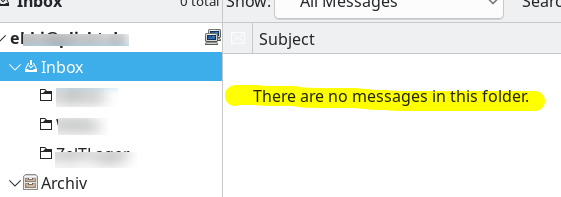
So sieht also eine Inbox Zero aus! Ahja, das ich das noch erleben darf 🥲
Je viens d'atteindre l'équivalent du #InboxZero pour la liste d'onglets en attente dans mon navigateur #Firefox mobile. Je suis parti de plus de 100 onglets, j'ai beaucoup lu, trié, créé un dossier de marques pages "Read-it-Later" partagé avec l'ordi pour les articles que je n'ai pas le temps de lire immédiatement, placé certains tutoriels dans des tâches à faire, fermé ce qui n'était plus d'actualité, jeté ce qui n'était plus accessible.
Il y avait des onglets en attente depuis plus d'un an...
In #Thunderbird, when you Search messages in your Inbox (Ctr-Shift-F, or Edit > Find > Search messages…), you can press the "Save as Search Folder" button.
This will create a subfolder in your Inbox that is dynamically populated with the search results, every time you open it. Opposed to filtering and moving messages, this doesn't move them to a different place, out of sight, out of mind.
Tip: Use the feature not just to find interesting things, but also to clean up your Inbox:
Create a "Delete after a few days" search folder, and specify search criteria that find periodical emails; "special offers" by suppliers; and in general anything that you would never want to catch up with, after a few days, because it has a short-lived "best before" date.
Regularly purge the search folder content, and enjoy a cleaner Inbox.
After git is done, started on a new hobby project: self-hosting my mail storage. I think this is also going to take more than a month. But the first step is done. Dovecot and fetchmail are buzzing and ... the pic! This is not #inboxZero (yet! wait for it!). The mail is just elsewhere already.