 Stephen Millard
The Elgato Stream Deck is my home office hardware launcher, but a little too bulky for casual travel when in its protective case.
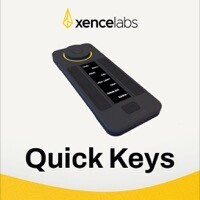
Enter the Xencelabs Quick Keys Remote as a lightweight (figuratively and literally) launcher. It took a bit of extra effort to set it up for Mac automation triggering, but in my latest post I go into the details of how I've approached this.
#streamdeck #quickkeysremote #hardwarelauncher #macautomation
https://www.thoughtasylum.com/2023/04/15/xencelabs-quick-keys-remote-and-mac-automation/

Xencelabs Quick Keys Remote and Mac Automation
I was listening to a recent Automators podcast episode on hardware launchers when a device was mentioned that caught my interest. The Xencelabs Quick Keys Remote. Currently I utilise an Elgato Stream Deck at my desk and my Macbook Pro’s touch bar when I’m on the go to trigger various automations I have put together. While I also utilise keyboard shortcuts, conflict palettes in Keyboard Maestro, and of course various Alfred keyword triggered workflows, having single touch buttons that carry out named functions as I switch between apps helps reduce that cognitive load of trying to keep track of all the possible keyboard shortcuts I might wish to employ. The reason it caught my attention was that I know at some point I will update to an Apple Silicon Mac and have to say goodbye to my touch bar. While I do have a carry case for my Stream Deck, it is bulky, and after reviewing the Quick Keys Remote, I figured it might just be something that would work as my portable solution. However, enabling it for my use involved being a little creative.