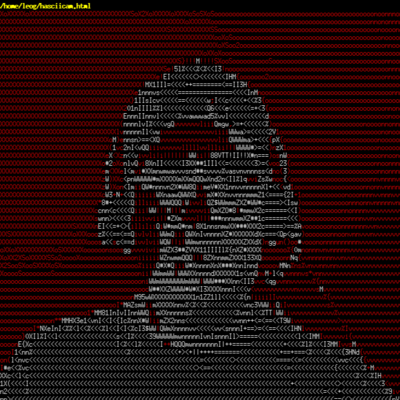
Anyone daily drive a #console #WindowManager like #dvtm? :) #linux

Using dvtm inside of screen for two days now with almost zero config (except changing mod-keys and disabling mouse support) and I'm pretty sure this is here to stay with me. A really smooth experience, helping a lot to feel at home in a text-only environment.. avoiding more and more of the modern web and other enshittification- and dependency hells. 💙

#dvtm #screen #tui #linux #sysadmin #enshittification #smallweb

reading opens doors.. 🤦‍♂️ from the dvtm man page: Copy and Paste

By default dvtm captures mouse events to provide the actions listed below. Unfortunately this interferes with the standard X copy and paste mechanism. To work around this you need to hold down SHIFT while selecting or pasting text. Alternatively you can disable mouse support at compile time, or use Mod-M to toggle mouse support dynamically.

Yeah! hello dvtm -M inside of screen.. 💙

#dvtm #screen #tui #linux #sysadmin

Could anybody explain to me how to use the copymode in dvtm using emacs as $EDITOR?? I just don't get it.. 🤔

https://www.brain-dump.org/projects/dvtm/

#linux #emacs #dvtm #cli #tui #linux

dvtm - dynamic virtual terminal manager

dvtm brings the concept of tiling window management, popularized by X11-window managers like dwm to the console. As a console window manager it tries to make it easy to work with multiple console based programs. News dvtm-0.15 released (2016-01-09) dvtm-0.14 released (2015-02-19) dvtm-0.13 released (2014-11-15) dvtm-0.12 released (2014-07-05) dvtm-0.11 released (2014-03-08) dvtm-0.10 released (2013-12-28) dvtm-0.9 released (2013-04-03) dvtm-0.8 released (2012-08-01) dvtm-0.7 released (2011-09-04) dvtm-0.6 released (2010-10-08) dvtm-0.5.2 released (2009-07-07) dvtm-0.

Sessions for sanity #abduco #dvtm

I also use sessions in #vim as well as the client-server. Any one have tips?

Primera prueba de toot (o pleromeada?) desde el tty1 con captura de pantalla. #Devuan #Gnu #Linux #dvtm #fbcat @texto-plano. Agradecimiento a @victorhck
Getting #truecolor support in #terminal emulators is a nightmare. Once this is over, getting the #multiplexers to play ball is another ball game altogether. But, thanks to the contributors on the public network, this was a success. I could not get truecolor in the gnu/Linux virtual console. Any directions are very much appreciated. #dvtm does not support truecolor. #Screen has it in it's development branch. #Tmux has it now.

Going #console only on the #raspberry pi 4. It ain't as easy as it looks. It is very frustrating with all the bloated modern web architecture. Definitely worth a try. It is the perfect #detox. Immensely satisfying. #dvtm #abduco #fbterm #w3m

https://srinicame.blogspot.com/2020/10/going-console-only-on-gnulinux.html

Going "console only "on GNU/Linux

Got frustrated with the time taken for the browser to load up and then dependency trap for installing other gui applications. Add to that th...

Finished my #dvtm - terminal window manager #abduco - terminal session manager, #fbterm - terminal #w3m - browsing, #less - PDF viewer, #epy - eBook reader, #surfrraw, #ddgr - search, #mpv - video player, #mpd - music. No X at all. Bliss, if only the console had recognized the super key.....Thanks again to all the users and devs for keeping up the "do one thing and do it perfectly" *nix philosophy.
#fbterm is what I was searching for the #raspberry pi 4. Fonts, colors and vim themes done. #dvtm and #abduco remaining. #console #window manager. Thanks to all the devs and users of the tools mentioned. So beautiful and fast.