Resized the #Raycast window with #AutoHotKey on #Windows.

IfWinExist, Raycast
{ WinMove,,,1266,418,1000,1300
}

Yep, it worked. Settings screen looks good. Main window looks like shit because the viewport is still locked to it's original size and of course it STILL can't be resized even on Win. Great app, monumental and almost dealbreaking UI flaw.

I only use it for an emoji picker right now so it's tolerable. It may become triggering in the future..

did anyone made real non automation work with #ahk #autoHotkey
I'm asking because the language seems decent, sadly threading maybe an issue, anyone anything?

«ghbdtn» → «привет»: Свой маленький punto switcher на AHK (без блэкджека, но с поддержкой системных языков)

Мне надоело, что автоматические переключатели в Punto срабатывают не там, где нужно, а «умные» исправления ломают пароли. Поэтому я давно использовал только функцию переключения раскладки выделенного текста, остальное выключал в настройках. Перегруженность и тормознутость, в целом, долго и успешно терпел. Но после попытки скачать Punto, в очередной раз, с официального сайта, антивирус не дал этого сделать и сказал, что там вирус. Это было последней каплей, пробежавшись по аналогам, я взгрустнул и решил написать свою утилиту на AutoHotkey v2, которая делает только одну вещь: исправляет выделенный текст по горячей клавише, циклически переключая его между установленными в системе раскладками.

https://habr.com/ru/articles/987334/

#AutoHotkey #Раскладка_клавиатуры #Open_Source #Windows_Utils #punto #punto_switcher

«ghbdtn» → «привет»: Свой маленький punto switcher на AHK (без блэкджека, но с поддержкой системных языков)

Проблема Сценарий знаком каждому: вы печатаете длинное сообщение, поднимаете глаза на экран, а там — ghbdtn, rfr ltkf& . Стандартное решение — удалить, переключить раскладку, напечатать заново....

Хабр

Как я настраивал глобальные горячие клавиши для Яндекс Музыки (что делать с RDP), и почему в итоге пришёл к джойстику

История простая: после очередного обновления Windows 10 у меня стали с перебоями работать мультимедийные клавиши для Яндекс музыки. Плюс что вообще делать с горячими клавишами если их перехватывает RDP.

https://habr.com/ru/articles/985696/

#яндексмузыка #rdp #геймпады #autohotkey #горячие_клавиши

Как я настраивал глобальные горячие клавиши для Яндекс Музыки (что делать с RDP), и почему в итоге пришёл к джойстику

История простая: после очередного обновления Windows 10 у меня начали странно работать мультимедийные клавиши. Привязка к текущему приложению иногда теряется и работать вообще перестает. Плюс ещё...

Хабр

Prepared a blog post on implementing a custom debugger (example I picked is #AutoHotKey) for #IntelliJ Platform IDEs.

https://fornever.me/en/posts/2026-01-04.intellij-debugger.html

F. von Never — AutoHotKey Debugger for IntelliJ Platform

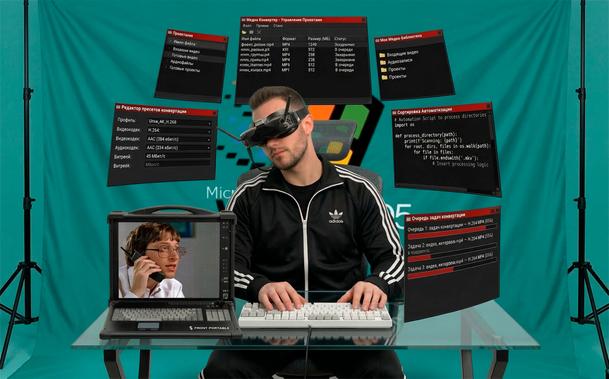
🧵 2/n Didn't Taran Van Hemert, the video editor who worked for #LinusTechTips, drive #AutoHotkey to it's limit?

I think this tool can do graphical #PatternMatching, click on things, and process scripts(with loops and tests), right?

This could be my 1st #FLOSS project to publish on #GitHub - https://github.com/PurryPlatypus/twitter-ex.

But hey, I still have my client prototype — let's find who else uses DBGP?

There's not much projects, but there are *some*, one example is… #AutoHotKey. Yep, they use the debugger protocol inherited from PHP!

Wondeful, my debug client is even compatible with AutoHotKey.

When I'm too lazy to even speak to Alexa, and just want to be able to operate my study lights from my keyboard without looking up.

#HomeAssistant, #MQTT and #AutoHotKey to the rescue!

https://www.technical-capers.info/post/the-home-assistant-shortcut-keys-caper

The Home Assistant Shortcut Keys Caper

Making my various computers control my study lights without lifting my hands off the keyboard or opening my mouth.

Technical Capers
GitHub - Ciantic/VirtualDesktopAccessor: DLL for accessing Windows 11/10 Virtual Desktop features from e.g. AutoHotkey

DLL for accessing Windows 11/10 Virtual Desktop features from e.g. AutoHotkey - Ciantic/VirtualDesktopAccessor

GitHub

@dustcircle I solved that back in #WindowsXP with a bit of #AutoHotkey 😁

#-::Send {U+2013} ; Win + - → en dash
+#-::Send {U+2014} ; Shift + Win + - → em dash